AI Test Automation Tools and Workflows for QA Teams in 2026
A rigorous guide to selecting and governing AI test automation tools, testing AI systems, review workflows, CI gates, security, drift, metrics, and adoption.
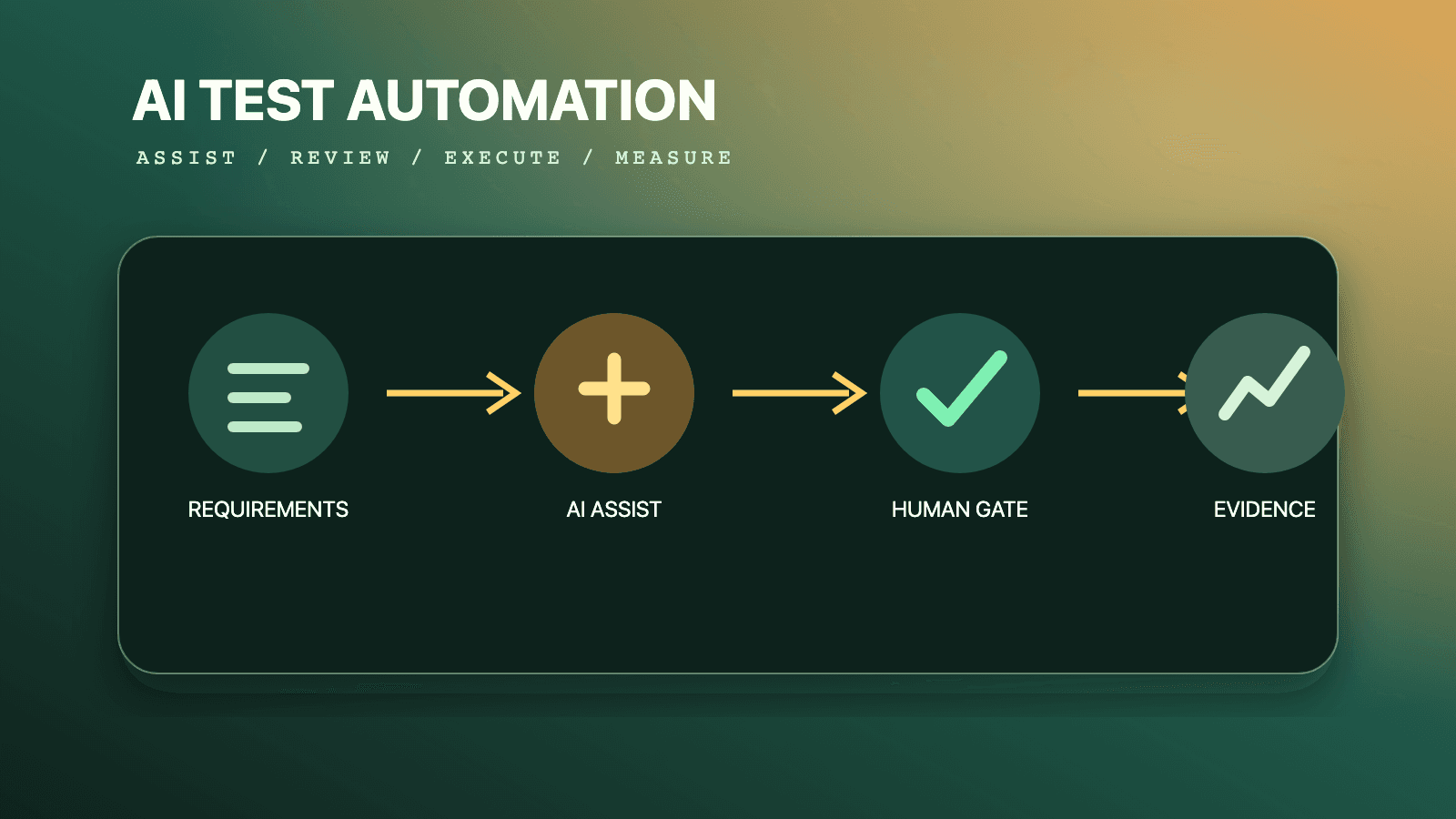
AI test automation tools should be used as governed assistants, not autonomous judges of product quality. In 2026, the practical stack is an existing deterministic test runner plus an agent for planning or generation, optional visual or healing support, and dedicated evaluation tooling when the product itself contains AI. Humans still own risk selection, expected outcomes, security boundaries, merge approval, and release decisions. Start with one measurable bottleneck, require reviewable artifacts, and compare escaped defects, feedback time, maintenance effort, and delivery stability against a baseline. Do not buy a platform merely because it can generate many tests.
That answer separates two activities that are often collapsed into one label. AI4Testing means applying AI to a testing activity: proposing scenarios, generating code, clustering failures, finding changed elements, creating data, or summarizing evidence. Testing AI systems means evaluating a system whose behavior depends on machine learning or generative AI: its data, model, prompts, retrieval, tools, safety controls, and behavior after deployment. A team may do either or both, but the evidence and release rules are different.
This guide is the decision and operating manual for both domains. For deeper treatment, use the companion guides:
- ISTQB CT-AI v2.0 guide
- AI4Testing versus testing AI systems
- Testing AI-generated code: an SDET playbook
- Self-healing test automation governance
Browse reusable instructions in the QA skills directory. For agent-operated browser exploration, install or inspect the author-qualified Playwright CLI skill. A CLI session can help discover a workflow, but a release gate should still execute reviewed tests with pinned dependencies, controlled data, and retained evidence.
The boundary that prevents bad testing decisions
The April 17, 2026 ISTQB Certified Tester AI Testing syllabus v2.0 makes an unusually useful scope decision: it focuses on testing AI-based systems, while material about using AI for testing has been removed. ISTQB directs people interested in generative AI supporting test activities toward CT-GenAI instead. That is not a semantic detail. It prevents a team from believing that an AI-generated browser script is evidence that its recommendation model, fraud classifier, or support agent is safe.
| Dimension | AI4Testing | Testing an AI-based system |
|---|---|---|
| Test object | Any software system or testing workflow | Data, ML model, GenAI model, prompt, retrieval, agent, and surrounding software |
| AI's role | Assistant or automation mechanism | Part of the product under test |
| Typical input | Requirement, source code, UI, test history, failure artifacts | Representative examples, labels, adversarial inputs, model and prompt versions, operational distributions |
| Typical output | Plan, test code, locator patch, failure cluster, synthetic data | Distribution of scores, slice results, safety findings, drift signals, trace evidence |
| Primary oracle | Existing requirement and deterministic assertions | Exact checks where possible, plus thresholds, rubrics, relations, experts, statistical evidence |
| Main review question | "Does this artifact test the intended risk without weakening the oracle?" | "Is the evidence representative, statistically defensible, safe, and tied to acceptance criteria?" |
| Common hidden failure | More scripts but no stronger defect detection | Averages hide harmful slices or unstable behavior |
| Release authority | Normal code-review and CI policy | Cross-functional product, data, model-risk, safety, and security policy as risk requires |
An AI assistant can write a deterministic unit test for a tax function. The correctness of that test still comes from the tax rule, examples, and reviewer, not from the model that produced the code. Conversely, an LLM support agent can pass deterministic checks for JSON shape and tool-schema validation while failing factuality, policy adherence, or resistance to prompt injection. The first problem is generated-code assurance. The second includes probabilistic system evaluation.
The distinction also changes ownership. A framework maintainer may own generated test conventions. A data steward owns dataset provenance and permitted use. A domain expert may adjudicate ambiguous outcomes. Security owns threat models and privilege boundaries. Product owns acceptable harm and business behavior. QA connects those decisions into executable evidence, but should not silently inherit every decision because the artifact is called a "test."
For a focused comparison, see AI4Testing versus testing AI systems. For code that arrived through a coding assistant, use the controls in the AI-generated code SDET playbook.
What AI test automation tools are suitable for
The best use cases have a reviewable output, a bounded action space, a known source of truth, and a measurable bottleneck. The weakest use cases ask a model to infer both the requirement and the verdict, then accept its answer without independent evidence.
| Use case | Suitability | Why | Required control |
|---|---|---|---|
| Turn an approved scenario into a first-draft test | High | Input intent and output diff are inspectable | Human code review and execution against a controlled environment |
| Suggest boundary cases from a typed API schema | High | Schema constrains the search space | Confirm business invariants and add negative assertions |
| Explore a UI and draft a test plan | High | Exploration can reveal states quickly | Reviewer checks coverage against requirements and risk |
| Summarize traces or cluster similar failures | High | It reduces triage reading rather than deciding release alone | Preserve original logs and sample every cluster |
| Generate synthetic, non-sensitive test records | Medium to high | Useful for variation when constraints are explicit | Validate referential, privacy, and domain constraints |
| Repair a changed locator | Medium | Candidate equivalence can be checked | Re-run unchanged assertions; require approval by risk tier |
| Approve changed visual baselines | Low | The change itself may be the defect | Named human or design-system approval |
| Decide whether an ambiguous LLM answer is correct | Medium | A calibrated rubric can scale review | Measure judge agreement, bias, and uncertainty against human labels |
| Rewrite assertions until a failing test passes | Unsuitable | It destroys the oracle | Block assertion weakening and requirement changes |
| Give an agent production credentials to "test freely" | Unsuitable | Blast radius and data exposure exceed the testing value | Isolated environment, least privilege, least agency, explicit approvals |
| Replace accessibility, security, or domain experts | Unsuitable | Automated evidence covers only part of these risks | Keep specialist and affected-user review |
Suitable does not mean fully autonomous. Scenario ideation can be broad, but an agent should not create thousands of low-value permutations that make CI slower and ownership less clear. Failure summarization can be useful, but a summary must link to the exact trace, screenshot, request, log interval, and source revision. Test-data generation can expand coverage, but generated rows must satisfy the same constraints as imported data and must not reproduce confidential examples from a prompt.
Use AI where it shortens the distance between a known risk and trustworthy evidence. Avoid it where it only shortens the distance between a vague request and a plausible-looking artifact.
Tool categories: choose a control surface, not a brand story
No defensible universal ranking exists. Products differ by supported systems, deployment model, evidence, data handling, review workflow, extensibility, and commercial terms. The table below is a category map with representative products whose capabilities are described in their own documentation; inclusion is not an endorsement or a claim of comparative superiority.
| Category | Representative examples | Best fit | Evidence to demand in a pilot | Main risk |
|---|---|---|---|---|
| Framework-native planning and generation | Playwright Test Agents, Playwright codegen | Code-owning web teams already using Playwright | Plan-to-test traceability, clean diff, stable locators, meaningful assertions | Generated happy paths mistaken for coverage |
| General coding assistants with repository context | Team-approved coding agent plus QA skills | Multi-framework teams that want source-controlled output | Test compiles, fails for seeded defect, follows local fixtures and policy | Secret exposure, invented APIs, broad file changes |
| Managed agentic or low-code authoring | mabl agentic test authoring and similar platforms | Mixed-skill teams needing a managed workflow | Exportability, role controls, execution evidence, data residency, review gates | Lock-in and hidden behavior changes |
| Locator healing and maintenance assistance | Playwright healer, mabl auto-heal, platform-specific healing | Suites with measured locator churn | Original failure, candidate patch, confidence, rerun evidence, audit history | Masked product defects or changed intent |
| Visual comparison | Applitools Eyes and framework-native snapshot tools | Layout, rendering, component, and cross-viewport risks | Baseline provenance, match mode, regions, environment, reviewer action | Baseline rubber-stamping and dynamic-noise suppression |
| Evaluation and graders | Hosted OpenAI Evals during its 2026 retirement window, open evaluation frameworks, in-house harnesses | LLM, RAG, classifier, and agent quality evaluation | Versioned dataset, grader definition, per-item result, slices, confidence interval | Judge bias, leakage, overfitting to a benchmark |
| Data and model monitoring | Model observability platform or in-house statistical pipeline | Operational ML systems with changing inputs and feedback | Feature distributions, label delay, thresholds, alert owner, rollback path | Drift alert without ground truth or action |
| Security and red-team harnesses | Threat-specific scripts guided by OWASP, scanners, adversarial corpora | AI systems with tools, memory, retrieval, or sensitive data | Reproducible attack, trace, affected boundary, remediation verification | Treating a scanner pass as complete assurance |
| Test intelligence and triage | CI analytics, flaky-test classifiers, failure clustering | Large suites with costly diagnosis | Classification precision, sampled false merges, links to raw evidence | Hiding distinct product failures in one cluster |
The official Playwright test-agent documentation describes three definitions: a planner that explores and writes a Markdown plan, a generator that turns a plan into executable Playwright tests, and a healer that replays a failure, inspects the current UI, suggests a patch, and reruns until success or a guardrail stops the loop. It also says generated tests may contain initial errors and that a healer may output a skipped test when it believes functionality is broken. Those details are precisely why governance matters: "generated," "passing," and "skipped" are states to review, not quality conclusions.
The mabl documentation for agentic web authoring is an example of a managed authoring category. Its auto-heal documentation describes matching semantically similar text and attributes and updating an element model after a passing plan run. A pilot should therefore test semantic changes, not just renamed IDs: if "Delete account" replaces "Save account" in the same location, the correct behavior is to fail, not to celebrate a match.
Visual systems need equally explicit modes. The Applitools match-level documentation allows a comparison mode to be selected per check. The governance question is whether the selected mode matches the risk. A layout-level comparison may be appropriate for a dynamic content region but insufficient for a regulated disclosure whose exact text and styling matter.
For AI products, an evaluation service is only the execution layer. The hosted OpenAI Evals API illustrates useful primitives such as a data-source schema, testing criteria or graders, a model configuration, and runs, but it is not a durable platform recommendation: OpenAI's official deprecation schedule says existing evals become read-only October 31, 2026, and the dashboard and API shut down November 30, 2026. Teams using it should preserve those concepts in a replacement rather than create new long-lived dependencies. Your team still owns whether examples are representative, whether a grader is calibrated, which slices can fail the release, and how retained data complies with policy.
Twelve questions for a tool evaluation
Ask vendors and internal platform owners for executable answers, not slides:
- What exact artifacts are created, changed, or retained, and can they be reviewed in source control?
- Can the tool show the original input, model/tool version, generated proposal, execution result, and approving identity?
- Which actions are read-only, reversible, destructive, external, or privileged?
- Can roles forbid assertion edits, skipped tests, baseline approval, secret access, and production writes?
- Where do prompts, source code, DOM snapshots, screenshots, traces, test data, and outputs go?
- What is retained, for how long, and under which tenant, region, encryption, deletion, and training-use policy?
- Can models, prompts, agent definitions, dependencies, and policies be pinned and rolled back?
- Does the result remain useful if the AI feature is disabled or the vendor is unavailable?
- How are false heals, bad generations, judge disagreements, and flaky classifications surfaced?
- Can results be exported in a durable format with stable identifiers and raw evidence?
- What workload, concurrency, token, storage, and human-review costs appear at expected scale?
- What measurable baseline and stopping rule will determine whether the pilot succeeds?
Reject a proof of concept that demonstrates only the vendor's sample application. Use your least tidy representative workflow: custom fixtures, asynchronous state, role permissions, test data, failure artifacts, and one deliberately seeded defect. A tool that generates a clean login test but cannot preserve your domain fixture or detect a changed authorization rule has not proven value.
A governed generation workflow
The reliable workflow is not "prompt, generate, merge." It is a chain of contracts in which each stage narrows uncertainty and leaves evidence.
| Stage | Input contract | Output artifact | Reviewer question | Automated check |
|---|---|---|---|---|
| Frame | Risk, requirement, scope, exclusions | Test charter with acceptance criteria | Is the important failure observable? | Required fields and owner present |
| Plan | Charter, approved fixtures, application access | Scenarios and coverage map | Are boundaries and negative paths represented? | Duplicate and forbidden-scope checks |
| Generate | Approved plan and repository conventions | Small code diff | Does code preserve intent and isolation? | Format, types, lint, test discovery |
| Challenge | Generated test and seeded mutations | Mutation/negative-run evidence | Does the test fail for the right defect? | Expected red run and diagnostic match |
| Review | Diff, execution, provenance, data-use record | Approval or requested changes | Are assertions independent and meaningful? | CODEOWNERS/risk-based approvals |
| Gate | Immutable revision and controlled environment | Signed result bundle | Is evidence sufficient for this change? | Deterministic checks plus threshold policy |
| Learn | Production and review outcomes | Updated prompt, fixture, policy, or dataset | Did the workflow improve signal or only volume? | Trend and control-limit monitoring |
1. Frame the risk before invoking a model
A good request contains the business outcome, actor, preconditions, state boundary, disallowed operations, expected evidence, and completion condition. "Write checkout tests" is too broad. "Draft one Playwright test proving a guest cannot submit an order after inventory becomes unavailable; create data through the test API, do not call production or alter shared fixtures, and assert both the user message and absence of an order record" gives the system and reviewer a contract.
Keep the requirement outside the generated file. If the same model writes the requirement, expected result, and implementation, correlated mistakes can agree with one another. Tie the test to an approved story, contract, policy, defect, or risk record. This does not guarantee correctness, but it makes disagreement visible.
2. Plan in a human-readable representation
Plans are cheaper to challenge than code. Require a scenario ID, requirement or risk link, preconditions, action, observable result, data class, cleanup owner, and excluded behavior. Remove duplicate scenarios before generation. Mark exploratory hypotheses separately from regression commitments so a speculative path does not quietly become a permanent gate.
Use pairwise or property-based reasoning where combinations matter, rather than asking a model to enumerate every combination. Ask for missing partitions: empty, minimum, maximum, invalid type, stale state, concurrent update, permission boundary, dependency failure, and interrupted operation. Then select cases based on impact and likelihood.
3. Generate the smallest reviewable increment
One scenario or cohesive test file is easier to verify than an agent-wide refactor. Limit file ownership, command allowlists, network access, and token or iteration budgets. Require use of existing fixtures and assertion utilities. A model should explain why it needs a new dependency or abstraction; it should not install one simply because it remembers an example.
Generated test code must satisfy the same standards as human-written code:
- deterministic ownership of data and cleanup;
- stable, user-meaningful locators or explicit test contracts;
- assertions on the business outcome, not merely visibility;
- no fixed sleeps masking eventual conditions;
- no plaintext secrets or copied production records;
- no conditional assertions that turn failures into passes;
- no catch-and-ignore blocks around the behavior under test;
- no unexplained retries, skips, baseline changes, or snapshot churn.
4. Prove that the test can fail
A green run is weak evidence when the test was created against already-working software. Temporarily seed a controlled defect, mutate a response, deny a permission, change the required text, or run against the known pre-fix revision. The test should fail at the intended assertion with an understandable diagnostic. Restore the application change, not the test expectation, and confirm green.
This "red evidence" catches vacuous assertions, wrong environments, dead code, swallowed exceptions, and tests that never reach the behavior. Mutation testing can automate part of the challenge at lower layers. For browser tests, a narrowly controlled route override or known bad build is often sufficient.
5. Review intent, implementation, and provenance separately
Intent review asks whether the scenario represents the requirement and important risk. Implementation review asks whether the code is isolated, readable, deterministic, and maintainable. Provenance review asks which model, agent definition, tools, inputs, data, and commands participated. One reviewer can perform all three on a low-risk change, but the checklist should not collapse them.
The Playwright best-practices documentation recommends testing user-visible behavior, isolation, resilient locators, and web-first assertions. Those standards remain applicable regardless of authorship. Generated code does not earn an exception; it needs at least the same review because fluent code can conceal an invented assumption.
Playwright planner, generator, and healer in a controlled loop
Playwright introduced its test agents in version 1.56, and the current documentation says to regenerate the static agent definitions whenever Playwright is updated. Initialize only the loop your approved client uses:
# Run in a clean branch with the repository's pinned Playwright dependency.
npx playwright --version
npx playwright init-agents --loop=codex

# Inspect generated definitions before granting tools or credentials.
git diff -- .github .codex specs tests
The official workflow gives the planner a clear request, a seed test, and optionally a product requirement document. The seed test is powerful because it carries fixtures, hooks, and environment initialization. It is also a trust boundary: do not place broad administrator credentials or destructive cleanup behavior in a seed merely to help generation.
Use a repository policy file or equivalent platform controls to constrain the loop. This example is intentionally vendor-neutral; it documents policy even if enforcement is split across sandbox, CI, and review settings:
# ai-test-policy.yml
scope:
  writable:
    - specs/checkout/**
    - tests/checkout/**
  readonly:
    - playwright/fixtures.ts
    - src/contracts/**
  forbidden:
    - .env*
    - playwright/.auth/**

commands:
  allow:
    - npx playwright test tests/checkout --project=chromium
    - npx playwright test tests/checkout --list
  deny_patterns:
    - ".*--update-snapshots.*"
    - ".*test\.skip.*"

network:
  allowed_origins:
    - http://127.0.0.1:3000
    - http://127.0.0.1:4010

approval:
  required_for:
    - assertion_change
    - fixture_change
    - dependency_change
    - test_skip
    - baseline_update
The generator verifies selectors and assertions while performing scenarios, according to the official agent documentation. That runtime interaction is useful but does not prove the assertion represents the requirement. Review a generated test for an independent postcondition:
import { test, expect } from '../playwright/fixtures';

test('sold-out inventory prevents order creation', async ({ page, api, productFactory }) => {
  const product = await productFactory.create({ stock: 1 });
  await page.goto(`/products/${product.id}`);
  await page.getByRole('button', { name: 'Add to cart' }).click();

  // Simulate a competing purchase through a controlled test API.
  await api.sellRemainingInventory(product.id);

  await page.getByRole('button', { name: 'Place order' }).click();

  await expect(page.getByRole('alert')).toContainText('No longer available');
  await expect
    .poll(() => api.findOrders({ productId: product.id, owner: 'current-test-user' }))
    .toEqual([]);
});
The visible alert verifies user feedback; the API postcondition verifies that no order was created. An agent that asserted only the alert could miss a severe backend defect. Conversely, asserting only the API would miss misleading user feedback. Both checks follow from the stated risk.
Treat the healer as a patch proposer. The docs say it may adjust a locator, wait, or data and may skip a test it believes reflects broken functionality. In a release workflow, do not permit silent skip creation. Capture the original error, trace, candidate diff, changed locator candidates, final run, and reason. Keep the business assertion byte-for-byte unchanged unless a requirement change has its own approval.
Use the dedicated Playwright test agents guide and AI test generation with Playwright for implementation detail. The test-generation tools guide covers broader authoring patterns.
Self-healing is change management, not magic
"Self-healing" can describe very different actions: retrying after a transient condition, selecting another locator candidate, updating a stored element model, changing test data, adding a wait, modifying navigation, or rewriting an assertion. Only some preserve test intent. Governance starts by naming the action rather than granting a blanket "healing" permission.
| Proposed change | Default disposition | Reason | Required evidence |
|---|---|---|---|
| Replace unstable generated ID with unchanged accessible role/name | Auto-propose, human review | Likely equivalent but semantics must be checked | Before/after DOM or ARIA evidence and passing unchanged assertions |
| Choose an alternate locator with same unique semantic target | Auto-propose; auto-apply only in low-risk non-blocking runs | Equivalence can often be demonstrated | Candidate scores, uniqueness, trace, canary history |
| Increase wait around a documented eventual condition | Human review | May hide performance regression or wrong signal | Timing distribution and condition-specific wait |
| Refresh expired synthetic test data | Policy-controlled | Safe only when data source and ownership are known | Factory request, record owner, cleanup log |
| Change expected text, amount, role, permission, or status | Block automatic healing | This changes the oracle | Approved requirement change and normal code review |
| Add retry or catch-and-ignore behavior | Block by default | Can convert a defect into a pass | Root-cause analysis and explicit exception |
| Skip, quarantine, or mark expected failure | Named approval with expiry | Removes release evidence | Owner, issue, impact, expiry, replacement signal |
| Accept or regenerate a visual baseline | Human/design approval | The new image may contain the regression | Baseline diff, environment, requirement or design link |
| Edit global fixture, authentication, or cleanup | Elevated review | Blast radius crosses tests | Full affected-suite run and security review |
A healing decision record
Store a machine-readable event beside the run, not necessarily in the test source. The point is to make false heals measurable:
{
  "eventVersion": 1,
  "testId": "checkout/sold-out-inventory",
  "sourceRevision": "8c91f4a",
  "failureClass": "locator_not_found",
  "proposal": {
    "kind": "locator_change",
    "from": "getByTestId('submit-order-v1')",
    "to": "getByRole('button', { name: 'Place order' })",
    "assertionsChanged": false
  },
  "evidence": {
    "uniqueMatches": 1,
    "trace": "artifact://runs/1842/trace.zip",
    "beforeDom": "artifact://runs/1842/before.html",
    "afterDom": "artifact://runs/1842/after.html"
  },
  "decision": {
    "status": "approved",
    "reviewer": "qa-platform-oncall",
    "policy": "locator-low-risk-v3"
  }
}
Measure healer precision: approved proposals divided by reviewed proposals, followed by escaped false-heal rate. Also measure time to diagnose, not only time to green. If the tool quickly changes a locator but reviewers spend longer proving semantic equivalence, the maintenance cost moved rather than disappeared.
Run healing after preserving the original failure artifacts. Never overwrite the only trace with the healed run. Execute the candidate in a clean worker and, for meaningful tests, against a known failing variant. Roll out auto-application only by risk tier: informational jobs first, then low-risk locator-only changes, never assertion or privilege changes.
The complete governance model is in the self-healing test automation guide. For ordinary intermittent failures, investigate state, timing, and environment rather than asking a model to normalize them; the flaky-test repair guide explains that diagnostic path.
Testing AI systems starts with a lifecycle, not a prompt
Testing an AI-based system requires ordinary software testing plus evidence for data-dependent and probabilistic behavior. The ISTQB CT-AI v2.0 release organizes the subject around input data, models, and system-level behavior. It covers input-data representativeness and label correctness; model performance, adversarial, metamorphic, drift, A/B, and back-to-back testing; and quality characteristics relevant to AI systems. That lifecycle is more useful than treating the model endpoint as a black box with a few favorite prompts.
Map the production path before choosing tests:
source data -> validation -> preprocessing -> training/fine-tuning
            -> model artifact -> prompt/retrieval/tools -> application policy
            -> user-visible output/action -> feedback -> monitoring/retraining
Every arrow can alter behavior. A model may be unchanged while a retrieval index is rebuilt, a system prompt changes, a tool schema adds an optional field, a safety policy is reordered, or an embedding model changes. A conventional application release identifier is therefore insufficient. Record a system-under-test manifest containing at least:
- application and infrastructure revision;
- provider and pinned model or model-artifact digest where available;
- system/developer prompt digest and template variables;
- retrieval corpus snapshot, index configuration, embedding model, and filters;
- tool names, schemas, scopes, and downstream sandbox revisions;
- policy, guardrail, routing, fallback, and sampling settings;
- evaluation dataset and grader versions;
- relevant feature flags and experiment assignment.
Without that manifest, a score change cannot be attributed and a passing run cannot be reproduced closely enough to investigate. Exact bit-for-bit model output may still be unavailable, but configuration provenance narrows the explanation.
Use an oracle portfolio
AI systems rarely need one universal "AI accuracy" score. Combine the strongest available oracle for each requirement:
| Oracle type | Good use | Example | Limitation |
|---|---|---|---|
| Exact deterministic check | Structured facts and contracts | JSON schema, tool name, authorization result, citation ID exists | Cannot judge nuanced usefulness |
| Reference answer or label | Objective classification or extraction | Expected intent, entity, toxicity label | Labels can be wrong or underspecified |
| Bounded numeric threshold | Measurable tolerance | Latency, cost, distance, confidence interval | Threshold needs risk justification |
| Invariant/property | Rules that must always hold | Never expose another tenant; totals reconcile | Properties do not prove overall quality |
| Metamorphic relation | Related inputs with predictable relationships | Reordering irrelevant context should preserve classification | A bad relation creates false confidence |
| Rule or rubric grader | Multi-dimensional language behavior | Required facts, prohibited claims, tone constraints | Rubric ambiguity and implementation bias |
| Human/domain review | Subjective, novel, or high-impact outcomes | Clinical appropriateness, legal meaning, severe safety case | Expensive, variable, and capacity-limited |
| Comparative/back-to-back | Candidate versus approved baseline | Regression rate by risk slice | Baseline may already be poor |
| Operational outcome | Real-world utility with safeguards | Resolution, override, complaint, or task success | Confounded and often delayed |
The test-oracle problem is not permission to accept intuition. The CT-AI syllabus recommends approaches such as agreed ranges and tolerances, statistical evaluation, expert consultation, A/B or back-to-back testing, and metamorphic testing. State which oracle supports each claim and what remains unknown.
Probabilistic testing: evaluate distributions and slices
An exact test expects the same relevant result from a controlled state. A probabilistic test estimates behavior across samples or repeated trials. Both belong in an AI system. Authentication, tenancy, tool authorization, schema conformance, and monetary reconciliation should remain deterministic even when an LLM selects or explains an action. Helpfulness, retrieval quality, classification performance, and refusal behavior may require statistical evidence.
ISTQB CT-AI v2.0 explains why a statistical approach is needed: AI systems are data-driven and often nondeterministic; operational distributions differ from training data; uncertainty and bias need quantification; and a single example cannot represent aggregate functional performance. The syllabus calls for metrics such as accuracy, precision, recall, and F1 to be compared with acceptance criteria, rather than reducing a probabilistic model to one pass/fail example.
Build a scorecard in this order:
- Define the decision and harm. A missed fraud case and a false fraud block have different costs.
- Choose the unit of analysis: request, conversation, user, document, tool call, or workflow.
- Define eligible population and important slices before looking at candidate results.
- Choose exact checks, metric definitions, and uncertainty method.
- Estimate sample size from the smallest meaningful regression, event prevalence, and desired confidence or power.
- Freeze the evaluation set and gate policy before the candidate run.
- Report counts, denominators, intervals, and per-slice results, not only an average.
- Inspect failures and disagreements; do not let a statistically significant trivial change replace product judgment.
For a binary requirement, a confidence interval communicates uncertainty better than a naked pass percentage. This dependency-free Wilson interval helper is suitable for a dashboard or lightweight gate:
from math import sqrt
from typing import Tuple


def wilson_interval(successes: int, total: int, z: float = 1.96) -> Tuple[float, float]:
    if total <= 0:
        raise ValueError("total must be positive")
    if not 0 <= successes <= total:
        raise ValueError("successes must be between 0 and total")

    rate = successes / total
    z2 = z * z
    denominator = 1 + z2 / total
    center = (rate + z2 / (2 * total)) / denominator
    margin = (
        z
        * sqrt((rate * (1 - rate) + z2 / (4 * total)) / total)
        / denominator
    )
    return center - margin, center + margin


passed, evaluated = 188, 200
lower, upper = wilson_interval(passed, evaluated)

# Gate on a predeclared lower bound, not the point estimate alone.
assert lower >= 0.90, f"requirement uncertain: {passed}/{evaluated}, CI=({lower:.3f}, {upper:.3f})"
The common 1.96 value approximates a two-sided 95% interval under standard assumptions; it is not universally correct. Repeated measures from one conversation, duplicated examples, adaptive sampling, delayed labels, and multiple comparisons can violate assumptions. Ask a statistician for high-impact decisions. The code illustrates a discipline: preserve the denominator and account for uncertainty.
Slice before celebrating the aggregate
An overall 94% success rate can coexist with an unacceptable 60% rate for one language, device, region, account type, document class, or protected group. Define slices from product risk and anticipated operating conditions. Report both absolute performance and the gap from a justified reference. Ensure the sample in each slice is large enough to interpret; "100%" from two cases is not strong evidence.
Do not keep adding slices until one happens to fail or pass. Predeclare release-critical slices and use exploratory slices to form hypotheses for the next evaluation version. Correct for repeated hypothesis tests when making formal statistical claims. Preserve item-level results so a reviewer can inspect whether a metric moved because behavior improved, labels changed, or the case mix shifted.
For generative systems, repeated trials can reveal instability. Run the same eligible example under the production sampling configuration and measure hard-constraint failure, task success, tool selection, and score dispersion. Do not average away catastrophic outcomes. A single confirmed cross-tenant disclosure or unauthorized transfer should trip a deterministic severity gate even if every other trial is safe.
Metamorphic tests when exact answers are unavailable
Metamorphic testing derives follow-up cases from a source case using a relation that predicts how outputs should relate. The ISTQB definition and guidance emphasizes consistency, monotonicity, and invariance and notes its value where an affordable test oracle is unavailable. It also warns, in effect, that relations must be valid and that the technique does not detect every absolute error.
Examples include:
- adding irrelevant whitespace should not change a structured intent classification;
- permuting independent evidence passages should not change cited facts;
- paraphrasing a request without changing intent should preserve the selected read-only tool;
- increasing a clearly positive risk feature should not reduce a monotonic risk score, if the model contract guarantees monotonicity;
- duplicating an input row should duplicate, not alter, its independent batch prediction;
- changing a protected attribute should not alter an outcome when policy defines that attribute as irrelevant and causal context is otherwise held constant;
- translating a supported request and answer pair should preserve required facts, within language-specific evaluation;
- injecting an untrusted instruction into retrieved content must not change the agent's authorized goal.
A simple classifier relation can be expressed as a parameterized test:
import pytest


PARAPHRASES = [
    ("Cancel order 1842", "Please cancel my order number 1842"),
    ("Where is order 1842?", "Track shipment for order 1842"),
]


@pytest.mark.parametrize(("source", "follow_up"), PARAPHRASES)
def test_paraphrase_preserves_supported_intent(intent_client, source, follow_up):
    source_result = intent_client.classify(source, temperature=0)
    follow_up_result = intent_client.classify(follow_up, temperature=0)

    assert source_result.schema_version == "intent.v3"
    assert follow_up_result.schema_version == "intent.v3"
    assert source_result.intent == follow_up_result.intent
    assert source_result.required_entities == follow_up_result.required_entities
This test is valid only if a domain reviewer agrees that each pair is semantically equivalent. The second pair deliberately illustrates a review trap: "where is" and "track shipment" may map to the same intent, but a returned order that has not shipped may require different handling. A model can propose relations; humans must approve their meaning.
Maintain a relation registry with an ID, requirement, transformation, expected relation, applicable domain, exceptions, and owner. Test the transformation itself. If an image relation says brightness changes should preserve a road-sign class, bound the brightness range so the sign remains perceptible. If a ranking relation assumes irrelevant context, prove that the added passage is irrelevant to the query.
Use the metamorphic testing guide for data pipelines for additional implementation patterns. For AI systems, combine relations with labeled examples, adversarial tests, and production monitoring. Passing a consistency relation can still mean the system is consistently wrong.
Evaluation data is a controlled product asset
An evaluation set is not a folder of interesting prompts. It is a versioned sample of claims the team wants to make about behavior. Its quality determines what the gate can see.
Build it from several sources:
- requirements and policy-derived canonical cases;
- production-like cases sampled under a documented, privacy-approved process;
- confirmed incidents, complaints, overrides, and near misses;
- adversarial and abuse cases from the threat model;
- boundary and rare cases from domain experts;
- synthetic cases used to fill a stated coverage gap;
- metamorphic follow-ups tied to approved relations.
Keep training, tuning, development, validation, and final test data separated according to the lifecycle. ISTQB CT-AI v2.0 describes testing an accepted model against an independent test dataset and comparing that result with evaluation performance. If engineers repeatedly tune prompts against a "golden test set," it has become development data and no longer provides an independent estimate.
Every item should carry enough metadata to understand coverage and provenance:
{
  "id": "refund-policy-0042",
  "datasetVersion": "support-eval-7",
  "input": {
    "message": "Can I return an opened device after 45 days?",
    "customerRegion": "IN",
    "policyVersion": "returns-2026-06"
  },
  "expected": {
    "mustCite": ["returns-2026-06#opened-devices"],
    "mustNotClaim": ["refund is guaranteed"],
    "requiresEscalation": true
  },
  "slices": ["returns", "policy-exception", "en-IN"],
  "provenance": {
    "kind": "synthetic-from-policy",
    "approvedBy": "support-policy-owner",
    "approvedAt": "2026-07-02"
  },
  "sensitivity": "internal",
  "expiresWhen": "returns-2026-06 is superseded"
}
Do not put raw personal data, credentials, health details, private source, or customer documents into an external evaluation service merely because it is convenient. Minimize fields, tokenize identities, mask or synthesize content, document lawful and contractual use, restrict access, and define deletion. Vendor retention and training-use behavior can differ by endpoint and account configuration; review the current provider terms and controls rather than copying a generic assurance. The OpenAI data-control table, for example, lists endpoint-specific retention and application-state behavior. Treat such pages as configuration inputs that require revalidation, not permanent facts.
Labels, rubrics, and judges need their own tests
Write rubrics with observable dimensions and examples. "Good answer" is not reproducible. "States the 30-day standard window, identifies the opened-device exception, cites the current policy section, and escalates rather than promising a refund" can be reviewed.
For human labels:
- train reviewers on the rubric and provide an "uncertain" path;
- measure agreement on an overlap sample;
- adjudicate disagreements without erasing the original votes;
- separate label correction from model-result correction;
- retain reviewer expertise and timestamp because policies evolve;
- audit slices for systematic disagreement.
For an LLM judge:
- pin the judge configuration when possible;
- prevent access to candidate identity if comparison should be blind;
- randomize order in pairwise comparisons to measure position bias;
- test against a held-out human-adjudicated set;
- report false acceptance and false rejection by slice;
- keep hard programmatic checks outside the judge;
- never let the same uncalibrated model generate, answer, and judge the case.
The golden dataset guide and LLM evaluation quality-gates guide go deeper into dataset and grader operations.
Data drift and concept drift belong in the test strategy
Pre-release evaluation estimates behavior under a represented distribution. Production changes that distribution. The CT-AI syllabus distinguishes:
- Data drift: statistical properties of operational inputs change from the earlier or training distribution.
- Concept drift: the relationship between inputs and the correct output changes, such as a regulation making a formerly low-risk transaction high-risk.
Teams sometimes use model drift as an umbrella for declining production performance, an unannounced provider-model change, a changed model artifact, or behavior that moved after prompt, retrieval, or tool configuration changed. That label is not a diagnosis. Record artifact and configuration provenance, then classify the observed mechanism as data drift, concept drift, model/configuration change, performance drift against current labels, or an ordinary pipeline defect. Each calls for a different response.
Static drift testing can compare input and predicted-output distributions without current ground truth. Dynamic drift testing compares predictions with current direct or indirect feedback once a usable truth signal arrives. These signals answer different questions. An input-distribution alert does not prove model quality declined, and stable input distributions do not prove the concept remains valid.
Define a monitor as a testable contract:
monitor: support-routing-v4
reference_window: 2026-04-01/2026-06-30
current_window: rolling-7d
segments:
  - locale
  - channel
  - customer_tier
signals:
  - name: message_length
    kind: numeric_distribution
    warn: 0.10
    block_auto_promotion: 0.20
  - name: predicted_route
    kind: categorical_distribution
    warn: 0.08
  - name: confirmed_misroute_rate
    kind: delayed_ground_truth
    maximum: 0.03
    label_delay_days: 14
actions:
  warn:
    owner: ml-quality-oncall
    require_slice_review: true
  block_auto_promotion:
    owner: model-release-manager
    fallback: support-router-v3
The numeric values above are illustrative, not universal thresholds. Establish them from baseline variation, model sensitivity, impact, false-alert cost, and response capacity. Version the reference window and preprocessing. Exclude known telemetry outages. Monitor missingness and schema changes before computing sophisticated drift statistics; a renamed field can look like dramatic drift while actually being a pipeline defect.
Connect alerts to action. An owner should be able to segment the change, inspect examples, compare delayed labels, run a shadow candidate, roll back, or route uncertain cases to a safe fallback. A dashboard nobody is obligated to review is observability theater.
Privacy and security for AI-assisted testing
AI test automation combines unusually sensitive assets: source code, requirements, screenshots, DOM and accessibility trees, network traces, credentials, customer-like data, failure logs, prompts, tool outputs, and sometimes production access. Classify the data flow before enabling a tool.
Use a simple inventory for every integration:
| Data or capability | Minimum question | Safer default |
|---|---|---|
| Source and configuration | Does it contain secrets, proprietary logic, or regulated data? | Least-file access, repository allowlist, redaction, no secret files |
| Screenshots, traces, HAR, video | Can tokens, messages, or personal data appear? | Synthetic accounts, masking, encrypted short retention |
| Test prompts and examples | Were they copied from production? | Approved de-identified or synthetic evaluation data |
| Model/provider request | Where is it processed and retained? | Approved tenant/region/endpoint with documented controls |
| Agent tools | Can they write, delete, send, deploy, or purchase? | Read-only sandbox; deny destructive tools |
| Identity | Whose authority does the agent inherit? | Short-lived workload identity scoped to task and environment |
| Memory | Can untrusted content persist into later runs? | Per-run memory, provenance, expiration, integrity checks |
| Logs | Do they reveal reasoning, parameters, results, or secrets? | Structured audit events with filtering and access controls |
Secrets should enter only the process that requires them, through short-lived environment or workload identity, and should never be pasted into a prompt, fixture, generated file, screenshot annotation, or evaluation record. Treat agent output as untrusted input: validate file paths, shell arguments, URLs, SQL parameters, test-data identifiers, and tool payloads at the execution boundary.
Privacy review must cover the full artifact chain. A test environment may use synthetic users but still capture a developer's authenticated browser state. A DOM snapshot may contain hidden account data. A trace may preserve authorization headers or response bodies. A generated failure summary may copy sensitive text into a second system with a longer retention policy. Minimize before collection, not only before publication.
See the test-data privacy and masking guide for implementation patterns. Legal and privacy teams must decide jurisdiction-specific obligations; this guide is an engineering control model, not legal advice.
Secure agentic test workflows with least agency
The OWASP Top 10 for Agentic Applications 2026 names Agent Goal Hijack, Tool Misuse and Exploitation, Identity and Privilege Abuse, Agentic Supply Chain Vulnerabilities, Unexpected Code Execution, Memory and Context Poisoning, Insecure Inter-Agent Communication, Cascading Failures, Human-Agent Trust Exploitation, and Rogue Agents. These are directly relevant when a testing agent browses untrusted applications, reads repository content, calls APIs, edits code, or delegates work.
OWASP adds the useful principle of least agency alongside least privilege: do not grant autonomy that the task does not need. Its guidance also treats observability as essential and recommends human approval for high-privilege or irreversible actions. Apply that concretely:
| Agentic risk | Test-automation example | Preventive control | Verification |
|---|---|---|---|
| Goal hijack | Hidden page text tells a browser agent to upload source | Separate instructions from page content; egress allowlist | Seed indirect injection and verify no upload/tool call |
| Tool misuse | Agent uses an allowed email tool to notify real customers | Sandbox endpoints, recipient allowlist, dry-run | Assert rejected non-test recipient and audit event |
| Identity/privilege abuse | Test inherits an admin token for all tenants | Per-run least-privilege identity and tenant scope | Attempt cross-tenant read/write |
| Supply-chain vulnerability | Generated code installs an unapproved package or MCP server | Lockfile, registry allowlist, signatures/review | Block unknown dependency and altered checksum |
| Unexpected code execution | Untrusted test data becomes a shell argument | No shell where structured API exists; argument validation | Injection corpus and sandbox escape tests |
| Memory/context poisoning | Malicious application content persists into future plans | Isolated memory, provenance, expiry, reset | Run poisoned session followed by clean session |
| Insecure inter-agent communication | A fake reviewer agent approves a patch | Authenticated messages, schema and identity validation | Spoofed sender and replay tests |
| Cascading failure | Healer loops trigger expensive reruns and writes | Step, time, cost, retry, and fan-out budgets | Force repeated failure and verify circuit breaker |
| Human-agent trust exploitation | Plausible summary hides an assertion deletion | Show diff and raw evidence; independent approval | Deliberately misleading summary in review exercise |
| Rogue agent | Agent continues after task completion or revocation | Revocable credentials, kill switch, runtime policy | Revoke mid-run and verify tools stop |
Threat-model the workflow as a system, not just the model. Draw trust boundaries around the client, model provider, browser, repository, CI worker, MCP or plugin servers, test environment, identity provider, artifact store, and human approver. Identify untrusted content from web pages, issues, pull requests, logs, emails, documents, dependency metadata, and tool responses. A testing agent is exposed to adversarial application content by design.
Make authorization deterministic and external to the model. A model may request an action; policy code decides:
type ToolCall = {
  name: 'readOrder' | 'createTestOrder' | 'deleteTestOrder' | 'sendEmail';
  environment: 'local' | 'staging' | 'production';
  tenantId: string;
  target?: string;
};

type RunContext = {
  runId: string;
  testTenantId: string;
  approvedRecipients: Set<string>;
  destructiveApproval?: string;
};

export function authorize(call: ToolCall, context: RunContext): boolean {
  if (call.environment === 'production') return false;
  if (call.tenantId !== context.testTenantId) return false;

  if (call.name === 'sendEmail') {
    return call.target !== undefined && context.approvedRecipients.has(call.target);
  }

  if (call.name === 'deleteTestOrder') {
    return Boolean(context.destructiveApproval);
  }

  return call.name === 'readOrder' || call.name === 'createTestOrder';
}
In a real system, validate the approval's issuer, scope, expiry, run binding, and replay protection rather than checking a nonempty string. The example demonstrates the boundary: model reasoning cannot override production denial, tenant isolation, recipient allowlists, or destructive approval.
Log requested and denied actions, policy version, identity, parameters after secret filtering, result reference, human decision, and trace ID. Do not log raw tokens or every sensitive payload. Protect log integrity and access. The OWASP Securing Agentic Applications Guide 1.0 recommends structured, traceable logging of plans, tool calls, validations, human interactions, errors, and state changes while applying least privilege to the logging platform.
Human approval should be risk-based and usable
"Human in the loop" is not a control if the person receives hundreds of low-context prompts, cannot inspect evidence, or knows the system will proceed after a timeout. Approval design needs a defined decision, qualified role, sufficient context, explicit alternatives, and a safe default.
Require approval for:
- writes outside disposable test data;
- privileged, destructive, externally visible, financial, deployment, or production actions;
- dependency, tool, agent-definition, model, or provider changes;
- assertion, expected-result, rubric, threshold, dataset-label, or baseline changes;
- new skips, quarantines, retries, policy exceptions, or reduced coverage;
- release-critical grader disagreements and severe security findings;
- promotion after drift, safety, or protected-slice regressions.
An approval screen should show the proposed action or diff, affected resource and environment, initiating requirement, original failure, evidence links, model/tool provenance, risk class, policy result, rollback, and expiration. Present "reject" and "request changes" as first-class options. Bind approval cryptographically or transactionally to the exact action so a later agent cannot substitute parameters.
Use two-person approval where the impact justifies it, but do not route every generated locator through a committee. Low-risk proposals can be reviewed in normal pull requests; read-only exploration may need no per-step approval inside a sandbox. The objective is controlled autonomy with manageable reviewer load.
Track approval quality: queue time, rejection rate, reversals, incidents after approval, and alerts per reviewer. High approval rate is not automatically good; it may indicate accurate automation or inattentive rubber-stamping. Sample approved events and test reviewers with seeded unsafe proposals.
CI gates: deterministic shell, probabilistic core
CI should separate invariant failures from statistical evidence. Put fast deterministic checks first: format, types, unit tests, contract/schema checks, authorization, injection defenses, and test discovery. Then run integration and browser checks. Run evaluation suites with pinned manifests, and apply an explicit policy to their result artifact. Never let an agent alter the policy during the run it is being judged by.
| Gate | Failure semantics | Typical action |
|---|---|---|
| Security invariant | Any confirmed violation fails | Block merge/release and triage |
| Contract/schema | Any invalid structure or tool argument fails | Block and fix |
| Deterministic regression | Reproducible mismatch fails | Block unless approved requirement change |
| Release-critical eval threshold | Lower bound or allowed regression breached | Block promotion |
| Protected/high-risk slice | Slice threshold breached | Block even if aggregate passes |
| Comparative quality | Candidate materially worse than baseline | Block or route to expert review |
| Cost/latency budget | Budget exceeded with adequate sample | Block auto-promotion or require exception |
| Exploratory/red-team finding | Severity and confidence determine action | Create finding; severe confirmed case blocks |
| Drift warning | Distribution changed, impact unknown | Investigate; do not claim model failure yet |
A compact GitHub Actions shape keeps artifacts and policy visible:
name: AI quality gates

on:
  pull_request:

jobs:
  deterministic:
    runs-on: ubuntu-latest
    steps:
      - uses: actions/checkout@v5
      - uses: actions/setup-node@v6
        with:
          node-version: 24
          cache: npm
      - run: npm ci
      - run: npm run lint
      - run: npm run typecheck
      - run: npm test -- --runInBand

  evaluation:
    needs: deterministic
    runs-on: ubuntu-latest
    permissions:
      contents: read
    steps:
      - uses: actions/checkout@v5
      - uses: actions/setup-node@v6
        with:
          node-version: 24
          cache: npm
      - run: npm ci
      - name: Run frozen evaluation suite
        run: npm run eval -- --manifest eval/manifests/pr.json --output artifacts/eval.json
        env:
          MODEL_API_KEY: ${{ secrets.EVAL_MODEL_API_KEY }}
      - name: Apply versioned release policy
        run: node scripts/assert-eval-policy.mjs eval/policies/pr-v4.json artifacts/eval.json
      - uses: actions/upload-artifact@v5
        if: ${{ !cancelled() }}
        with:
          name: ai-evaluation-${{ github.sha }}
          path: artifacts/
          retention-days: 14
Use an account and key restricted to evaluation, not a shared production secret. Record provider request IDs where available, but filter sensitive content. If an external model service is unavailable, fail with "evaluation unavailable," not "quality passed." Decide whether that state blocks release based on risk and an approved emergency process.
A policy should explain every threshold
Store threshold policy separately from runner code. Include metric name, direction, scope, minimum sample, point threshold or interval rule, allowed baseline regression, severity, owner, and exception process. A candidate should not pass by omitting hard examples or returning "not evaluated." Missing required data is a gate error.
Use tiered suites:
- per-commit smoke set for hard invariants and representative high-risk cases;
- pull-request regression set for relevant features and slices;
- scheduled broad set for stochastic repeats, adversarial exploration, and expensive judges;
- pre-promotion set against the immutable release candidate;
- production canary and monitoring with rollback or routing controls.
Do not run every model combination on every edit. Select affected evaluations from changed prompts, tools, retrieval, policies, or application paths, while keeping a small sentinel suite that detects mistakes in impact analysis. Periodically run the full suite to validate selection.
Measure ROI without rewarding test volume
The business case is not "the agent wrote 300 tests." More tests can increase maintenance and feedback time without preventing a defect. Measure the complete value stream from requirement to trusted decision.
| Metric family | Useful measures | Interpretation trap |
|---|---|---|
| Flow | Median and 90th-percentile time from approved scenario to reviewed test; review queue time | Generation time alone ignores correction and waiting |
| Signal | Confirmed defects found, mutation detection, precision of failure classification, false-heal rate | Raw failure count rewards noise |
| Reliability | Flaky rate, rerun rate, reproducibility, time to diagnose | Retry passes mislabeled as success |
| Maintenance | Human minutes per accepted test/change, locator churn, deleted tests, policy exceptions | Lines generated are not maintained value |
| Evaluation | Critical-slice lower bounds, grader agreement, severe-case count, drift response time | Aggregate score hides harm |
| Cost | Tool, token, compute, storage, vendor, review, incident, and migration cost | Subscription price omits labor and lock-in |
| Delivery | Change lead time, deployment frequency, recovery time, change fail rate, deployment rework rate | Local speed can create downstream instability |
| Product | Escaped defects, support contacts, overrides, task success, safety incidents | Correlation does not prove the tool caused change |
The 2025 DORA State of AI-assisted Software Development report describes AI as an amplifier of an organization's strengths and weaknesses, with returns depending on the underlying sociotechnical system. DORA's current software delivery metrics group change lead time, deployment frequency, and failed deployment recovery time as throughput, and change fail rate plus deployment rework rate as instability. Use those as system-level guardrails around a test-tool rollout. Faster test authoring is not a win if change failures, rework, or recovery worsen.
Calculate incremental value over a baseline period:
annual_net_value =
    avoided_manual_effort
  + avoided_defect_and_incident_cost
  + recovered_delivery_capacity
  - tool_and_model_cost
  - evaluation_compute_and_storage
  - review_and_governance_cost
  - integration_training_and_migration_cost

roi = annual_net_value / total_incremental_cost
Avoided cost is an estimate, so show assumptions and ranges. Do not count all generated hours as savings if no capacity was actually redeployed. Do not attribute every avoided defect to AI when a new deterministic gate or better fixture caused the improvement. A phased rollout with comparable teams or workflows is stronger than before/after anecdotes, though organizational experiments also have confounders.
Instrument review dispositions. Tag proposals as accepted unchanged, accepted with correction, rejected as duplicate, rejected as incorrect, rejected as unsafe, or abandoned. Measure time spent and downstream outcomes. A high correction rate may still be valuable for ideation, but it argues against autonomous merging.
For a detailed business-case model, use the test automation ROI guide and QA metrics guide.
The operating model: quality is a shared system
AI changes the volume and origin of artifacts, not accountability. A workable model assigns decision rights:
| Decision | Accountable role | Essential contributors | Evidence |
|---|---|---|---|
| Which risk to automate | Product/engineering owner | QA, security, domain expert | Risk and expected outcome |
| Agent access and tools | Security/platform owner | QA automation, privacy, service owner | Threat model and policy tests |
| Generated test merge | Code owner | QA reviewer, feature developer | Diff, red/green runs, provenance |
| Healing policy | QA platform owner | Product and security for high-risk paths | Allowed change matrix and audit metrics |
| Evaluation dataset | Product/domain owner | QA, data steward, privacy | Datasheet, labels, slices, approvals |
| Model/prompt acceptance | AI product owner | QA, domain, safety/security, data science | Versioned scorecard and failure review |
| Threshold exception | Named release authority | Risk owner and incident/on-call roles | Scope, expiry, compensating control |
| Production drift response | Service/model owner | QA, data science, operations | Alert, examples, ground truth, action |
| Vendor selection/renewal | Engineering/product leader | Procurement, security, privacy, QA | Pilot metrics, terms, exit plan |
Create a small enablement group rather than a centralized queue for all AI testing. It should maintain approved integrations, sandbox templates, reusable evaluation and test fixtures, policy-as-code, review guidance, and observability. Product teams retain ownership of requirements and operational outcomes.
The DORA platform-engineering guidance argues that a high-quality internal platform can provide standardized, secure pathways and clear feedback, preventing individual AI speed from becoming downstream disorder. In practice, that means the paved road should make the safe action easiest: short-lived test identity, isolated data factory, approved model gateway, artifact retention, policy gate, and one trace ID.
Hold a regular calibration review, not only a tool demo. Sample generated tests, heals, grader disagreements, drift alerts, policy exceptions, and escaped defects. Delete low-value automation. Update prompts and examples only after identifying the failure mode. Treat agent definitions and rubrics as production code with owners and change review.
A risk-based adoption roadmap
Phase 0: establish the baseline
For two to four weeks, measure scenario-to-merge time, review time, flaky rate, maintenance work, escaped defects, CI duration, and delivery outcomes for a representative area. Inventory data and tools. Classify actions by reversibility and impact. Choose one bottleneck and one stopping rule.
Do not begin with the highest-risk production workflow. A good first target is a maintained test repository with clear fixtures and a missing-test backlog, where generated output is source-controlled and no production access is needed.
Phase 1: read-only assistance
Allow requirement summarization, scenario suggestions, failure clustering, or trace explanation. Keep raw evidence linked and sample accuracy. No code edits, no healing, no secret access, and no release authority. This phase tests usefulness and data handling with low blast radius.
Exit when reviewers can quantify accepted suggestions, correction time, unsafe outputs, and false clusters. Stop if review effort exceeds value or sensitive data cannot be controlled.
Phase 2: generated proposals in a sandbox
Permit plans and small test diffs in owned paths. Run format, types, lint, deterministic tests, and seeded-defect challenges. Require normal code-owner approval. Capture provenance and cost. Add no new dependency without separate approval.
Exit when generated tests have acceptable review effort, detect intended red cases, and do not worsen suite reliability. "Most code compiles" is not enough.
Phase 3: constrained maintenance and evaluation
Enable locator-only healing proposals, evaluation execution, or synthetic data generation under explicit policy. Preserve original failures and route assertion, baseline, skip, privilege, and fixture changes to humans. Add OWASP-aligned injection, identity, memory, and tool-misuse tests.
Exit when healer precision, false-heal sampling, grader calibration, incident response, and reviewer load meet predeclared targets.
Phase 4: limited automation with rollback
Auto-apply only reversible, low-risk changes that have demonstrated precision in shadow mode, such as a locator-equivalent patch in a non-blocking branch. Use canaries, short-lived credentials, rate and cost limits, kill switches, audit logs, and rapid rollback. Never infer that this phase should include release approval or production writes.
Expand by risk class, not by enthusiasm. Reassess vendor behavior, agent definitions, model versions, data terms, and threat model at every material upgrade. The test automation framework architecture guide helps place these controls in the wider suite.
Version baseline and limitations
This article was verified on July 14, 2026. It uses ISTQB CT-AI syllabus v2.0 GA dated April 17, 2026; the Playwright Test Agents model documented for planner, generator, and healer; DORA's 2025 AI-assisted development research and January 2026 delivery-metric definitions; and OWASP's Top 10 for Agentic Applications 2026 plus Securing Agentic Applications Guide 1.0. Playwright's current release notes list version 1.61 on this date, while the test agents were introduced in 1.56. Regenerate agent definitions after Playwright updates as its docs instruct.
Capabilities, provider retention, model behavior, prices, limits, product names, and commercial terms can change. Verify current official documentation and your contract during procurement and upgrades. A cited capability proves that a vendor documents a feature; it does not prove fitness, accuracy, security, compliance, or superiority in your environment.
Important limitations remain:
- Generated tests inherit ambiguity and blind spots from requirements, examples, repository context, and the generating model.
- A passing generated test can be vacuous, correlated with implementation, or aimed at the wrong environment.
- Healing can preserve execution while changing meaning; semantic equivalence is not guaranteed.
- LLM judges can be biased, inconsistent, position-sensitive, and correlated with the system they assess.
- Evaluation datasets age, leak into development, underrepresent rare harm, and may contain incorrect labels.
- Statistical evidence depends on sampling assumptions and does not eliminate severe single-case failures.
- Drift detection signals change but does not by itself establish root cause or current ground truth.
- Red-team tests demonstrate found weaknesses, not the absence of unknown attack paths.
- Sandboxes, allowlists, approvals, and logs reduce agentic risk but cannot make arbitrary autonomy risk-free.
- AI-assisted automation does not replace exploratory, accessibility, performance, security, resilience, usability, or domain testing.
- Emulated or browser-based checks do not establish native-device, physical, network, or human outcomes outside their environment.
- ROI estimates are local and causal attribution is difficult; no universal productivity or maintenance percentage is credible.
Frequently asked questions
1. What are AI test automation tools?
AI test automation tools apply machine learning or generative AI to activities such as planning tests, generating code, creating data, matching UI elements, clustering failures, comparing visuals, or evaluating AI outputs. The category includes framework-native agents, coding assistants, managed authoring platforms, healing systems, visual comparison, evaluation harnesses, model monitoring, and security tooling. The label alone says little about evidence or autonomy, so select by the artifact, control boundary, and measured workflow outcome.
2. What is the difference between AI4Testing and testing AI systems?
AI4Testing uses AI to support a testing task for any system. Testing AI systems evaluates software whose behavior depends on data, an ML or generative model, retrieval, prompts, or agents. The former typically produces reviewable plans, code, or diagnoses. The latter needs lifecycle evidence for data, model behavior, probabilistic performance, drift, safety, and system integration. ISTQB CT-AI v2.0 focuses exclusively on the second domain.
3. Can AI-generated tests be merged automatically?
Not by default. Generated tests should compile, run in isolation, fail against a controlled defect, pass against the intended implementation, and receive normal ownership review. After a measured shadow period, a team might auto-apply narrowly defined, reversible, low-risk changes, but assertion, baseline, fixture, dependency, privilege, skip, and release-policy changes should remain approval-bound. Automatic merge is a risk decision, not a feature checkbox.
4. Are Playwright Test Agents part of Playwright?
Yes. Official Playwright documentation describes planner, generator, and healer definitions and the npx playwright init-agents --loop=<client> command. The planner writes a Markdown plan, the generator creates executable tests, and the healer proposes repairs after failures. The docs also tell users to regenerate definitions after Playwright updates. Teams still need to constrain tools, review output, protect credentials, and prevent silent skips or assertion weakening.
5. Does self-healing make tests less flaky?
It may reduce failures caused by locator changes, but it does not repair shared data, slow environments, race conditions, real product defects, or ambiguous requirements. A heal can also be false: the test finds a different button and passes. Measure approved-proposal precision and escaped false heals, preserve original evidence, rerun unchanged assertions, and limit automatic application to proven low-risk changes.
6. How do you test a nondeterministic AI response?
Keep hard requirements deterministic where possible: schema, authorization, tool scope, citations, prohibited data, and monetary outcomes. For variable behavior, evaluate a representative set or repeated trials with predeclared metrics, slices, acceptance thresholds, and uncertainty. Use rubrics, calibrated judges, domain review, comparative tests, and metamorphic relations as appropriate. Never replace a severe invariant with an average score.
7. What is metamorphic testing in AI?
Metamorphic testing creates a follow-up input from a source input and checks an expected relationship between their outputs. A paraphrase may preserve intent, irrelevant context ordering may preserve facts, or an increased monotonic feature may not reduce a score when that property is required. It is useful when exact expected outputs are unavailable, but the relation must be domain-valid and passing it does not prove the absolute answer is correct.
8. What belongs in an AI evaluation dataset?
Include policy-derived canonical cases, representative production-like cases collected under an approved privacy process, incidents and near misses, high-risk boundaries, adversarial cases, domain-expert examples, and synthetic cases that fill documented gaps. Each item needs an ID, expected behavior, slices, provenance, sensitivity, owner, and expiration condition. Keep independent final test data out of routine prompt tuning.
9. How should QA teams detect data or model drift?
Monitor input schema, missingness, feature and prediction distributions, important segments, and delayed ground-truth outcomes. Data drift means operational inputs changed; concept drift means the relationship between inputs and correct outputs changed. A drift signal triggers investigation, segmentation, fresh labels, evaluation, fallback, or retraining according to policy. It is not automatic proof that the model is defective.
10. What security controls do testing agents need?
Use least privilege and least agency, isolated environments, short-lived task identities, file and network allowlists, validated structured tool calls, dependency controls, per-run memory, iteration and cost budgets, human approval for privileged or irreversible actions, revocation, and traceable audit logs. Test indirect prompt injection, cross-tenant access, tool misuse, poisoned memory, spoofed agent messages, retry cascades, and kill-switch behavior using the OWASP agentic risk model.
11. Which metrics show whether an AI testing tool is worthwhile?
Measure end-to-end scenario-to-reviewed-test time, reviewer effort, accepted and corrected proposal rates, defect or mutation detection, flaky and false-heal rates, diagnostic time, tool and compute cost, escaped defects, and product outcomes. Guard the rollout with DORA throughput and instability metrics. Generated test count, lines of code, and demo speed are activity metrics, not proof of value.
12. Should a team buy a platform or use coding agents with its existing framework?
Use the existing framework plus a controlled coding agent when source ownership, portability, and custom architecture matter and the team can review code. Consider a managed platform when mixed-skill authoring, hosted execution, integrated evidence, and vendor support solve a measured constraint. Pilot both against representative workflows. Compare data controls, auditability, exportability, review cost, lock-in, reliability, and total cost rather than feature-list length.
13. Can an LLM be the only judge of another LLM?
It should not be the only judge for release-critical behavior. An LLM grader can scale a well-defined rubric, but must be calibrated against human-adjudicated examples and checked for disagreement, order effects, slice bias, and drift. Keep exact programmatic constraints separate and route uncertain or high-impact outcomes to qualified people. Avoid using one uncalibrated model to generate the case, produce the answer, and approve itself.
14. What should a QA team implement first?
Choose one costly, bounded workflow with a known oracle, such as drafting a Playwright test from an approved scenario or clustering a noisy failure set. Establish baseline time and signal, use a read-only or sandboxed agent, require reviewable artifacts, and run a seeded-defect challenge. Measure correction and review effort for several weeks. Add healing, broader tools, or autonomous actions only after the first control loop proves value.
Final implementation checklist
- Separate AI4Testing from testing AI systems in strategy, ownership, and reports.
- Tie every generated test or evaluation to a requirement, risk, policy, or incident.
- Inventory source, prompt, test-data, screenshot, trace, and provider data flows.
- Keep secrets out of prompts and use short-lived, environment-scoped identities.
- Restrict files, networks, commands, tools, steps, retries, cost, and wall time.
- Preserve original failures before generation or healing changes anything.
- Prohibit automatic assertion weakening, skips, baseline acceptance, and privilege expansion.
- Require a controlled red run for new high-value generated tests.
- Version application, model, prompt, retrieval, tool, policy, data, and grader manifests.
- Use exact checks for invariants and statistical evidence for probabilistic claims.
- Report denominators, confidence intervals, critical slices, and severe individual failures.
- Register and review metamorphic relations rather than generating them ad hoc.
- Keep evaluation data independent, provenance-rich, privacy-approved, and time-bounded.
- Monitor schema, missingness, data drift, concept feedback, and response ownership.
- Threat-model agents against OWASP goal, tool, identity, supply-chain, memory, and trust risks.
- Bind human approval to the exact privileged or irreversible action.
- Gate CI with immutable policy and preserve item-level evidence.
- Measure reviewer effort, false heals, escaped defects, total cost, and delivery stability.
- Roll out from read-only assistance to constrained proposals, then limited reversible automation.
- Revalidate capabilities, terms, agent definitions, and controls on every material upgrade.
The durable advantage is not the tool that writes the most tests. It is a workflow that turns an explicit risk into inspectable evidence faster without weakening the oracle, exposing data, or destabilizing delivery. Start with QA skills, use the Playwright CLI skill for controlled agent exploration, and connect the result to your existing test architecture, AI-generated code review, and AI evaluation gates. Keep humans accountable for meaning and machines accountable through policy, evidence, and repeatable tests.