DeepEval 4 Tutorial for Pytest-Style LLM, RAG, and Agent Testing
Build DeepEval 4.1 tests for LLMs, RAG, agents, conversations, synthetic datasets, custom metrics, failure diagnosis, and CI quality gates.
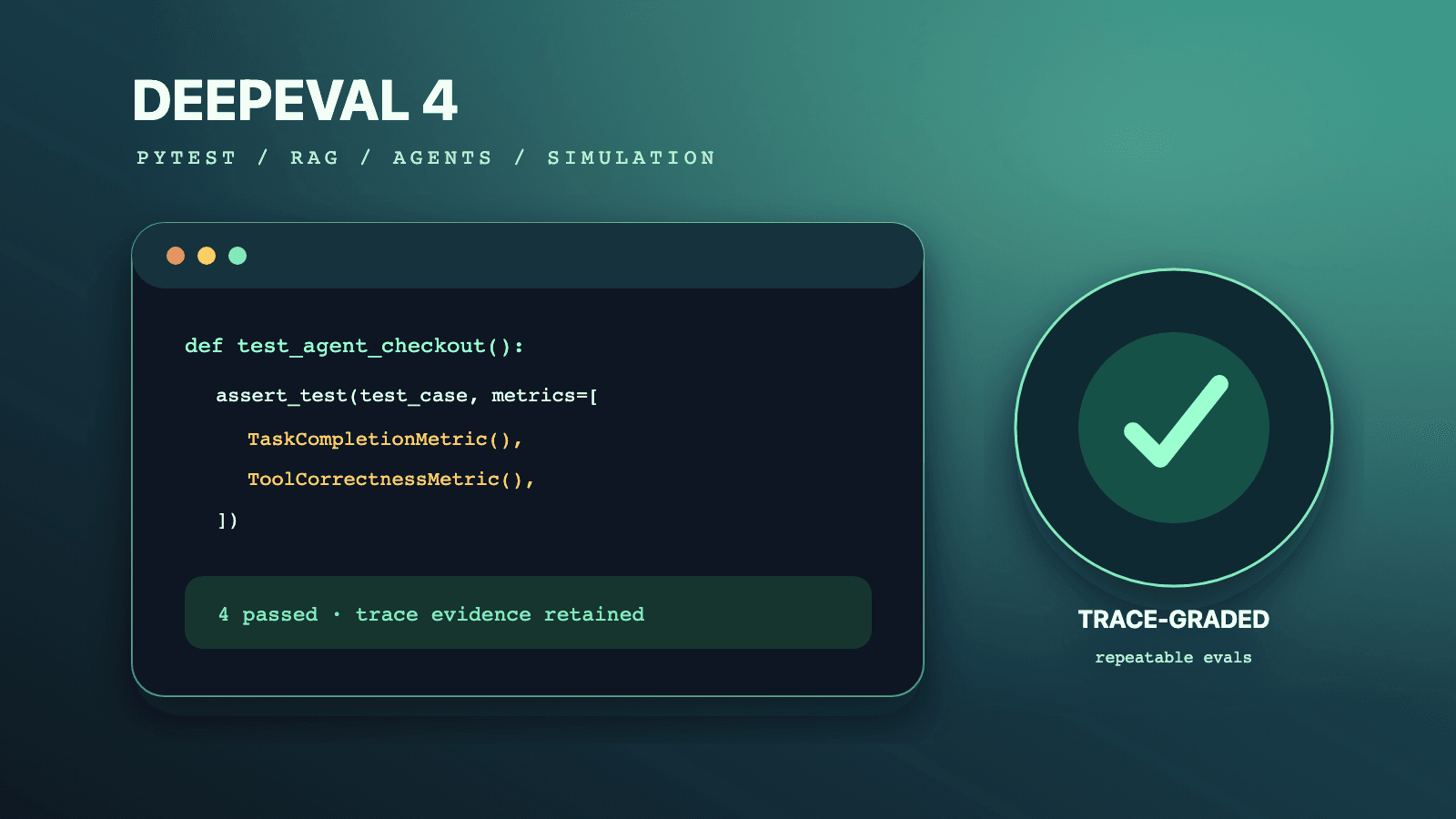
This DeepEval 4 tutorial shows how to turn LLM behavior into pytest-style tests that fail a build when a response, retrieval, conversation, or agent run violates an explicit quality contract. Install DeepEval in a Python environment, represent single interactions with LLMTestCase, represent chats with ConversationalTestCase, select only metrics whose required evidence you collect, and run the suite with deepeval test run. For RAG, separate retrieval from generation metrics. For agents, trace the whole run and important spans. Calibrate thresholds on labeled examples before making them CI gates; the documented 0.5 defaults are starting values, not proof of production quality.
This guide is current through DeepEval 4.1.0, released July 12, 2026. DeepEval 4.0 made the local runner more useful as an evaluation harness for coding agents, added a terminal trace inspector, and expanded one-line framework integrations; 4.0.3 added simulation graphs and renamed the simulator's controller argument to stopping_controller; 4.1.0 added deterministic agent loop-detection and tool-permission metrics. Those version facts come from the official 4.0 release notes, 4.0.3 release notes, and 4.1.0 release notes.
Use the focused cluster guides when one job needs more depth:
- Migrate a DeepEval 3 suite to DeepEval 4
- Install the DeepEval skill in Codex, Claude Code, and Cursor
- Build synthetic conversations with ConversationSimulator
- Diagnose agent outcomes with TaskCompletionMetric
For framework-neutral strategy, read the canonical LLM testing guide. For retrieval design and cross-framework metric semantics, use the canonical RAG testing guide. Browse installable evaluation workflows in the QA skills directory. When an LLM feature also has a browser surface, the author-qualified Playwright CLI skill adds deterministic UI evidence that a semantic judge cannot provide.
DeepEval 4 at a glance
DeepEval is an Apache-2.0, Python-first evaluation framework. Its central promise is not that an LLM becomes deterministic. It is that expected behavior becomes executable: a test case carries evidence, a metric turns that evidence into a score and reason, a threshold maps the score to pass or fail, and a pytest-compatible command returns a CI-friendly exit status. The official DeepEval introduction describes a local-first framework with more than 50 metrics for LLMs, RAG, tools, agents, conversations, safety, multimodal systems, and MCP workflows.
The useful mental model is golden -> application run -> test case or trace -> metric -> decision:
| Object | What it represents | Stable or runtime? | Typical owner |
|---|---|---|---|
Golden | Input plus optional reference answer, context, expected tools, or metadata | Versioned test data | Product, QA, or domain expert |
ConversationalGolden | Scenario, user profile, expected outcome, context, and optional initial turns | Versioned test data | Conversation designer or domain expert |
LLMTestCase | One actual interaction, including output, retrieved context, tools, cost, and time | Generated per run or stored from history | Test adapter |
ConversationalTestCase | A complete list of user and assistant turns | Generated per run or simulator | Chat adapter or simulator |
| Trace | One end-to-end execution made from nested spans | Runtime evidence | Instrumented application |
| Span | One retriever, LLM, tool, agent, or custom component inside a trace | Runtime evidence | Instrumented component |
| Metric | A scoring algorithm with required test-case fields and a threshold | Versioned test policy | Eval owner |
| Test run | Results for a specific dataset, app version, judge, and configuration | Immutable evidence | CI or experiment runner |
DeepEval supports three execution styles. Use assert_test() inside tests when each case must gate CI. Use evaluate() in scripts and notebooks when code needs the returned results rather than an assertion. Use EvaluationDataset.evals_iterator() with tracing when the application must run against each golden and produce end-to-end and span-level evidence. The official evaluation introduction says deepeval test run is the preferred pytest integration; plain pytest may work, but it omits DeepEval's runner behavior and is not the recommended command.
Version baseline and hard limitations
All API examples below target the public 4.1 documentation available on July 14, 2026. Pin a reviewed 4.x version in your own lockfile because DeepEval ships frequently and current defaults can change. In particular, current metric pages document gpt-5.4 as the default evaluation model when no other model is configured. A default is convenient for a demo but weak experiment provenance. Set the judge explicitly in release tests and record the exact provider model or custom model implementation.
This guide does not claim that:
- A 0.5 score is a safe universal release threshold. It is a common documented default, not a product requirement.
strict_mode=Truemakes an LLM judge deterministic. It makes the final score binary; the judgment can still vary.- Synthetic goldens are accepted labels. They are candidates that require review and production coverage checks.
- A high semantic score proves authorization, state correctness, latency, cost, or security. Those need direct assertions.
- Tracing a multi-turn chatbot enables multi-turn component evaluation. DeepEval's current component-level documentation says component-level evaluation is single-turn only; multi-turn component evaluation remains a limitation.
- Confident AI is required for local evaluation. It is optional for local tests and required for the hosted collaboration, observability, online-evaluation, and official-baseline features discussed later.
DeepEval evaluates evidence you provide. It cannot know that a retriever returned a stale policy if the trace stores only unversioned text, or that a refund failed if the tool span records the requested call but not its result. Instrumentation quality is therefore part of test validity, not a separate observability concern.
Install DeepEval and create a maintainable eval project
The official human quickstart starts with a fresh virtual environment and pip install -U deepeval. For a maintained project, install once, lock the resolved version, isolate eval dependencies, and make judge configuration visible. DeepEval supports Python 3.9 and later, but a current Python 3.11 or 3.12 environment usually gives dependencies more runway.
python3.12 -m venv .venv
source .venv/bin/activate

# The range is a project policy: accept reviewed 4.x releases, never jump to 5.x.
python -m pip install "deepeval>=4.1,<5" "pytest>=8,<9"
python -m pip freeze > requirements-eval.lock

deepeval --help
deepeval diagnose
The diagnose command is especially useful when a local shell, .env.local, CI secret, and legacy setting disagree. The official CLI reference says it reports the DeepEval and Python versions, resolved default models, configured settings, source precedence, and masked credentials. Run deepeval diagnose --json in a support artifact when machine-readable configuration evidence is useful.
A small eval project can stay inside the application repository:
project/
├── app/
│   ├── rag.py
│   └── support_agent.py
├── tests/
│   └── evals/
│       ├── data/
│       │   └── refunds-v1.json
│       ├── test_rag.py
│       ├── test_agent.py
│       └── test_conversation.py
├── .env.example
├── .gitignore
├── pytest.ini
└── requirements-eval.lock
Keep secrets out of test modules. Most built-in semantic metrics use an LLM judge, so a provider credential is needed even when the application under test uses a different provider. The current quickstart uses OPENAI_API_KEY; DeepEval also documents provider setup commands and custom DeepEvalBaseLLM implementations. Prefer an explicit per-metric model= value or a reviewed provider configuration over relying on whichever credential happens to be present.
# .env.example: names only, never real values
OPENAI_API_KEY=
DEEPEVAL_JUDGE_MODEL=gpt-4.1

# Set only when hosted Confident AI upload is intended.
CONFIDENT_API_KEY=
DeepEval loads dotenv files at import time. Its CLI settings documentation gives process environment the highest precedence, followed by .env.local, .env.<APP_ENV>, and .env. Set DEEPEVAL_DISABLE_DOTENV=1 in CI when the pipeline must accept only injected secrets rather than workspace files. Ignore .env.local, the .deepeval/ cache, generated test-run JSON, and simulator outputs unless a deliberately sanitized artifact belongs in source control.
Define pytest markers so pull-request, scheduled, and expensive suites are selectable rather than controlled by comments:
[pytest]
markers =
    llm_eval: calls an evaluation model
    pr_eval: small release-blocking evaluation set
    nightly_eval: larger or repeated evaluation set
    conversation_eval: simulated multi-turn evaluation
Do not put network-backed judge calls in the ordinary unit-test marker by accident. Developers should know whether a command spends money, needs credentials, or can be affected by provider rate limits. A practical split is deterministic tests on every local save, a small pinned semantic suite on pull requests, and broader repeated, adversarial, or simulated suites on a schedule.
Understand LLMTestCase before choosing metrics
An LLMTestCase is one atomic interaction. The current single-turn test-case reference documents nine core parameters: input, actual_output, expected_output, context, retrieval_context, tools_called, expected_tools, token_cost, and completion_time. Only provide evidence with a truthful meaning. Filling every field with the same text may satisfy validation while making the evaluation conceptually false.
| Field | Correct meaning | Common misuse | Metrics that often need it |
|---|---|---|---|
input | User request or component input | Replacing it with a test title | Nearly all single-turn metrics |
actual_output | Exact output produced by this run | Writing an idealized output by hand | Nearly all single-turn metrics |
expected_output | Reviewed ideal answer or outcome text | Treating another model's draft as ground truth | G-Eval correctness, contextual precision/recall |
context | Static golden-truth support | Copying runtime retrieval here | Hallucination and reference-grounded policies |
retrieval_context | Ordered chunks actually returned at runtime | Sorting or cleaning chunks after the run | Faithfulness and contextual metrics |
tools_called | Actual tool calls, inputs, outputs, and reasoning when available | Listing tools the agent was allowed to use | Agent and tool metrics |
expected_tools | Reviewed calls that should have occurred | Copying tools_called after execution | Tool correctness |
token_cost | Cost for the application interaction | Judge cost or token count | Logging or a custom cost metric |
completion_time | Application interaction time in seconds | Whole CI job duration | Logging or a custom latency metric |
The distinction between context and retrieval_context is crucial. Context is static reference evidence. Retrieval context is what the live retriever actually surfaced, in its original order. If the correct policy exists in context but was absent from retrieval_context, the retriever failed. If the correct policy was retrieved but the answer contradicted it, generation failed. That decomposition is the foundation of useful RAG diagnosis.
Here is a complete first test. The sample response is fixed so the DeepEval wiring is easy to see; replace it with the real application call in a regression suite.
import os

import pytest
from deepeval import assert_test
from deepeval.metrics import AnswerRelevancyMetric, FaithfulnessMetric
from deepeval.test_case import LLMTestCase


JUDGE_MODEL = os.environ.get("DEEPEVAL_JUDGE_MODEL", "gpt-4.1")


@pytest.mark.llm_eval
@pytest.mark.pr_eval
def test_refund_answer_is_relevant_and_grounded():
    case = LLMTestCase(
        input="Can I return a damaged item after 20 days?",
        actual_output=(
            "Yes. Damaged items can be returned within 30 days of delivery. "
            "Contact support with the order number and a photo."
        ),
        retrieval_context=[
            "Damaged items are eligible for return within 30 days of delivery.",
            "Support requires the order number and a photo of the damage.",
        ],
    )

    assert_test(
        test_case=case,
        metrics=[
            AnswerRelevancyMetric(threshold=0.75, model=JUDGE_MODEL),
            FaithfulnessMetric(threshold=0.85, model=JUDGE_MODEL),
        ],
    )
Run it with DeepEval's pytest wrapper:
deepeval test run tests/evals/test_rag.py \
  --mark "pr_eval" \
  --display "failing" \
  -- --tb=short
The threshold values above are illustrative project policy, not DeepEval recommendations. Calibrate them before gating a release. The important API behavior is that a test case passes only when every supplied metric passes. assert_test() accepts the test case, metrics, and optional run_async; metric evaluation is asynchronous by default.
Goldens are not test cases
A Golden is reusable intent, not the result of a run. It usually carries input, optional expected_output, static context, expected tools, and metadata. A test adapter invokes the current application to create output and runtime evidence. The official dataset guide recommends goldens because they stay independent of one model or prompt version.
This separation prevents a subtle regression-test bug: committing yesterday's actual_output as today's system behavior. Keep references stable, regenerate actual output on each run, and compare candidates under the same dataset version.
import pytest
from deepeval import assert_test
from deepeval.dataset import EvaluationDataset, Golden
from deepeval.metrics import AnswerRelevancyMetric
from deepeval.test_case import LLMTestCase

from app.support import answer_question


dataset = EvaluationDataset(
    goldens=[
        Golden(input="How do I cancel before shipment?"),
        Golden(input="Where can I download an invoice?"),
        Golden(input="Can a guest user change a billing address?"),
    ]
)


@pytest.mark.parametrize("golden", dataset.goldens)
@pytest.mark.llm_eval
def test_support_answers_stay_on_topic(golden: Golden):
    result = answer_question(golden.input)
    case = LLMTestCase(input=golden.input, actual_output=result.text)
    assert_test(case, [AnswerRelevancyMetric(threshold=0.75)])
Parametrization gives each golden its own pytest case and failure. Add a stable name, metadata, or an input-derived test ID when the dataset is large; a report full of anonymous failures is difficult to triage. Never include raw personal data merely to make examples realistic. Sanitize production-derived goldens and preserve only attributes needed to reproduce the failure class.
Test multi-turn chat with ConversationalTestCase
A conversation cannot be reconstructed faithfully as several independent LLMTestCase objects when pronouns, prior disclosures, commitments, retrieved documents, or tool actions carry across turns. DeepEval represents a complete dialogue with ConversationalTestCase and each message with Turn. The current multi-turn test-case reference documents turns plus optional scenario, expected_outcome, user_description, context, and chatbot_role.
An assistant Turn can also carry retrieval_context and tools_called. Do not attach those fields to a user turn. They describe evidence produced by the application. The entire ConversationalTestCase must be evaluated with conversational metrics; single-turn metrics do not become multi-turn merely because they are called in a loop.
from deepeval import assert_test
from deepeval.metrics import (
    ConversationCompletenessMetric,
    KnowledgeRetentionMetric,
    TurnRelevancyMetric,
)
from deepeval.test_case import ConversationalTestCase, Turn


def test_billing_chat_retains_constraints_and_resolves_request():
    conversation = ConversationalTestCase(
        scenario="A customer needs an invoice but cannot access the original email.",
        expected_outcome=(
            "The assistant verifies a safe account path and explains how to "
            "download the invoice without asking for a password."
        ),
        user_description="An authenticated customer using a shared computer.",
        context=[
            "Never request a customer's password.",
            "Invoices are available under Billing > Documents after authentication.",
        ],
        turns=[
            Turn(role="user", content="I need invoice 1042, but I lost the email."),
            Turn(
                role="assistant",
                content="Open Billing, then Documents. I will not ask for your password.",
            ),
            Turn(role="user", content="I am on a shared computer. Is that still safe?"),
            Turn(
                role="assistant",
                content=(
                    "Use a private window, sign in through the normal account page, "
                    "download invoice 1042, then sign out and close the window."
                ),
            ),
        ],
    )

    assert_test(
        conversation,
        [
            TurnRelevancyMetric(threshold=0.75),
            KnowledgeRetentionMetric(threshold=0.8),
            ConversationCompletenessMetric(threshold=0.8),
        ],
    )
Choose a metric that observes the requirement. TurnRelevancyMetric checks assistant turns against a sliding conversation window. KnowledgeRetentionMetric looks for loss or contradiction of knowledge supplied by the user. ConversationCompletenessMetric asks whether the user's intentions were satisfied across the interaction. RoleAdherenceMetric needs chatbot_role. Turn-level contextual metrics need retrieval context on assistant turns, and some also need an expected outcome.
DeepEval's current multi-turn end-to-end guide explicitly says multi-turn end-to-end evaluation does not support tracing yet. Do not promise a per-span multi-turn diagnosis from this API. You can retain your application's own trace IDs as metadata and debug separately, but the DeepEval evaluation unit here is the conversation.
Evaluate RAG without hiding the failing layer
A RAG answer has at least two quality surfaces: retrieval decides which evidence appears, and generation decides how that evidence becomes an answer. A single “RAG quality” score can tell you the release got worse while concealing what to fix. DeepEval's RAG metrics are most useful when interpreted as a diagnostic panel.
| Metric | Component | Required evidence | What a low score usually means |
|---|---|---|---|
AnswerRelevancyMetric | Generator | input, actual_output | Answer is off-topic, evasive, or padded with irrelevant claims |
FaithfulnessMetric | Generator | input, actual_output, retrieval_context | Claims are unsupported by or contradict retrieved evidence |
ContextualPrecisionMetric | Retriever/reranker | input, expected_output, ordered retrieval_context | Relevant nodes are ranked behind noise |
ContextualRecallMetric | Retriever | input, expected_output, retrieval_context | Evidence needed for the ideal answer was not retrieved |
ContextualRelevancyMetric | Retriever | input, retrieval_context | Retrieved context has poor signal-to-noise for the query |
The official faithfulness reference defines faithfulness against the retrieved context, not world truth. A true claim unsupported by the supplied chunks can be correctly marked unfaithful because the metric asks whether the RAG answer is grounded in what retrieval provided. The official contextual precision reference uses weighted cumulative precision, so order matters. The contextual recall reference attributes statements in the expected output to retrieved nodes to measure coverage.
Build the case from the exact runtime payload. Preserve chunk order and text. Do not remove noisy chunks before evaluation; that would grade a cleaner retriever than users experienced.
from deepeval import evaluate
from deepeval.metrics import (
    AnswerRelevancyMetric,
    ContextualPrecisionMetric,
    ContextualRecallMetric,
    ContextualRelevancyMetric,
    FaithfulnessMetric,
)
from deepeval.test_case import LLMTestCase


case = LLMTestCase(
    input="Can a damaged item be returned on day 20, and what evidence is required?",
    actual_output=(
        "Yes. Damaged items may be returned within 30 days. "
        "Provide the order number and a photo of the damage."
    ),
    expected_output=(
        "A damaged item can be returned within 30 days of delivery; "
        "the customer must provide an order number and damage photo."
    ),
    retrieval_context=[
        "Damaged items qualify for return within 30 days of delivery.",
        "A return request for damage requires the order number and a photo.",
        "Gift cards cannot be exchanged for cash.",
    ],
)

result = evaluate(
    test_cases=[case],
    metrics=[
        AnswerRelevancyMetric(threshold=0.75),
        FaithfulnessMetric(threshold=0.85),
        ContextualPrecisionMetric(threshold=0.75),
        ContextualRecallMetric(threshold=0.8),
        ContextualRelevancyMetric(threshold=0.7),
    ],
)
print(result)
Five metrics are shown to explain the full panel, not to prescribe five judges on every pull request. DeepEval's metrics introduction advises keeping the metric set focused, often two or three system metrics plus one or two use-case-specific metrics. A pull-request gate might run faithfulness, contextual recall, and one custom correctness rubric. A scheduled diagnostic can run the complete panel.
Read combinations, not isolated scores
The pattern across scores is more actionable than one threshold crossing:
| Pattern | Likely diagnosis | Next evidence to inspect |
|---|---|---|
| High relevancy, low faithfulness | Fluent answer invents or contradicts claims | Extracted claims, prompt grounding instruction, retrieved chunks |
| High faithfulness, low answer relevancy | Answer stays grounded but does not answer the query | Query interpretation, response prompt, refusal logic |
| High recall, low precision | Needed evidence exists but ranks behind noise | Rank positions, reranker, top-k, chunk granularity |
| Low recall, high precision | Small clean result set misses required evidence | Corpus coverage, filters, top-k, embedding query |
| Low contextual relevancy, high faithfulness | Generator safely uses a noisy context | Retriever filtering and chunk selection |
| All retrieval metrics high, correctness low | Evidence is present but answer synthesis is wrong or incomplete | Generator prompt, model, expected-answer rubric |
Do not “fix” low contextual recall by only increasing top-k. That may recover missing evidence while destroying precision, latency, and context cost. Run controlled candidates and compare the whole vector. If citations matter, add deterministic URL/document-ID validation and claim-to-source checks; faithfulness alone does not prove that a rendered citation points to the correct document.
DeepEval 4.0.3 added RetrievedContextData entries with context and source, and contextual precision can group chunks from the same source. That behavior is recorded in the official 4.0.3 release notes. Adopt it when source grouping matches how your product presents evidence; retain plain strings when each ranked chunk should remain its own node.
Evaluate agents with traces and spans
An agent's final sentence is weak evidence of success. The agent may claim that a refund was issued after a tool error, call an unauthorized tool, use the right tool with the wrong account ID, loop before succeeding, or delegate to a sub-agent that silently failed. DeepEval 4 models these runs through traces.
The official tracing guide defines a trace as the complete execution and a span as one nested component. Both map to familiar LLMTestCase fields:
update_current_trace(...)builds end-to-end evidence for the complete run.update_current_span(...)builds component evidence for the currently active span.@observe()turns a function call into a span; nested observed calls form a trace tree.- Metrics passed to
evals_iterator(metrics=[...])score the trace. - Metrics attached to
@observe(metrics=[...])score that span.
Use a native integration when its emitted spans preserve the evidence you need. DeepEval 4.0 release notes list integrations for LangChain, OpenAI, Anthropic, PydanticAI, CrewAI, LlamaIndex, DSPy, Google ADK, and custom agents. Manual @observe instrumentation remains the least ambiguous way to explain the core API.
from deepeval.dataset import EvaluationDataset, Golden
from deepeval.metrics import FaithfulnessMetric, StepEfficiencyMetric, TaskCompletionMetric
from deepeval.tracing import observe, update_current_span, update_current_trace


@observe(type="retriever", metrics=[FaithfulnessMetric(threshold=0.8)])
def retrieve_policy(query: str) -> list[str]:
    chunks = ["Refunds require approval before the issue_refund tool is called."]
    update_current_span(input=query, output="\n".join(chunks), retrieval_context=chunks)
    update_current_trace(retrieval_context=chunks)
    return chunks


@observe(type="tool", description="Issue an approved refund")
def issue_refund(order_id: str, amount: float) -> str:
    return f"refund-confirmed:{order_id}:{amount:.2f}"


@observe(type="agent", name="refund_agent", available_tools=["issue_refund"])
def refund_agent(query: str) -> str:
    policy = retrieve_policy(query)
    confirmation = issue_refund(order_id="A-1042", amount=29.99)
    output = f"Refund completed. Confirmation: {confirmation}"
    update_current_trace(
        name="Approved refund flow",
        input=query,
        output=output,
    )
    return output


dataset = EvaluationDataset(
    goldens=[Golden(input="Refund order A-1042 for 29.99; approval is recorded.")]
)

for golden in dataset.evals_iterator(
    metrics=[
        TaskCompletionMetric(threshold=0.8, task="Issue the approved refund"),
        StepEfficiencyMetric(threshold=0.75),
    ]
):
    refund_agent(golden.input)
This example illustrates scopes, not a production refund implementation. A real tool span should capture safe inputs, output, error status, idempotency key, authorization decision, and state evidence. Never let a judge score replace the deterministic assertion that the refund exists exactly once and belongs to the authorized account.
The type labels llm, retriever, tool, and agent improve trace display and support type-specific metadata, but the tracing docs state that type does not affect metric scoring. Put the evidence a metric needs into the trace or span. A beautifully labeled empty trace is still unevaluable.
Choose agent metrics by question
| Metric | Question | Evidence/reference style | Important limit |
|---|---|---|---|
TaskCompletionMetric | Did the run achieve the user's task? | Full trace; task inferred or supplied | LLM-judged outcome alignment, not a state invariant |
StepEfficiencyMetric | Was the execution path needlessly long or indirect? | Full trace, referenceless | Trace-only; efficient failure can still score poorly on completion |
ToolCorrectnessMetric | Did actual calls match expected calls? | tools_called, expected_tools; optional available tools | Name matching is default; strictness must be configured |
ArgumentCorrectnessMetric | Were tool arguments suitable for the input? | Actual tool calls, no expected tools | LLM-judged; use expected inputs for deterministic comparison |
PlanAdherenceMetric | Did execution follow the plan? | Agent trace and plan evidence | A followed plan can still be a bad plan |
PlanQualityMetric | Is the generated plan coherent and achievable? | Plan evidence | Does not prove execution succeeded |
AgentLoopDetectionMetric | Did the trace contain an execution loop? | Trace | New deterministic metric in 4.1.0; pin version |
ToolPermissionMetric | Did calls respect tool permissions? | Tool trace and permission evidence | New deterministic metric in 4.1.0; still pair with runtime authorization |
The official Task Completion page says the metric extracts task and outcome from the complete trace, then judges alignment. Supplying task= pins a stable interpretation; leaving it None lets DeepEval infer the task. Use explicit tasks for safety-sensitive regression rows where “successful refusal” or “stop pending approval” must count as the intended outcome.
StepEfficiencyMetric is trace-only. The Step Efficiency documentation says it cannot be run as a standalone test-case metric. It penalizes unnecessary actions relative to the extracted task. Run it beside completion, never instead of completion: an agent can fail quickly or succeed inefficiently.
Make tool correctness as strict as the contract
By default, ToolCorrectnessMetric compares tool names. The current Tool Correctness reference lets a test additionally compare input parameters, output, ordering, and exact call lists. Passing available_tools adds an LLM judgment of whether the selected tools were optimal; without it, core matching against expected tools is deterministic.
from deepeval import assert_test
from deepeval.metrics import ToolCorrectnessMetric
from deepeval.test_case import LLMTestCase, ToolCall, ToolCallParams


case = LLMTestCase(
    input="Read order A-1042, then issue its approved 29.99 refund.",
    actual_output="Refund 29.99 issued for A-1042.",
    tools_called=[
        ToolCall(name="lookup_order", input={"order_id": "A-1042"}),
        ToolCall(
            name="issue_refund",
            input={"order_id": "A-1042", "amount": 29.99},
            output="refund-confirmed:A-1042",
        ),
    ],
    expected_tools=[
        ToolCall(name="lookup_order", input={"order_id": "A-1042"}),
        ToolCall(
            name="issue_refund",
            input={"order_id": "A-1042", "amount": 29.99},
            output="refund-confirmed:A-1042",
        ),
    ],
)

metric = ToolCorrectnessMetric(
    threshold=1.0,
    evaluation_params=[
        ToolCallParams.INPUT_PARAMETERS,
        ToolCallParams.OUTPUT,
    ],
    should_consider_ordering=True,
    should_exact_match=True,
)

assert_test(case, [metric])
Use should_exact_match=True only when extra or missing calls are always incorrect. For a search agent, several valid call sequences may exist, and a rigid expected trajectory can punish legitimate adaptation. In that case, assert prohibited calls and state invariants in code, use task completion for the outcome, and reserve tool correctness for calls whose presence, arguments, or order are contractually required.
Build G-Eval, DAG, and custom metrics deliberately
Built-in metrics express common questions, not your product's entire definition of quality. “Faithful” does not necessarily mean “uses our required risk disclaimer,” and “relevant” does not mean “offers exactly the supported resolution path.” DeepEval provides three levels of customization.
| Mechanism | Best fit | Control | Main risk |
|---|---|---|---|
GEval | Subjective, task-specific rubric | Natural-language criteria or explicit evaluation steps | Judge variance and broad criteria |
DAGMetric | Explicit branching rubric with fixed terminal scores | LLM-powered decision tree | More code and still model-dependent routing/judgment |
BaseMetric subclass | Deterministic contract, external scorer, or composite policy | Full scoring implementation | You own correctness, async behavior, and maintenance |
G-Eval for a focused semantic rubric
The current G-Eval documentation uses SingleTurnParams, not the older LLMTestCaseParams. Supply only the fields actually referenced by the rubric. Extra fields increase context and can leak irrelevant cues into judgment.
from deepeval.metrics import GEval
from deepeval.test_case import LLMTestCase, SingleTurnParams


resolution_quality = GEval(
    name="Resolution Quality",
    evaluation_steps=[
        "Compare the actual output with the expected output.",
        "Penalize a response that omits the required next action.",
        "Penalize any unsupported promise or invented policy exception.",
        "Do not penalize harmless differences in wording or ordering.",
    ],
    evaluation_params=[
        SingleTurnParams.INPUT,
        SingleTurnParams.ACTUAL_OUTPUT,
        SingleTurnParams.EXPECTED_OUTPUT,
    ],
    threshold=0.8,
    model="gpt-4.1",
)

case = LLMTestCase(
    input="My damaged order arrived yesterday. What should I do?",
    actual_output="Open a damage return and attach a photo plus the order number.",
    expected_output="Ask the customer to open a damage return with a photo and order number.",
)

resolution_quality.measure(case)
print(resolution_quality.score, resolution_quality.reason)
DeepEval accepts either free-form criteria or explicit evaluation_steps. The docs explain that providing steps skips step generation and improves repeatability. That does not make the judge deterministic. Keep each metric narrow, use observable language, include counterexamples in calibration data, pin the judge, and inspect disagreement near the threshold.
G-Eval is a poor choice for JSON parsing, exact tool authorization, numeric totals, required IDs, or schema constraints. Those can be evaluated directly. Do not pay an LLM to approximate a Boolean your code can calculate exactly.
DAG for explicit score paths
A DAGMetric turns a rubric into TaskNode, BinaryJudgementNode, NonBinaryJudgementNode, and terminal VerdictNode paths. DeepEval calls it more deterministic than G-Eval because terminal scores are fixed by the selected branch. “More deterministic” is the correct phrase: LLM-backed judgment nodes can still route differently.
from deepeval.metrics import DAGMetric
from deepeval.metrics.dag import (
    BinaryJudgementNode,
    DeepAcyclicGraph,
    VerdictNode,
)
from deepeval.test_case import LLMTestCase, SingleTurnParams


has_safe_next_step = BinaryJudgementNode(
    criteria=(
        "Does the actual output give a supported next step without asking "
        "for a password or claiming an action already completed?"
    ),
    evaluation_params=[SingleTurnParams.ACTUAL_OUTPUT],
    children=[
        VerdictNode(verdict=True, score=10),
        VerdictNode(verdict=False, score=0),
    ],
)

safe_resolution_dag = DeepAcyclicGraph(root_nodes=[has_safe_next_step])
safe_resolution = DAGMetric(
    name="Safe Resolution Path",
    dag=safe_resolution_dag,
    threshold=1.0,
    model="gpt-4.1",
)

safe_resolution.measure(
    LLMTestCase(
        input="I cannot find my invoice.",
        actual_output="Sign in normally, open Billing > Documents, and download it there.",
    )
)
print(safe_resolution.score, safe_resolution.reason)
The official DAG documentation allows a binary or non-binary judgment node at the root and integer terminal scores from 0 through 10, normalized into the metric score. Larger DAGs can extract information in a TaskNode, branch through several judgments, and delegate a leaf to another metric. Sketch the paths first and ensure every terminal policy has a defined score. Avoid cycles; this is an evaluation DAG, not the conversation simulator graph that intentionally allows self-loops.
BaseMetric for deterministic contracts
Subclass BaseMetric when the requirement is code-checkable or when an external scoring implementation already exists. The official custom metric guide requires measure() and a_measure() to set self.score and self.success; a robust implementation also sets a reason, error handling, is_successful(), and __name__.
import json

from deepeval.metrics import BaseMetric
from deepeval.test_case import LLMTestCase


class RequiredJsonKeysMetric(BaseMetric):
    def __init__(self, required_keys: set[str], threshold: float = 1.0):
        self.required_keys = required_keys
        self.threshold = threshold
        self.score = 0.0
        self.success = False
        self.reason = None
        self.error = None

    def measure(self, test_case: LLMTestCase) -> float:
        try:
            payload = json.loads(test_case.actual_output or "")
            present = self.required_keys.intersection(payload)
            self.score = len(present) / len(self.required_keys)
            missing = sorted(self.required_keys - present)
            self.reason = "All keys present" if not missing else f"Missing keys: {missing}"
            self.success = self.score >= self.threshold
            return self.score
        except Exception as exc:
            self.error = str(exc)
            self.reason = "Output was not valid JSON"
            self.score = 0.0
            self.success = False
            return self.score

    async def a_measure(self, test_case: LLMTestCase) -> float:
        return self.measure(test_case)

    def is_successful(self) -> bool:
        return self.error is None and self.success

    @property
    def __name__(self) -> str:
        return "Required JSON Keys"
For production schema enforcement, DeepEval also has a documented JsonCorrectnessMetric that accepts a Pydantic schema, so use the built-in before maintaining a duplicate. The custom example demonstrates the extension contract and partial scoring. If every key is mandatory, a simpler deterministic assertion may be clearer than a fractional metric.
Simulate conversations with ConversationSimulator
Handwritten conversation transcripts are excellent regression fixtures but cover only paths someone imagined. ConversationSimulator lets a simulated user interact with the real chatbot callback, producing ConversationalTestCase objects that can be evaluated with multi-turn metrics. The current ConversationSimulator documentation is golden-based: each ConversationalGolden supplies a scenario, expected outcome, user description, optional context, and optional starting turns.
from deepeval import evaluate
from deepeval.dataset import ConversationalGolden
from deepeval.metrics import ConversationCompletenessMetric, TurnRelevancyMetric
from deepeval.simulator import ConversationSimulator
from deepeval.test_case import Turn

from app.chatbot import reply


async def model_callback(input: str, turns: list[Turn], thread_id: str) -> Turn:
    result = await reply(user_input=input, history=turns, thread_id=thread_id)
    return Turn(
        role="assistant",
        content=result.text,
        retrieval_context=result.retrieved_chunks,
        tools_called=result.tools_called,
    )


goldens = [
    ConversationalGolden(
        scenario="A customer requests a refund for a damaged order on day 20.",
        expected_outcome=(
            "The assistant explains the valid damage-return path and collects "
            "no secret credentials."
        ),
        user_description="A hurried customer who answers briefly.",
        context=["Damaged items can be returned within 30 days of delivery."],
    )
]

simulator = ConversationSimulator(
    model_callback=model_callback,
    simulator_model="gpt-4o-mini",
    async_mode=True,
    max_concurrent=4,
)

cases = simulator.simulate(
    conversational_goldens=goldens,
    max_user_simulations=6,
)

evaluate(
    test_cases=cases,
    metrics=[
        TurnRelevancyMetric(threshold=0.75),
        ConversationCompletenessMetric(threshold=0.8),
    ],
)
The callback may be synchronous or asynchronous and can declare only supported arguments it needs. Return an assistant Turn, not an unstructured transcript. Keep max_user_simulations finite even when custom stopping logic exists. It is the hard outer cap that prevents an unresolved path from consuming unbounded calls.
By default, the simulator determines whether the golden's expected outcome has been met. A custom stopping_controller can return proceed() or end(reason=...) based on supported named arguments such as turns, golden, last_assistant_turn, or the turn index. The stopping logic reference says unexpected return values, including None, are treated as proceed. That forgiving behavior makes an explicit hard cap essential.
Use simulation graphs when the path matters
The default simulator user is deliberately open-ended. A simulation graph is better when a test must ask first, push back under a specified condition, and reach a designed terminal state. DeepEval 4.0.3 introduced SimulationNode and the simulation_graph constructor argument. Unlike a metric DAG, a simulation graph can self-loop.
from deepeval.dataset import ConversationalGolden
from deepeval.simulator import ConversationSimulator, SimulationNode


def ask_for_refund(turns, golden):
    return "My order arrived damaged. I want a refund."


def push_back(last_assistant_turn):
    return "That does not resolve the damaged delivery. What can you actually do?"


def accept_resolution():
    return "That return process works for me. Thank you."


def request_human():
    return "Please transfer me to a human agent."


root = SimulationNode(action=ask_for_refund, name="ask_for_refund")
push = SimulationNode(action=push_back, name="push_back", max_visits=2)
accept = SimulationNode(action=accept_resolution, name="accept", terminal=True)
escalate = SimulationNode(action=request_human, name="escalate", terminal=True)

root.add_node(accept, when="The assistant offered the supported damage-return path")
root.add_node(push, when="The assistant refused or gave an irrelevant response")
push.add_node(accept, when="The assistant now offered the supported return path")
push.add_node(push, when="The assistant still did not offer a resolution")
push.add_node(escalate, when="The assistant offered a human escalation")

simulator = ConversationSimulator(
    model_callback=model_callback,
    simulator_model="gpt-4o-mini",
    simulation_graph=root,
)

cases = simulator.simulate(
    conversational_goldens=[
        ConversationalGolden(
            scenario="Resolve a damaged order within the return window.",
            expected_outcome="A supported return or human escalation is offered.",
        )
    ],
    max_user_simulations=6,
)
The official simulation graph reference explains the runtime precisely. A node action emits the next user turn. After the assistant replies, the simulator model classifies that reply against outgoing when= descriptions and selects a child; “none of the above” keeps the current node. A terminal node still emits its user turn and records the assistant response before ending. max_visits stops on the next attempted entry after the limit, without emitting another pair.
Natural-language edge routing is not deterministic. The graph controls allowed trajectories and terminal scoring opportunities, while an LLM still classifies assistant replies. Keep edge descriptions mutually distinguishable, store the chosen path, and test routing examples. For purely deterministic protocol flows, drive the application with code rather than asking an LLM router to infer state.
Generate synthetic goldens, then curate them
DeepEval's Synthesizer creates single-turn Golden objects or multi-turn ConversationalGolden objects from documents, prepared contexts, existing goldens, or scratch. It does not generate the application's actual_output; your system still runs later. The official Golden Synthesizer guide describes generation, filtering, evolution, and styling, and explicitly recommends manual inspection and editing where possible.
Use prepared contexts when your application already owns chunking. This avoids letting a generator's document splitter define both the test and the retrieval reference.
from deepeval.dataset import EvaluationDataset
from deepeval.synthesizer import Synthesizer


synthesizer = Synthesizer(
    model="gpt-4.1",
    async_mode=True,
    max_concurrent=5,
)

goldens = synthesizer.generate_goldens_from_contexts(
    contexts=[
        [
            "Damaged products may be returned within 30 days of delivery.",
            "A damage return requires an order number and a photo.",
        ],
        [
            "Digital gift cards are non-refundable after redemption.",
            "Unredeemed gift cards can be canceled within 24 hours.",
        ],
    ],
    source_files=["returns-v7.md", "gift-cards-v3.md"],
    include_expected_output=True,
    max_goldens_per_context=2,
)

dataset = EvaluationDataset(goldens=goldens)
dataset.save_as(
    file_type="json",
    directory="./tests/evals/data",
    file_name="support-synthetic-candidates-v1",
)
The generate-from-contexts reference requires a list of contexts, where each context is itself a list of related strings. source_files must align one-to-one with that outer list. For documents, generate_goldens_from_docs() adds context construction. From scratch, configure the intended task and formats with StylingConfig. For conversation scenarios, use the corresponding generate_conversational_goldens_* methods and then pass their outputs to ConversationSimulator.
Treat generated rows as a candidate queue:
- Reject unsupported expected answers and scenarios that the source cannot resolve.
- Deduplicate semantic clones so one easy policy does not dominate the score.
- Label scenario family, risk, language, source revision, and generation provenance.
- Add real production failures and manually authored boundary cases; synthetic data cannot reproduce unknown traffic by itself.
- Freeze a reviewed regression split. Keep exploratory generation outside the release gate until reviewed.
- Re-run the application to create actual outputs. Never grade the synthesizer's expected output as though it were system behavior.
Synthetic generation can expand coverage but can also amplify the generator's assumptions. A suite of polished synthetic questions may miss typos, fragments, ambiguous follow-ups, hostile instructions, and stale-account states that dominate real failures. Measure the dataset distribution, not just its row count.
Calibrate thresholds instead of inheriting defaults
DeepEval metrics generally return a score from 0 to 1 and compare it with a threshold. Current metric docs commonly default to 0.5, and strict_mode=True commonly converts scoring to 0 or 1 and sets the threshold to perfection. Those are API defaults, not a risk model.
A defensible threshold process has six steps:
- Define the failure. “Bad answer” is too broad. Separate unsupported facts, omitted required actions, irrelevant content, wrong tools, unsafe permissions, and incomplete outcomes.
- Create a labeled calibration set. Include clear passes, clear failures, and difficult boundary cases. Use domain reviewers who understand the policy.
- Run the exact metric configuration repeatedly. Pin judge model, prompt/template, DeepEval version, and metric options. Estimate score variance rather than rerunning only failures until they pass.
- Choose the error trade-off. A false pass on cross-tenant data exposure is not comparable to a false failure on tone. Critical invariants should be deterministic gates before semantic scoring.
- Validate on a holdout. A threshold tuned and reported on the same examples overstates confidence.
- Monitor disagreement. Sample passes as well as failures for human review. False acceptance is usually more dangerous than an inconvenient false rejection.
Use separate thresholds by metric and risk stratum when the underlying quality contract differs. Do not average a failed permission invariant into a high helpfulness score. A weighted aggregate is reasonable only when dimensions are intentionally substitutable. Release rules should remain readable: “all authorization assertions pass; faithfulness is at least 0.88 on every critical policy case; no more than two low-risk relevance warnings” is easier to defend than “quality score exceeds 82.”
strict_mode is useful for a rubric where only perfection is acceptable, but it can erase diagnostic resolution. It also does not remove model variance. For a deterministic property, write a deterministic metric or assertion. For a semantic property, preserve the underlying score and reason even when the final release decision is binary.
Thresholds also drift when the evaluator changes. Recalibrate after changing the judge model, default provider, metric template, rubric, language mix, or evidence format. If a fallback judge is necessary, treat it as a separate evaluator with its own calibration; silent fallback makes score trends incomparable.
Control caching, concurrency, latency, and cost
Semantic evals can be expensive because one metric may make several judge calls, and the system under test may make its own model, retrieval, and tool calls. Optimize only after the evidence contract is correct. A fast cached test of the wrong payload is not useful.
The official flags and configs reference separates programmatic configuration from CLI flags:
from deepeval import evaluate
from deepeval.evaluate import AsyncConfig, CacheConfig, ErrorConfig


results = evaluate(
    test_cases=test_cases,
    metrics=metrics,
    async_config=AsyncConfig(
        run_async=True,
        max_concurrent=5,
        throttle_value=1,
    ),
    cache_config=CacheConfig(
        use_cache=True,
        write_cache=True,
    ),
    error_config=ErrorConfig(
        ignore_errors=False,
        skip_on_missing_params=False,
    ),
)
AsyncConfig defaults to async execution, a documented maximum concurrency of 20, and no throttle. Lower concurrency when either the application or judge hits rate limits; add throttle when bursts still fail. More concurrency can reduce wall-clock time while increasing peak requests, contention, and rate-limit retries. Benchmark under the same provider quotas used in CI.
CacheConfig.use_cache reuses prior results for identical test cases and metrics; write_cache writes results to disk. Use cache during local iteration when the app output and metric inputs are unchanged. Do not use a stale cached result to claim a changed model or retriever was evaluated. If uncertainty exists, run the release gate without -c and archive the fresh result.
CLI equivalents include -n 4 for multiple processes, -c for cache, -r 3 for fixed repeats, -v for verbose metric internals, and -d failing to show failures. The current CLI reference says cache is not used when repeat is set. Repeats are for estimating stochastic behavior; never select the best repeat. Predefine whether the policy uses all-pass, majority, median score, or another statistic.
Cost controls that preserve validity include:
- Run deterministic assertions before judge-backed metrics and stop obviously invalid cases early.
- Use a small risk-weighted PR set and a larger scheduled set.
- Select two or three metrics that observe distinct requirements instead of many correlated judges.
- Cache unchanged local iterations, but generate a fresh release artifact.
- Pin a judge whose measured agreement is adequate; “cheapest model” is not a calibration result.
- Lower simulator and synthesizer concurrency before provider retries multiply cost.
- Store application
token_costandcompletion_timeseparately from judge spend. DeepEval's test-case docs say built-in metrics do not use those fields by default.
Do not infer cost from test count alone. A faithfulness metric can extract claims and truths before scoring, a conversation metric processes several turns, and a simulator adds user-generation and routing calls. Measure representative runs, inspect provider usage, and maintain a per-suite budget with an alert. If the budget is exhausted, report the evaluation as unavailable rather than silently skipping expensive metrics and calling the gate green.
Keep the local/Confident AI boundary explicit
DeepEval is the open-source local runner and metric library. Confident AI is the hosted platform built by the same team. The DeepEval introduction says no account is required for local evaluation; an LLM provider key is enough for judge-backed metrics. The boundary changes when CONFIDENT_API_KEY is configured.
| Capability | Local DeepEval only | Requires Confident AI |
|---|---|---|
| Construct test cases and run metrics | Yes | No |
Fail CI with assert_test() / deepeval test run | Yes | No |
| Save datasets to JSON or CSV | Yes | No |
| Cache metric results on disk | Yes | No |
Inspect eligible traced runs in terminal with deepeval inspect | Yes, install optional inspect extra | No |
| Shared cloud test reports and regression views | No | Yes |
| Push/pull collaborative datasets | No | Yes |
Mark an official cloud baseline with --official | No | Yes |
| Production trace observability and online metric collections | No | Yes |
deepeval login stores a CONFIDENT_API_KEY; when that key is present, current docs say evaluation results can upload automatically. Do not set it in a local-only or regulated environment until data owners approve what inputs, outputs, retrieved text, tool arguments, and traces may leave the runtime. Redact before instrumentation, not after upload. Secrets, private chain-of-thought, access tokens, and unnecessary personal data should never enter test evidence.
For local collaboration, use reviewed JSON datasets, structured run JSON, CI artifacts, and the terminal inspector. For hosted collaboration, define region, retention, access, and deletion controls as part of onboarding. “Optional cloud” is a deployment decision, not a harmless display preference.
Build CI gates that fail for quality, not infrastructure noise
The official CI/CD guide recommends assert_test() and deepeval test run: a failed metric raises an assertion and produces a failing process status. Confident AI is optional. A provider key for the judge is still required when metrics call an LLM.
name: llm-evals

on:
  pull_request:
    paths:
      - "app/**"
      - "tests/evals/**"
      - "requirements-eval.lock"

jobs:
  deepeval-pr-gate:
    runs-on: ubuntu-latest
    timeout-minutes: 20
    env:
      OPENAI_API_KEY: ${{ secrets.OPENAI_API_KEY }}
      DEEPEVAL_DISABLE_DOTENV: "1"
      DEEPEVAL_NO_INSPECT_PROMPT: "1"
      DEEPEVAL_JUDGE_MODEL: "gpt-4.1"
    steps:
      - uses: actions/checkout@v4
      - uses: actions/setup-python@v5
        with:
          python-version: "3.12"
          cache: "pip"
      - run: python -m pip install -r requirements-eval.lock
      - name: Run release-blocking LLM evaluations
        run: >-
          deepeval test run tests/evals
          --mark "pr_eval"
          --display "failing"
          --exit-on-first-failure
          -- --tb=short
Pin third-party GitHub Actions to reviewed commit SHAs in a hardened repository; tags keep this tutorial readable but can move. Do not pass --ignore-errors or --skip-on-missing-params to a release gate unless an ignored or skipped result is deliberately treated as failure elsewhere. Those flags are useful for exploratory batches, but they can turn missing evidence into an apparently successful job.
Use a gate portfolio:
- Deterministic preflight: schema, types, permissions, state, reference IDs, fixtures, and ordinary unit/integration tests.
- PR semantic gate: a small, stable, risk-weighted golden set with a pinned judge and per-case thresholds.
- Scheduled capability run: broader traffic slices, simulation, synthetic candidates, repeats, and expensive custom metrics.
- Pre-release comparison: candidate and baseline under identical dataset, judge, and runtime configuration.
- Post-release monitoring: sampled production behavior and incidents, with approved data handling. Hosted online evals require Confident AI; local batch replay does not.
Separate product failure from evaluation unavailable. A metric below threshold means measured behavior failed. A missing key, provider outage, invalid judge JSON, timeout, or rate limit means the measurement did not complete. Neither should merge by default, but triage and retry policies differ. Publish distinct statuses so teams do not “fix” a product regression by rerunning infrastructure or “fix” a provider outage by lowering a quality threshold.
Name every run with a commit or deployment identifier using -id when reports need correlation. If the team uses Confident AI, --official marks the cloud comparison baseline and requires CONFIDENT_API_KEY. An official baseline is not automatically the best model; it is the selected reference. Update it only after review.
Diagnose failures from evidence outward
Start with test construction, then metric inputs, then application behavior, then judge behavior. Teams often jump directly to prompt changes when the actual defect is a missing retrieval_context, stale cached result, wrong default model, or simulator path that never reached the intended state.
| Symptom | Likely cause | First check | Corrective action |
|---|---|---|---|
| Metric reports missing parameters | Test case lacks required evidence | Metric's official Required Arguments section | Populate truthful fields or remove the metric |
| Plain pytest behaves differently | DeepEval plugin/flags were bypassed | Exact command in CI and local shell | Use deepeval test run |
| Evaluation appears stuck | Judge quota, rate limit, timeout, or excessive concurrency | Provider logs and deepeval diagnose | Lower max_concurrent, add throttle, verify quota |
| All RAG answers look relevant but faithfulness fails | Unsupported claims in otherwise on-topic output | Claims versus raw retrieved chunks | Tighten grounding or improve generation evidence use |
| Contextual recall fails while faithfulness passes | Generator uses available evidence, but retrieval missed required facts | Expected answer statements absent from chunks | Fix retrieval coverage, filters, corpus, or top-k |
| Tool metric passes a wrong amount | Default matching checked only names | evaluation_params and expected tool inputs | Include input/output comparison and exactness policy |
| Agent claims success after tool error | Trace omitted tool output/error or completion judge over-trusted prose | Tool span and final state | Capture result; add deterministic state assertion |
| Conversation score is inexplicably low | Wrong metric, missing expected outcome, or context lost across turns | Full ordered Turn list | Use conversational metric and preserve assistant evidence |
| Simulator consumes maximum turns | Stop condition never fires or graph edge never matches | Chosen path, edge descriptions, last assistant turn | Clarify edges/controller; keep hard cap |
| A changed app returns old scores | Cache was reused | Command contains -c; test-case identity | Run fresh and compare actual outputs |
| CI is green despite judge errors | -i or skip behavior hid failures | Runner flags and result status | Remove ignore/skip from blocker or fail on unavailable |
| G-Eval fluctuates near threshold | Broad rubric, weak judge, or true boundary ambiguity | Verbose steps and repeated labeled cases | Narrow rubric, pin stronger judge, recalibrate |
| DeepEval uses the wrong model | Environment/dotenv precedence selected another provider | deepeval diagnose | Set explicit model and disable dotenv in CI |
evals_iterator() has no results | No trace-level or span-level metrics were declared | Iterator args and observed decorators | Attach at least one metric; current versions fail loudly |
Turn on verbose_mode=True for the failing metric or use deepeval test run -v to inspect intermediate calculation steps. Reasons and verbose logs are diagnostic output, not ground truth. A judge may correctly flag a contradiction but explain it imprecisely, or produce a plausible reason for a noisy score. Validate against the source evidence.
For traced agent runs created through evals_iterator(), deepeval inspect opens the local trace-tree TUI documented in the CLI reference. Inspect the first failing span, not only the top-level score. Check whether values were recorded on the intended scope: update_current_span does not automatically make every field part of the end-to-end trace, and update_current_trace does not create a component test case.
Use failure taxonomies rather than free-form reason piles. Useful categories include retrieval miss, stale source, unsupported generation, instruction conflict, missing tool call, wrong arguments, tool error, unauthorized action, incomplete outcome, loop, conversational memory loss, judge error, and test-data defect. Route each category to an owner and turn verified production incidents into regression goldens.
Never rerun until green without recording all attempts. A rerun is evidence about variance or infrastructure recovery, not permission to discard the failure. Predetermine retry policy for transient errors and repeated-trial aggregation for stochastic scores.
Migrate from DeepEval 3 to DeepEval 4 safely
DeepEval 4's headline is an agent-native harness, but several migration-sensitive API changes landed during the late 3.x line immediately before 4.0. A team moving from an older DeepEval 3 lockfile should audit imports and workflows, not only change the package number.
| Older pattern | Current 4.x pattern | Migration reason |
|---|---|---|
LLMTestCaseParams | SingleTurnParams | Official 2025 changelog rename |
TurnParams | MultiTurnParams | Names now describe single- versus multi-turn evaluation |
Legacy API_KEY for hosted upload | CONFIDENT_API_KEY | Legacy alias removed before 4.0 |
Dataset loader additional_metadata | metadata where the current loader expects it | Backward-incompatible 3.9.9 change |
assert_test(..., observed_callback=...) | Run the traced app, then assert_test(golden=...) against the active trace | Hook removed in 3.9.8 |
| Old simulator intention/profile constructor APIs | ConversationalGolden plus ConversationSimulator(model_callback=...) | Golden-based simulator is current architecture |
Simulator controller= | stopping_controller= | 4.0.3 deprecation; old alias warns |
| Generic agent final-output cases only | Trace with nested spans, trace metrics, and component metrics | 4.0 agent-native evaluation path |
| External dashboard required for trace inspection | Optional deepeval[inspect] and deepeval inspect | 4.0 local TUI workflow |
The enum renames are documented in the official 2025 changelog. The API-key, metadata, and observed_callback removals are in the official 2026 changelog. The simulator rename and graph API are in the 4.0.3 release notes.
Use a staged migration:
- Freeze the DeepEval 3 environment and export one known test-run artifact for comparison.
- Create a branch with a 4.x dependency range, then lock the exact resolved release.
- Run import collection before judge-backed tests so renamed symbols fail cheaply.
- Replace parameter enums and removed assertion hooks; do not suppress deprecation warnings globally.
- Convert old simulator configuration to explicit conversational goldens and compare scenarios, expected outcomes, turn caps, and callback signatures.
- Validate trace scope. Ensure final input/output lives on the trace and component evidence lives on spans.
- Re-run a labeled calibration set with the same judge first. Score changes can come from metric implementation and defaults, not the application.
- Recalibrate thresholds, then enable new 4.x capabilities one at a time.
Do not combine package migration, judge-model migration, prompt changes, and dataset expansion in one comparison. If scores move, attribution becomes impossible. The dedicated DeepEval 3 to 4 migration guide provides a narrower checklist and compatibility test strategy.
Know when DeepEval is not the whole framework
DeepEval is a strong fit when the team is Python-capable, wants pytest-style pass/fail behavior, needs RAG or agent metrics, and benefits from code-level traces. It is not automatically the best interface for every evaluation program.
| Requirement | DeepEval fit | What still belongs elsewhere |
|---|---|---|
| Python application regression tests | Strong | Ordinary unit, integration, and contract tests |
| Semantic RAG and response evaluation | Strong | Retrieval load tests, index integrity, citation link validation |
| Agent outcome and component diagnosis | Strong with tracing | Authorization enforcement, sandboxing, state reconciliation |
| Multi-turn end-to-end chatbot quality | Strong | Current component-level multi-turn tracing is limited |
| Browser workflow correctness | Complementary | Playwright or another browser automation framework |
| High-volume performance and soak tests | Not primary | Dedicated load-testing and telemetry tools |
| Static security and adversarial scanning | Partial metric coverage | Threat-specific scanners, policy engines, human review |
| No-Python, YAML-only prompt matrix | Possible through wrappers, not native strength | A declarative evaluation runner may be simpler |
| Shared annotation and production monitoring | Requires platform decision | Confident AI or another approved data platform |
| Deterministic business invariants | Metric extension is possible | Direct assertions are usually clearer and cheaper |
Do not select a framework by metric count. Select it by the evidence path you can maintain. If production is TypeScript-only and introducing Python just for evaluation creates an unowned service, that operational cost can outweigh a convenient metric library. If the team already owns pytest, Python adapters, and agent traces, DeepEval fits naturally.
DeepEval does not replace the application test pyramid. Use it where meaning is fuzzy or execution traces need semantic assessment. Keep exact math, schema, permissions, side effects, browser state, latency, and security controls deterministic. The LLM testing guide explains the broader grader portfolio; the RAG testing guide provides a tool-neutral retrieval strategy.
A production operating playbook
Start small enough to understand every failure. A credible first release gate is often 20 to 50 reviewed goldens across critical task families, two system metrics, one custom rubric, and deterministic invariants. Hundreds of unlabeled synthetic rows can wait.
For each suite, record:
- Dataset name, version, provenance, risk strata, and review date.
- Application commit, prompt hash, model identifier, retrieval index revision, and tool schema version.
- DeepEval version, judge provider/model, metric parameters, template version, and threshold.
- Cache use, concurrency, repeat count, timeout/retry policy, and estimated cost.
- Data-handling classification, redaction, result destination, and retention.
- Gate outcome, unavailable evaluations, human overrides, and owner.
Run one golden through the complete system before scaling. Confirm the raw output, retrieval order, tool evidence, trace tree, metric inputs, score, reason, and CI status all represent the same interaction. Then add breadth. Evaluation debt usually begins when a dashboard score survives after nobody remembers how its evidence was produced.
Review the suite after incidents, model changes, source-policy changes, and major traffic shifts. Retire obsolete goldens rather than preserving contradictions forever. Keep a hidden evaluator-validation set containing intentionally good and bad outputs, especially fluent false-success traces. If the judge stops separating them, pause release use and repair the evaluator before tuning the application to its mistakes.
Frequently asked questions
Is DeepEval 4 really pytest, or does it only look like pytest?
DeepEval integrates with pytest and uses normal test functions, parametrization, markers, and assertion failures, but the recommended command is deepeval test run, not bare pytest. The wrapper enables DeepEval's cache, process parallelism, repeats, display controls, identifiers, error handling, and result aggregation. Treat it as a specialized pytest runner for eval tests rather than assuming every pytest invocation has identical behavior.
Do I need Confident AI to run DeepEval locally or in CI?
No. Local test cases, metrics, assert_test(), evaluate(), caching, JSON/CSV datasets, and CI failures work without a Confident AI account. Judge-backed metrics still need an evaluation-model credential. Add CONFIDENT_API_KEY only when the team intentionally wants cloud reports, collaborative datasets, official hosted baselines, observability, or online evaluations.
What is the difference between a Golden and an LLMTestCase?
A Golden stores reusable test intent: input and optional references, context, expected tools, or metadata. An LLMTestCase stores one evaluated interaction, including the actual output and runtime evidence such as retrieved context and called tools. Keep goldens stable and generate test cases from the current application on every candidate run.
Should I use context or retrieval_context for a RAG test?
Use retrieval_context for the ordered chunks your live retriever actually returned. Use context for static golden-truth evidence. Faithfulness evaluates output against retrieval context. A reference-grounded hallucination policy may use context. Do not copy the same list into both merely to satisfy metrics; that hides retrieval failures.
Which DeepEval metrics should a RAG pull-request gate start with?
Start with the failure risks that block release. Faithfulness is usually valuable for unsupported claims; contextual recall is useful when missing evidence matters and reviewed expected outputs exist; answer relevancy catches off-topic responses. Add contextual precision or relevancy when reranking and noise are active concerns. Keep deterministic citation, schema, and source-ID checks outside the judge.
Why does TaskCompletionMetric need tracing?
Task completion evaluates the outcome of the full run, not only the final prose. The trace supplies nested actions and outputs from which DeepEval extracts the task and outcome. If the goal has a specific policy interpretation, pass task= explicitly. Still assert final state and authorization in code because an LLM judgment is not a transaction guarantee.
Is ToolCorrectnessMetric deterministic?
Its expected-versus-actual tool matching is deterministic. By default it compares names, and it can also compare inputs, outputs, ordering, and exact call lists. If available_tools is supplied, DeepEval additionally uses an LLM to judge whether selected tools were optimal, and the final score incorporates that judgment. Document which mode your gate uses.
Does strict_mode eliminate flaky LLM-judge scores?
No. Strict mode generally turns the final metric result into a binary score and requires perfection, but the underlying LLM judgment can still vary. Reduce variance with focused criteria, explicit G-Eval steps or a DAG, a pinned capable judge, stable evidence, and calibration. Use deterministic code when the requirement itself is deterministic.
When should I use G-Eval instead of DAGMetric?
Use G-Eval for a narrow subjective judgment where one holistic rubric makes sense, such as professional resolution quality. Use DAG when the rubric has explicit branches and terminal score policies, such as “missing a required warning is zero; otherwise assess completeness.” A DAG gives more score-path control but does not make LLM-backed judgment nodes infallible.
Can ConversationSimulator replace real conversation logs?
No. It expands scenario coverage and can exercise designed branches, but the simulated user and graph router are model-generated. Keep sanitized production failures, manually authored regressions, and human review. Use finite turn caps, review paths and outputs, and never report synthetic pass rates as the production traffic distribution.
How do I keep DeepEval cost under control?
Run deterministic checks first, use a small risk-weighted PR set, schedule broad suites, select a few nonredundant metrics, cap concurrency, cache only unchanged local runs, and measure provider usage on representative cases. Separate application cost in token_cost from judge spend. If a budget or provider fails, mark evaluation unavailable rather than skipping silently.
Can I mix LLMTestCase and ConversationalTestCase objects in one evaluate call?
No. The current single-turn evaluation docs state that a test run cannot mix single-turn and conversational test cases. Keep separate runs and metric sets. This also produces clearer reports: single-turn scores and whole-conversation scores have different evidence and should not share an undifferentiated aggregate.
What is the safest DeepEval 3 to 4 migration order?
Freeze a known 3.x result, upgrade and lock dependencies, fix imports and removed hooks, migrate simulator inputs, verify trace/span evidence, rerun the same calibration set with the same judge, and only then recalibrate or adopt new metrics. Do not change package, judge, prompt, and dataset simultaneously. Follow the dedicated migration guide for symbol-level checks.
Should DeepEval be the only release gate for an AI agent?
No. Pair semantic and trace metrics with deterministic permission checks, state assertions, tool schemas, idempotency tests, integration tests, security controls, latency budgets, and cost limits. For browser agents, preserve screenshots, accessibility state, console/network evidence, and final UI state with browser automation. DeepEval answers semantic quality questions; it does not make external systems transactional or safe.
What should I inspect first when a DeepEval score suddenly changes?
Check provenance before editing the prompt: DeepEval version, judge model, metric options, dataset revision, actual output, retrieved-context order, trace scope, cache use, and provider errors. Then read the metric's required arguments and verbose steps. If all evaluator inputs are stable, investigate the application component indicated by the score pattern.
DeepEval 4 is most effective when tests remain explicit: reviewed goldens define intent, real application calls produce evidence, narrow metrics observe named requirements, deterministic assertions protect invariants, and CI reports unavailable measurement separately from failed behavior. Start with one truthful end-to-end case, make its trace and metric inputs auditable, then scale the dataset. That discipline matters more than the number of metrics installed.