MCP Server Testing Complete Guide for Protocol, Tools, and Security
Test MCP servers across lifecycle, transports, contracts, conformance, Inspector, authentication, resilience, observability, and security in 2026.
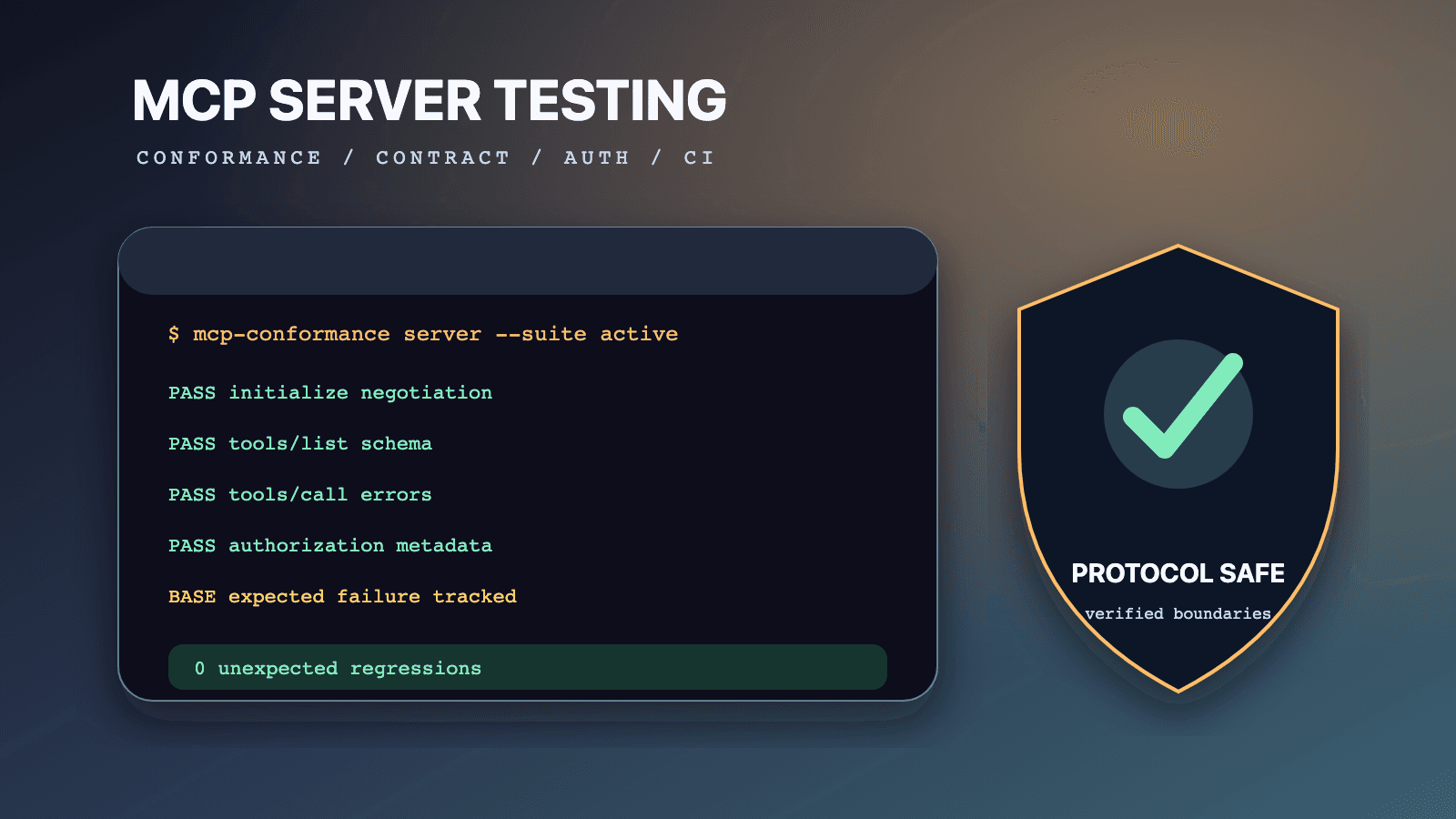
MCP server testing is the disciplined verification of a server's protocol behavior, advertised feature contracts, transport handling, authorization boundaries, operational resilience, and product-specific outcomes. A reliable program does not stop when an MCP client can connect or when the official conformance runner exits successfully. It proves, with separate evidence, that the implementation speaks the negotiated protocol correctly, rejects invalid work safely, performs authorized work accurately, survives expected failure modes, and does not turn model-controlled tool use into an uncontrolled security boundary.
This guide is current as of July 14, 2026. Its stable protocol baseline is the official MCP specification revision 2025-11-25, which the documentation marks as latest on this date. The examples use the documented command shapes for the official conformance framework and MCP Inspector. The latest stable releases verified for this guide are conformance v0.1.16 and Inspector 0.22.0. Pin those versions in reproducible CI, and re-read their release notes before upgrading. Do not silently target a draft protocol revision in a production compatibility gate.
Use the focused cluster guides when the work narrows:
- Run the official MCP conformance suite against a server
- Manage MCP conformance baselines in GitHub Actions
- Test and debug a server with MCP Inspector
- Build MCP server contract tests for tools, resources, prompts, and errors
MCP often sits inside an AI-agent workflow, so protocol evidence is only one layer. Pair it with the Playwright MCP browser automation guide when the agent drives a web product and with the LLM application testing guide when model decisions, trajectories, or generated answers are part of the acceptance criteria. Browse reusable workflows in the QA skills directory, including the author-qualified Playwright CLI skill for browser evidence. These links solve adjacent problems; none replaces server-side contract, authorization, or security tests.
The four kinds of truth in an MCP test plan
MCP documentation uses normative language such as MUST, SHOULD, and MAY under BCP 14. Test plans become dangerous when they convert every recommendation into a protocol requirement, treat current tool behavior as permanent protocol law, or present an organization's risk tolerance as universal. Label the source of every expectation before automating it.
| Expectation class | Authority | Example | Correct test interpretation |
|---|---|---|---|
| Protocol requirement | Dated MCP specification and its schema | A request ID is a string or integer and is not null | A violation is a protocol defect for the targeted revision |
| Conformance implementation behavior | Versioned official conformance release | An active scenario invokes a particular request sequence | A failure is evidence against that runner version and scenario, not proof of every possible protocol defect |
| Security recommendation | MCP security guidance, OAuth standards, OWASP, threat model | Sandbox a locally spawned server and minimize scopes | Convert into controls based on exposure and risk; do not misquote it as a wire-format requirement |
| Team or product policy | Your architecture, SLOs, data classification, and change process | Destructive tools require a second confirmation | Enforce it as a release gate, while clearly naming it as local policy |
This distinction prevents two common mistakes. The first is false failure: a test rejects a valid implementation because a team preference was written as if the protocol required it. The second is false confidence: a conformance pass is used to approve an unsafe or functionally wrong server. The official base protocol overview requires the JSON-RPC base and lifecycle, while features such as tools, resources, prompts, sampling, roots, and elicitation are negotiated. A server is not nonconformant merely because it does not implement every optional feature.
Write the provenance into the test name or metadata. For example, spec-2025-11-25/http/origin-invalid-403 identifies a transport requirement, conformance-0.1.16/server-initialize identifies a runner scenario, security/oauth/no-token-passthrough identifies a security control, and policy/prod/delete-requires-approval identifies a team gate. Reviewers can then challenge the right authority instead of debating an unlabeled assertion.
What a complete MCP server test strategy covers
A connection smoke test answers only whether one client and one server completed one happy path. A release-quality strategy divides the system into observable contracts and assigns the cheapest useful test level to each.
| Test layer | Main question | Typical evidence | What it cannot establish alone |
|---|---|---|---|
| Schema and unit | Do handlers validate and map inputs predictably? | Deterministic assertions over pure functions and schemas | Real transport framing, authorization, process behavior |
| Protocol contract | Does the server produce valid MCP and JSON-RPC behavior? | Captured request/response pairs for a dated revision | Full official scenario coverage, business correctness |
| Official conformance | Does the implementation satisfy the selected published scenarios? | Versioned runner output and checks.json artifacts | Security, performance, all optional features, domain accuracy |
| Inspector exploration | Can a human inspect discovery, calls, notifications, and failures? | Saved observations, sanitized exports, reproducible CLI calls | A durable regression suite unless commands are automated |
| Integration | Do adapters, identity, storage, queues, and downstream APIs work together? | Tests against controlled dependencies and seeded data | Production-scale behavior and unmodeled third parties |
| Security | Can a malicious client, server response, tool input, or model trajectory cross a boundary? | Abuse cases, authorization assertions, sandbox and audit evidence | General functional quality or universal absence of vulnerabilities |
| End to end | Does a real host complete the intended user outcome? | Host-visible result plus downstream state verification | Exhaustive protocol edge cases |
| Operational | Does the service remain diagnosable and bounded under failure? | Timeout, cancellation, load, recovery, and telemetry checks | Semantic correctness of every tool result |
Start with a capability inventory, not a generic checklist. Record the targeted protocol revision, transport modes, authentication modes, server capabilities, client capabilities the server relies on, tool risk levels, resource URI schemes, prompt arguments, task support, elicitation modes, and downstream dependencies. Each advertised capability creates a contract. Each unadvertised capability creates a negative test: the server must not assume it is available during the session.
A useful minimum matrix has rows for lifecycle, transport, tools, resources, prompts, logging, authorization, cancellation, progress, tasks, and elicitation. Columns cover happy path, invalid shape, unsupported capability, authorization denied, timeout, cancellation, duplicate or replay behavior, downstream failure, sensitive-data handling, and observability. Mark non-applicable cells explicitly. Blank cells hide missing analysis; N/A: capability not advertised documents a deliberate boundary.
Build a deterministic test harness before adding an agent
Models are useful for exploratory testing, threat ideation, and varied language inputs, but protocol regression needs deterministic control. Put a small MCP test client or wire-level fixture underneath any agent-based scenario. It should be able to send exact JSON-RPC messages, capture headers and frames, control request IDs, delay or terminate connections, substitute identity, and inspect external state without relying on a model's summary.
The harness should provide these fixtures:
- A fresh server process or isolated remote tenant for each state-sensitive case.
- A deterministic clock where expiry, retry, task TTL, or cancellation races matter.
- Seeded downstream data with stable identifiers and explicit cleanup.
- Test credentials separated by user, audience, scope, and expiration state.
- A transport recorder that redacts secrets but preserves message order and correlation.
- Fault injection for downstream timeout, malformed response, partial stream, and unavailable dependency.
- A state oracle that verifies the real side effect rather than trusting returned prose.
Keep model evaluation above this layer. If an agent calls create_issue, the protocol assertion verifies the tool call and result shape; the product assertion queries the issue store; the agent assertion evaluates whether the tool should have been chosen. One result cannot stand in for the other two. This separation is especially important when testing LLM applications, where a fluent final answer can conceal a failed or unauthorized tool operation.
The following pseudocode illustrates a test case record. It is a team artifact, not an MCP-defined object:
{
  "caseId": "tools/create-issue/invalid-priority",
  "authority": "product-contract",
  "protocolVersion": "2025-11-25",
  "preconditions": ["tenant is isolated", "token has issues:write"],
  "request": {
    "method": "tools/call",
    "params": {
      "name": "create_issue",
      "arguments": { "title": "Example", "priority": "urgentest" }
    }
  },
  "expect": {
    "responseKind": "tool-execution-error",
    "stateChange": "none",
    "secretLeak": false
  }
}
The record deliberately distinguishes a tool execution error from a JSON-RPC protocol error. It also requires a state check. Those two details prevent a large class of shallow tests.
Test lifecycle and initialization first
For revision 2025-11-25, initialization is the first protocol interaction. The client sends initialize with a supported protocol version, client capabilities, and client implementation information. The server responds with its selected version, capabilities, and server information. After a successful response, the client sends notifications/initialized. The normative sequence and version rules are in the official lifecycle specification.
Test initialization as a state machine, not as one snapshot. Before the initialize response, a client should not send ordinary feature requests; the specification allows pings as the exception. Before receiving the initialized notification, the server should not send ordinary server requests; ping and logging are the documented exceptions. During operation, each side must respect the negotiated version and use only negotiated capabilities.
{
  "jsonrpc": "2.0",
  "id": 1,
  "method": "initialize",
  "params": {
    "protocolVersion": "2025-11-25",
    "capabilities": {
      "elicitation": { "form": {}, "url": {} }
    },
    "clientInfo": {
      "name": "qa-contract-client",
      "version": "1.0.0"
    }
  }
}
Your lifecycle suite should cover at least the behaviors your implementation claims:
- The selected version is exactly the requested version when the server supports it.
- When the requested version is unsupported, the server returns another version it supports; the client fixture then decides whether it can continue.
- The server advertises only implemented capabilities and accurate sub-capabilities.
- Feature methods are unavailable or rejected when their capability was not negotiated.
- Duplicate, null, malformed, or reused request identifiers are handled according to the base protocol and session rules.
- The initialized notification has no request ID and does not receive a response.
- Shutdown follows the transport rather than an invented MCP shutdown method.
- A fresh initialization does not inherit tenant, identity, tools, subscriptions, or task state from an unrelated session.
Do not assert a universal timeout duration. The lifecycle specification says implementations should establish timeouts for sent requests, expose per-request configurability through SDKs or middleware, and enforce a maximum even when progress can reset an active timeout. The actual durations are environmental policy. A local process, an internet-facing service, and a human-dependent elicitation flow need different budgets. Test that configured budgets are honored, bounded, observable, and cancellable.
For Streamable HTTP, the negotiated version also becomes an HTTP contract: subsequent requests must include MCP-Protocol-Version. A server receiving an invalid or unsupported value must return HTTP 400. Do not use the default-version fallback as an excuse to omit the header in a modern client test; explicitly verify the negotiated value.
Capability truthfulness is a release gate
Capability objects are promises. If the server advertises tools.listChanged, tests should mutate the catalog through a controlled fixture and verify notifications/tools/list_changed behavior. If it advertises resources.subscribe, test subscription, update notification, authorization re-checks, and cleanup. If it advertises logging, test logging/setLevel and sanitized notifications/message. If a sub-capability is absent, clients should not infer it.
| Advertised item | Positive contract | Negative contract | Product-specific extension |
|---|---|---|---|
tools | tools/list and tools/call operate as documented | Unknown or malformed calls fail safely | Risk labels, approval, idempotency, audit policy |
prompts | prompts/list and prompts/get return valid content | Missing required arguments produce a defined error | Prompt ownership, localization, injection review |
resources | Lists, reads, and advertised optional updates work | Unauthorized or unknown URIs are not disclosed | Data classification, freshness, tenant filtering |
logging | Client can set level and receive structured messages | Secret or personal data never appears in logs | Retention, sampling, correlation conventions |
tasks | Only negotiated request types use task augmentation | Unsupported requests do not create hidden tasks | Queue limits, retention, operator controls |
Capability discovery should be snapshot-tested semantically, not byte-for-byte. Object key order is irrelevant, and descriptions may legitimately improve. Assert names, schemas, risk-relevant annotations, and declared sub-capabilities. Route copy-only changes through review without turning every punctuation edit into a protocol outage.
Test stdio and Streamable HTTP as different products
The 2025-11-25 transport specification defines two standard transports: stdio and Streamable HTTP. They share JSON-RPC messages but have different process, framing, identity, network, session, and failure boundaries. Running the same tool-call assertion over both does not exercise those differences.
| Concern | stdio | Streamable HTTP |
|---|---|---|
| Server lifetime | Client launches a subprocess | Server runs independently and handles connections |
| Framing | One UTF-8 JSON-RPC message per newline | HTTP POST request; response can be JSON or SSE |
| Diagnostics | Server may write logs to stderr | Application/protocol logs plus HTTP telemetry |
| Protocol channel contamination | Non-MCP text on stdout breaks framing | Wrong content type, status, body, or stream breaks transport |
| Identity | Usually inherited environment/process context | Commonly bearer authorization per HTTP request |
| Session | Process relationship often supplies isolation | Optional MCP-Session-Id has explicit handling rules |
| Primary attack boundary | Local code execution and filesystem/network privilege | Network exposure, origin, auth, session, SSRF, proxy behavior |
| Shutdown | Close input, then process termination sequence | Close HTTP connections; optional session DELETE behavior |
stdio contract tests
For stdio, verify that the client starts the intended executable with the intended arguments and environment. Send newline-delimited UTF-8 JSON-RPC. Assert that the server writes no banners, progress text, stack traces, or debug messages to stdout; that channel must contain only valid MCP messages. Diagnostic strings belong on stderr, and a client must not assume that any stderr output means the protocol request failed.
Exercise partial input, multiple messages, orderly EOF, process crash, and shutdown escalation in a controlled process fixture. Do not send embedded newlines inside a framed message. Confirm that credentials injected through environment variables are not returned by tools, copied into logs, or inherited by child commands that do not need them. A stdio server is executable code with the client's user privileges, not a harmless configuration file.
One useful negative test starts the process with a fixture that deliberately prints a banner to stdout before its first JSON-RPC response. The harness should identify protocol contamination rather than trying to strip the line silently. A separate fixture prints the same banner to stderr; the protocol should remain usable, while log policy decides whether the diagnostic is acceptable.
Streamable HTTP contract tests
Streamable HTTP uses one MCP endpoint supporting POST and GET. Every client-to-server JSON-RPC message is a new POST. The client sends an Accept header covering application/json and text/event-stream; a request response can use either form. A POST containing a notification or response that the server accepts receives HTTP 202 with no body. A GET can open an SSE stream, or the server returns HTTP 405 if it does not provide that stream.
Test the matrix rather than only one response mode:
POST request      -> application/json response
POST request      -> text/event-stream ending with the matching response
POST notification -> 202 Accepted with no body
GET with SSE      -> text/event-stream, if supported
GET unsupported   -> 405 Method Not Allowed
invalid Origin    -> 403 Forbidden when Origin is present and invalid
bad protocol rev  -> 400 Bad Request
expired session   -> 404 Not Found, followed by client re-initialization
The last three lines are conditional on the stated situation, not universal expectations for every request. The transport specification requires servers to validate any incoming Origin and return 403 when it is invalid. It recommends binding local servers to 127.0.0.1 rather than 0.0.0.0 and using authentication. These controls address DNS rebinding and unintended network reachability; tests should cover allowed, missing where applicable, malformed, and hostile origins according to the deployment's origin policy.
Sessions, streams, and reconnection
A Streamable HTTP server may create a stateful session by returning MCP-Session-Id with the initialize response. If it does, the client must send that header on later requests. A server requiring it should answer a missing header with HTTP 400; a terminated session returns HTTP 404, and the client starts a new initialization without the obsolete ID. A client that no longer needs a session should issue DELETE, while the server may answer 405 if client-initiated termination is unsupported.
Test that session identifiers are treated as secrets even though they are not authorization credentials. Verify tenant and user binding, unpredictability, log redaction, expiry, revocation, and rejection across identities. The MCP security best-practices guide explicitly warns that sessions must not be used as authentication. Authorization still needs validation on inbound requests.
SSE redelivery is optional. If implemented, event IDs must be scoped correctly and the client can reconnect with Last-Event-ID. Test duplicate delivery and interruption around side effects. The protocol says disconnection is not cancellation, so a dropped stream must not be interpreted as a user cancelling the underlying request. Product policy must decide whether a mutating tool is idempotent, deduplicated by an operation key, safely repeatable, or deliberately non-retryable.
Retries are not a blanket protocol entitlement. Retry transport discovery, authorization, or read-only calls only when the relevant specification and operation semantics permit it. For mutations, establish an idempotency contract with the downstream system before retrying. A client that retries charge_card or delete_branch because a response stream broke can create damage even when every JSON-RPC envelope is valid.
Verify JSON-RPC envelopes before domain content
All MCP messages follow JSON-RPC 2.0, with additional MCP constraints in the base protocol. Requests carry jsonrpc: "2.0", a method, and a string or integer ID. MCP does not allow a null request ID, and the requestor must not reuse an ID within the same session. A result or error response correlates to that ID. Notifications have no ID and receive no response.
A protocol test should classify the envelope before parsing feature content:
| Message kind | Required observation | Common defect |
|---|---|---|
| Request | Valid version, unique non-null ID, method, valid params shape | Reused ID, stringified params, missing method |
| Success response | Same ID and a result object | Both result and error, mismatched ID, missing result |
| Error response | Correlated ID when readable; integer code and message | HTTP error mistaken for JSON-RPC error, secret in data |
| Notification | Method and no ID | Server responds to it or sender includes an ID |
| Streamed sequence | Every frame is valid and final response correlates | Duplicate response, cross-stream replay, response after terminal result |
Do not reduce every error to -32603. Error classes communicate whether the caller can recover. Malformed JSON, invalid request shape, unknown methods, invalid parameters, authorization denial, tool-domain validation, downstream outage, and cancellation are operationally different. The protocol and each feature page define applicable error behavior; product errors should add actionable, sanitized detail without exposing internals.
The tool specification makes an especially important distinction. Unknown tools, malformed tools/call requests, and server protocol failures use JSON-RPC errors. Tool execution failures such as a rejected date, downstream API failure, or business rule violation are returned as a tool result with isError: true. Clients can expose a tool execution error to the model so it can correct arguments, while a malformed protocol request is less likely to become valid through natural-language retry.
{
  "jsonrpc": "2.0",
  "id": 41,
  "result": {
    "content": [
      {
        "type": "text",
        "text": "Priority must be one of low, medium, or high."
      }
    ],
    "isError": true
  }
}
That response is not a successful business operation merely because it appears under result. The MCP transport succeeded and the tool reported an execution error. Assertions should capture both levels: jsonRpcOutcome = result, toolOutcome = error, and sideEffect = none.
Negative JSON-RPC cases worth preserving
Test malformed JSON, wrong jsonrpc value, null IDs, duplicate IDs within a live session, unknown methods, missing required params, extra fields where a schema forbids them, notification-with-ID confusion, response-without-result-or-error, and incorrect response correlation. Fuzz lengths and Unicode at schema boundaries, but keep a small named regression set for every fixed parser defect.
Avoid asserting exact free-form error prose unless it is a public product contract. Assert the integer code, error class, stable machine-readable data fields, secret absence, and enough human context to diagnose. This makes copy improvements possible without weakening the protocol check.
Test tools as schemas, actions, and security decisions
Tools are model-controlled features exposed by a server. A server that supports them declares the tools capability, answers tools/list, and accepts tools/call for discovered names. The official tools specification describes discovery, input and output schemas, structured content, errors, and security considerations.
Test tool discovery for pagination, stable unique names, useful descriptions, valid input schemas, optional output schemas, annotations, icons if present, and task support if advertised. Tool names are case-sensitive in normal handling; do not normalize names in a way that creates collisions. Treat descriptions and annotations as untrusted when the server is not trusted. A client UI should not turn readOnlyHint or a friendly description into authorization.
MCP uses JSON Schema throughout. Under revision 2025-11-25, a schema without $schema defaults to JSON Schema 2020-12. Implementations must support that dialect and validate schemas according to the declared or default dialect. A tool input schema must be a valid object, not null. For a no-argument tool, { "type": "object", "additionalProperties": false } is the explicit shape that accepts only an empty object.
Required, optional, default, and invalid inputs
Test input behavior with a table generated from each schema, then add domain cases that schema alone cannot express.
| Input case | Contract question | Evidence |
|---|---|---|
| Required present | Is the value accepted at valid boundaries? | Tool result and state oracle |
| Required absent | Is omission rejected predictably? | Error class, no side effect |
| Optional absent | Does the handler distinguish omission from an empty value? | Captured adapter input |
| Explicit default value | Does the server handle the documented value? | Result and persisted value |
| Field omitted with schema default | Does implementation policy apply a default or leave it absent? | Public contract plus adapter observation |
| Wrong primitive type | Does validation reject before side effects? | Validation error and zero downstream calls |
| Unknown property | Is behavior consistent with additionalProperties? | Accepted or rejected per schema |
| Boundary and format | Are semantic limits checked beyond JSON shape? | Domain-specific result |
| Malicious string | Is it handled as data, not a command or query fragment? | Injection checks and logs |
JSON Schema's default is an annotation; do not assume every validator inserts it. Define whether the server applies defaults, the client supplies them, or omission remains meaningful, and test that documented product contract. The Inspector project documents a UI behavior relevant to manual testing: omit empty optional fields unless their schema has an explicit matching default, preserve explicit default values, always include required fields, and defer deep validation to the server. That is Inspector behavior, not a universal MCP rule for all clients.
For structured output, test both structuredContent and any declared outputSchema. When a tool provides an output schema, the server must return structured data conforming to it and clients should validate it. The tools page recommends also returning serialized JSON in a text content block for backward compatibility. Assert semantic equality between representations if your server returns both; do not allow one to report success while the other reports an error.
Side effects need an external oracle
For every mutating tool, verify authorization, validation-before-mutation, exactly which state changed, and what happens on duplicate delivery. Returned text is never enough. Query the database, API, queue, filesystem, or sandbox after the call. Verify that a denied, invalid, timed-out, or cancelled call did not partially mutate state, or document and test compensating behavior when atomicity is impossible.
Classify tools by impact for team policy:
| Risk class | Example | Suggested product controls, not protocol mandates |
|---|---|---|
| Read-only bounded | Fetch one public record | Rate limit, tenant filter, output size limit |
| Sensitive read | Read private repository or customer case | Scope check, audit event, output redaction |
| Reversible write | Create draft, add label | Approval based on context, idempotency key, rollback path |
| Irreversible/destructive | Delete, send, publish, pay | Explicit confirmation, narrow scope, staged execution, strong audit |
| Code/process execution | Run shell, deploy, install | Sandbox, allowlist, constrained identity, network and filesystem limits |
MCP does not mandate this exact taxonomy. It is a practical release policy informed by the tool security requirements and OWASP's agentic risk guidance. Keep the label honest.
Test resources and prompts as separate feature families
Resources are application-controlled context identified by URIs. Prompts are user-controlled templates exposed for explicit selection. Tools are model-controlled actions. A client may present them differently, and a server may implement any subset. Do not collapse all three into a generic "capability list" test.
Resource contracts
The resources specification covers listing, reading, URI templates, pagination, optional list changes, and optional subscriptions. Test discovery and reads with exact tenant and identity boundaries. A resource URI is an identifier, not proof that the caller may read it. Unknown and unauthorized resources should not leak existence, metadata, or content beyond the product's chosen error policy.
For text resources, verify declared MIME type, encoding, size controls, freshness, and redaction. For binary blobs, verify base64 handling and limits. For templates, test valid expansion, missing arguments, reserved characters, path traversal, query injection, and authorization after expansion. Never authorize only the template and assume every resulting URI is safe.
If subscribe is advertised, test subscribe and unsubscribe lifecycle, updates for the correct URI, duplicate notifications, revoked authorization, session cleanup, and high-frequency change control. If listChanged is advertised, test catalog changes without exposing another tenant's resource names. If neither sub-capability is advertised, do not expect notifications.
Prompt contracts
The prompts specification covers prompts/list, prompts/get, arguments, message roles, content types, pagination, and list-change notifications. Test required and optional arguments, Unicode, very large values, embedded resources, images or audio if supported, and stable error classification. The specification gives -32602 as the expected invalid-params class for an invalid prompt name or missing required arguments and -32603 for internal errors.
Prompt content is not automatically trusted because it came from an MCP server. A third-party server can return instructions that redirect an agent, request secrets, or conflict with host policy. Security tests should treat prompt templates and embedded resources as untrusted content, preserve source attribution, and verify that host-level policies outrank server-provided prose.
| Feature | Main input threat | Main output threat | State assertion |
|---|---|---|---|
| Resource | URI traversal, tenant ID substitution, oversized read | Secret disclosure, stale or mislabeled content | Usually no mutation; subscription state if used |
| Prompt | Argument injection, oversized values, control characters | Hidden instructions, malicious links, untrusted embedded resource | Prompt retrieval should not execute a tool by itself |
| Tool | Schema bypass, command/query injection, confused identifiers | Misleading result, secret leak, poisoned structured data | Verify real mutation, idempotency, rollback |
Add product-level semantic tests. A resource called policy://current should contain the current approved policy, not merely valid text. A summarize_incident prompt should include required context and avoid leaking another tenant. These are correctness properties outside generic protocol conformance.
Use official conformance for a bounded question
The official modelcontextprotocol/conformance project tests MCP client and server implementations against published scenarios. As of July 14, 2026, the latest stable release verified here is v0.1.16. The repository also develops prerelease work; pin the stable version used by your gate and record the targeted protocol revision.
For a running Streamable HTTP server, the documented server command shape is:
npx @modelcontextprotocol/conformance@0.1.16 server --url http://127.0.0.1:3000/mcp
List the scenarios supplied by the installed runner instead of copying a test count into documentation:
npx @modelcontextprotocol/conformance@0.1.16 list
Run a focused server scenario during diagnosis:
npx @modelcontextprotocol/conformance@0.1.16 server --url http://127.0.0.1:3000/mcp --scenario server-initialize
The server runner connects as an MCP client, sends scenario requests, captures behavior, and writes machine-readable checks under a timestamped results/server-<scenario>-<timestamp>/checks.json path. Scenario names, applicability, and suites can change between releases. The correct coverage statement is therefore "passed the applicable scenarios from conformance 0.1.16 under this configuration," accompanied by artifacts. Do not claim "100% MCP compliant," "secure," or "fully tested" without defining a far broader evidence set.
Expected-failure baselines are debt ledgers
The framework supports an expected-failures YAML file. In the documented behavior, an expected failure lets CI remain green, an unexpected failure fails, and a scenario that starts passing while still listed also fails so the stale baseline is removed. This is useful migration machinery, not a waiver from ownership.
Every baseline entry should have an issue, owner, reason, affected protocol revision, risk statement, and removal condition. Keep the file as small as possible. Review it whenever the runner, SDK, transport, or protocol target changes. The GitHub Actions baseline guide covers that operating model, while the official conformance suite guide provides the focused local workflow.
Conformance is strongest when paired with your own contracts. Run the official suite against a controlled build, preserve its exact version and output, then execute product tests for each exposed tool, resource, prompt, authorization scope, threat boundary, and side effect. A conformance scenario cannot know that your close_account tool closed the right account or that its approval policy matches your business rules.
Use MCP Inspector for exploration and reproducible diagnosis
The official MCP Inspector provides a browser UI and CLI for testing and debugging servers. Version 0.22.0, verified for this guide, requires Node.js >=22.7.5 in its package metadata. Pin the version in team scripts when reproducibility matters.
Start the UI against a built local stdio server:
npx @modelcontextprotocol/inspector@0.22.0 node build/index.js
The Inspector client UI is served on http://localhost:6274 and its proxy uses port 6277 by default. Use the connection pane to inspect initialization, then examine Resources, Prompts, Tools, and Notifications. Test normal and invalid values, observe exact results, and preserve sanitized evidence. Do not paste production credentials into screenshots or issue reports.
Use CLI mode when a manual observation needs a repeatable command. The current official README documents operations such as:
npx @modelcontextprotocol/inspector@0.22.0 --cli   node build/index.js   --method tools/list

npx @modelcontextprotocol/inspector@0.22.0 --cli   node build/index.js   --method tools/call   --tool-name get_status   --tool-arg environment=staging
For a remote Streamable HTTP endpoint, the README uses --transport http:
npx @modelcontextprotocol/inspector@0.22.0 --cli https://mcp.example.test/mcp --transport http --method tools/list
The hostname above is illustrative. Do not put a bearer token directly into shell history. Use a controlled secret-injection mechanism supported by your environment and redact commands in artifacts.
Inspector is a development client, not an intercepting network proxy and not a security scanner. Its successful rendering of a schema proves neither that every client can interoperate nor that the tool is authorized correctly. Turn every valuable manual finding into a lower-level contract, integration, or security test. The MCP Inspector tutorial provides a focused UI-to-CLI workflow.
Inspector timeout behavior is part of the test setup
Inspector and the server can have different request timeouts. If Inspector cancels first, the observed error represents the client-side budget; if the server times out first, it represents server behavior. Record both values with the result. For elicitation and long-running operations, adjust the development timeout deliberately rather than declaring a compliant server broken because the UI stopped waiting.
Test remote authorization and metadata as a chain
Authorization is optional for MCP as a whole. When supported over HTTP, implementations should follow the revision's authorization specification. stdio should obtain credentials from its environment rather than applying this HTTP authorization flow. This distinction is a protocol requirement/recommendation boundary, not merely deployment taste.
In 2025-11-25, a protected MCP server acts as an OAuth resource server. It implements OAuth Protected Resource Metadata so the client can discover authorization servers. Authorization servers expose OAuth Authorization Server Metadata or OpenID Connect discovery, and clients support both discovery paths. The client uses the authorization code flow with PKCE, includes the resource indicator, and sends a bearer access token in the Authorization header on every HTTP request. Tokens must not appear in URI query strings.
Test authorization as a chain of independently validated statements:
| Stage | Positive test | Adversarial or negative test |
|---|---|---|
| Initial protected request | 401 leads to legitimate metadata discovery | Missing, malformed, cross-origin, private-network, or redirecting metadata URL |
| Protected Resource Metadata | Resource identifier and authorization servers are expected | Metadata points to attacker, loopback, link-local, or unrelated issuer |
| Authorization Server Metadata | Endpoints and PKCE support are valid | Dangerous URL scheme, unsupported PKCE, issuer inconsistency |
| Client registration | Chosen mechanism matches server support | Redirect URI mismatch, untrusted metadata document, stale registration |
| Authorization request | Resource and minimal scopes are included | Resource omitted, excessive scope, altered redirect or state |
| Token exchange | PKCE and state bind the flow | Replayed code, wrong verifier, missing state, wrong audience |
| MCP request | Bearer token is valid for this MCP server and operation | Expired, revoked, wrong audience, insufficient scope, token in query |
| Downstream API | Server uses a distinct appropriate credential | Client token is passed through to another resource |
The server must validate that tokens were issued for it as the intended audience. Token passthrough is explicitly forbidden: an MCP server must not accept a token intended for another service and forward it downstream. Test with tokens that are correctly signed but have the wrong audience, issuer, scope, subject, tenant, expiration, or not-before time. Signature validity alone is not authorization.
For insufficient scope during an operation, the specification describes HTTP 403 with a Bearer WWW-Authenticate challenge identifying insufficient_scope, the minimum required scope, and protected-resource metadata. Test that elevation is precise and bounded. The client should not loop indefinitely; the specification recommends retry limits and tracking scope-upgrade attempts rather than a universal retry count.
Metadata discovery is an SSRF surface
An MCP client may fetch a protected-resource metadata URL, authorization-server metadata, and endpoint URLs learned from those documents. A malicious server can point them at private addresses, cloud metadata, localhost services, or redirect chains. The official MCP security guidance recommends HTTPS in production, private and reserved IP blocking for server-side clients, redirect validation, and defense against DNS rebinding or time-of-check/time-of-use changes.
Build tests with a controlled DNS and HTTP fixture. Cover direct private IPs, alternate encodings, IPv4-mapped IPv6, link-local targets, a public URL that redirects private, and a hostname whose resolution changes. Do not run these cases against real cloud metadata endpoints. Verify that the client fails closed without reflecting fetched secrets in errors.
Confused deputy and consent tests
An MCP proxy that shares one static downstream OAuth client can become a confused deputy if it maps multiple MCP clients into that relationship without per-client consent. Test consent storage by user and client ID, exact redirect URI matching, state creation after consent, single-use state, CSRF protection, and re-consent when identity or requested privileges change. The security guide supplies detailed mitigations; your test should reproduce your architecture, not copy a diagram and assume coverage.
Authorization checks belong at the operation boundary too. A token accepted at connection time may expire, lose scope, or belong to a user whose rights changed. Revalidate each HTTP request and enforce object/tenant authorization inside tools and resources. An authenticated caller asking for another tenant's document is still unauthorized.
Test elicitation and experimental tasks with version labels
Elicitation lets a server ask the client to obtain more information from a user. In revision 2025-11-25, the elicitation specification defines form and URL modes. A client advertises the modes it supports. A server must not request an unadvertised mode.
Form mode collects structured, in-band data using a restricted schema. It must not request secrets or credentials such as passwords, API keys, access tokens, or payment credentials. URL mode sends the user to an external URL for sensitive interaction so those values do not pass through the MCP client. Test that the UI names the requesting server, displays the destination host for URL mode, allows decline or cancel, and permits review and modification before submitting form data.
Security tests should supply deceptive messages, look-alike domains, mixed-script hostnames, unsafe schemes, open redirects, and a server that switches the URL after user review. Verify consent before navigation and strict scheme/host validation. A valid elicitation JSON object can still be a phishing attempt.
Tasks require stronger qualification. The 2025-11-25 tasks specification explicitly calls tasks experimental and says their design may evolve. In this revision, peers negotiate task support by request type, and tools can declare task support as required, optional, or forbidden. Do not assume a later draft's task lifecycle applies to this stable baseline.
For a server that implements tasks under this revision, test:
- Task augmentation occurs only when the peer and request type negotiated it.
- Tool-level task support is enforced in addition to session capabilities.
- Task IDs are unpredictable, isolated by principal, and never accepted across tenants.
- Status transitions follow the revision and terminal states do not return to working.
tasks/resultreturns the underlying result or error when terminal and handles non-terminal waiting as specified.tasks/cancelis used for task-augmented work rather than ordinary cancellation notifications.- TTL, timestamps, suggested polling interval, cleanup, and result retention are observable.
- Input-required flows associate nested elicitation or sampling with the correct task.
- Logs and list operations do not leak another user's task existence or content.
The protocol permits receivers to override a requested TTL and to delete a task after its actual TTL elapses. Therefore, test the returned actual TTL and your product's retention promise, not the caller's requested number alone. Do not publish a universal polling interval or retention threshold; choose them from load, user experience, and recovery requirements.
Test timeout, cancellation, progress, retry, and failure races
Resilience behavior lives at multiple layers. The MCP lifecycle recommends request timeouts. The cancellation utility defines notifications/cancelled for ordinary in-progress requests. The progress utility uses a caller-provided progress token. Tasks have separate cancellation and result behavior. HTTP and downstream clients add their own deadlines and retry policies.
| Event | Protocol behavior | Product question |
|---|---|---|
| Client deadline expires | Sender should cancel and stop waiting | Does downstream work stop, compensate, or finish safely? |
| Cancellation arrives before mutation | Receiver should stop where possible | Is zero side effect verified? |
| Cancellation races with completion | Both sides handle race; sender may ignore late response | Is final state discoverable and not duplicated? |
| Stream disconnects | Not equivalent to cancellation | Can response resume, or can status be queried safely? |
| Progress arrives | May justify resetting active timeout, but maximum remains | Is progress truthful, bounded, and rate-limited? |
| Dependency returns transient failure | MCP does not make every call retryable | Is operation idempotent and is backoff team policy explicit? |
| Task cancellation | Use tasks/cancel for task work | What terminal evidence and cleanup are promised? |
Cancellation is best effort. The receiver may be unable to interrupt a downstream operation, and a notification can arrive after completion. Test both sides of the race with a barrier in the fixture. For a write, verify final state and correlation rather than expecting one fixed message ordering. If an operation cannot be rolled back, expose that honestly in UX and policy.
Progress tokens must be strings or integers and unique among active requests. Progress values increase, total is optional, and notifications stop after completion. The receiver may send no progress at all. Test monotonicity, correct correlation, rate limiting, secret absence, and no progress after terminal completion. Do not fail a compliant implementation merely because it omits optional progress.
The ping utility supports an optional ping request and requires a prompt empty result when received. Ping frequency and reasonable timeout depend on the network. Test configurability and stale-connection handling without hardcoding one interval as protocol law.
Retry decisions need operation semantics
Use this decision sequence before enabling a retry:
- Did the operation reach the server? If unknown, treat it as an ambiguous outcome.
- Is the operation read-only or protected by a stable idempotency key?
- Can the caller query the operation's state before repeating it?
- Does authorization remain valid, and would reauthorization change the principal or scope?
- Is the error transient, or is retry guaranteed to repeat an invalid request?
- Is there a bounded backoff and total attempt policy owned by the team?
Never ask a model to infer whether a write is safe to retry from an error sentence. Encode retryability in the product contract and test it deterministically.
Make logs and traces useful without leaking the system
MCP logging is an optional server capability. A supporting server declares logging, accepts logging/setLevel, and sends notifications/message with a severity, optional logger, and JSON-serializable data. The logging specification follows syslog severity names and explicitly prohibits credentials, secrets, personal identifying information, and internal details that could aid attacks in protocol log messages.
Test observability at three levels:
- Protocol correlation: request ID, progress token, task ID, and session correlation are traceable without becoming authorization.
- Product operation: tool name, decision, duration, result class, downstream status, and state-change ID are available under access control.
- Security audit: principal, tenant, scope decision, approval, sensitive operation, and policy outcome are immutable enough for investigation.
Redact authorization headers, cookies, session IDs, elicited sensitive data, prompt content classified as private, resource bodies, and raw model context. Hashing is not automatically safe if values are low entropy or reusable. Test logs with planted canary secrets and fail when they appear in stdout, stderr, protocol logging, HTTP access logs, traces, error data, or CI artifacts.
Avoid using user-controlled tool text as a log template. Preserve structured fields, encode control characters, and rate limit messages. A malicious server or input can otherwise forge audit lines, flood storage, or inject terminal control sequences. Observability is part of the attack surface.
Build a security test catalog around trust boundaries
Security testing should begin with a data-flow diagram: host, MCP client, local proxy if any, server process, authorization server, downstream APIs, model, user approval surface, logs, queues, and storage. Mark where untrusted data enters and where authority changes. Then map abuse cases to controls and evidence.
The official MCP security guide covers confused deputy behavior, token passthrough, SSRF, session hijacking, local-server compromise, authorization URL validation, stdio proxy risks, and scope minimization. OWASP's secure MCP server development guide adds architecture, validation, session isolation, and hardened deployment guidance. The third-party MCP server cheat sheet highlights tool poisoning, prompt injection, memory poisoning, tool interference, sandboxing, and governance. These are security references, not additions to the MCP wire specification.
| Threat case | Test stimulus | Required evidence |
|---|---|---|
| Tool poisoning | Description or result contains hidden instructions or altered risk claims | Client treats metadata as untrusted; approval and policy do not derive solely from prose |
| Prompt injection | Resource or webpage instructs agent to exfiltrate data | Host policy blocks the action; no secret reaches tool arguments or output |
| Excessive privilege | Token or process can access unrelated tools/files/tenants | Least-privilege identity and object authorization deny access |
| Token passthrough | Present valid token intended for a downstream API | MCP server rejects wrong audience and does not transit it |
| SSRF | Metadata or tool URL targets private/link-local address | Egress and URL validation block safely without data reflection |
| Session hijack | Reuse another user's session ID | Authorization and user binding reject; audit records attempt |
| Confused deputy | Swap MCP client identity during shared downstream OAuth flow | Per-client consent and redirect/state binding prevent reuse |
| Command injection | Put shell metacharacters in tool input | Values remain data; process invocation avoids unsafe shell construction |
| Path traversal | Use encoded parent paths or alternate separators | Canonical boundary check denies outside allowed roots |
| Resource exhaustion | Oversized schema, result, stream, task, or log flood | Limits, cancellation, cleanup, and telemetry work |
| Supply-chain change | Server package or tool catalog changes after approval | Pinning, integrity review, catalog diff, and reapproval policy trigger |
Local server execution deserves installer-grade scrutiny
A local stdio server runs code with the client's privileges. Tests should verify the exact command shown to users, package pinning, integrity controls, environment minimization, working directory, filesystem boundaries, network access, child process restrictions, update flow, and uninstall cleanup. The official security guidance recommends explicit approval before executing commands and sandboxing with minimal privileges.
Do not treat npx some-server@latest as a stable production control. For development it may be convenient; for governed environments, pin a reviewed version and verify provenance according to organizational policy. A signed package does not prove benign behavior, and a conformance pass does not inspect every code path.
Tool and resource outputs are untrusted
Sanitize outputs before rendering in HTML, terminals, logs, SQL, shell commands, or URLs. Test stored and reflected script payloads, Markdown links, terminal escape sequences, spreadsheet formulas, path strings, and instructions aimed at the model. Output validation is contextual: escaping for HTML does not make a value safe for a shell.
For agent workflows, plant an indirect prompt injection inside a resource and verify the host does not elevate it above user or system policy. The correct result is not necessarily to remove all natural language; it is to preserve provenance, constrain tools, require approval for sensitive actions, and prevent data from one trust zone becoming authority in another.
Approval is a control, not a dialog count
Test what the user sees: server identity, tool name, exact material arguments, target resource, consequence, requested scope, and whether the action is reversible. Test denial, timeout, modified arguments, repeated prompts, and clickjacking protection. A generic "Allow?" button can satisfy a UI snapshot while failing informed consent.
Automated approval should be limited by policy, not by a tool annotation supplied by an untrusted server. High-impact actions require explicit rules and often fresh confirmation. Emergency stop behavior should be tested against in-flight and queued work; cancellation that only hides the UI is not a stop guarantee.
Multi-tenant and identity isolation
Create two users in two tenants with overlapping object names. Attempt cross-tenant tool arguments, resource URIs, prompt arguments, task IDs, session IDs, subscriptions, pagination cursors, and cached results. Verify denial and non-disclosure. Repeat after role removal, token refresh, server restart, and reconnect. Caches must include authorization context or store only data safe to share.
Test service identity separately from end-user identity. A server's broad downstream credential must not erase the initiating user's authorization boundary. Log both identities under access control so an incident can distinguish who requested an operation from which service performed it.
Security testing is not a one-time penetration test
Run fast negative contracts on every change, targeted abuse cases when a boundary changes, dependency and image scanning in CI, and periodic adversarial review with realistic hosts. Re-run threat modeling when adding a transport, remote authorization, a mutating tool, elicitation, tasks, a new downstream service, or autonomous retries. Preserve fixed exploits as regression tests.
Compatibility and versioning without guesswork
MCP is date-versioned. The initialization handshake negotiates a protocol revision, while SDK, Inspector, conformance, server package, and host each have independent versions. Record all of them with every compatibility result.
| Dimension | Example evidence field | Why it matters |
|---|---|---|
| Protocol | 2025-11-25 | Determines lifecycle, capabilities, schemas, and normative behavior |
| Server build | Git commit and artifact digest | Identifies tested implementation |
| SDK | Package name and exact version | Serialization and handler behavior can change |
| Conformance | 0.1.16 plus scenario artifact | Scenario inventory and checks evolve |
| Inspector | 0.22.0 | Manual/CLI behavior and supported features evolve |
| Host/client | Name, version, config | Capability support and approval UX vary |
| Transport | stdio or Streamable HTTP configuration | Changes framing, auth, session, and threat model |
| Dependencies | Auth server and downstream fixture versions | Product behavior may fail outside MCP layer |
Create a compatibility matrix around supported combinations, not every theoretical pairing. Test the oldest and newest supported host/SDK combinations, each transport, each authorization mode, and at least one capability-minimal client. Include downgrade and unsupported-version behavior. A server that works only because one host tolerates invalid output is not interoperable.
Do not parse a future draft with stable expectations. Draft features can be explored in a separate non-release lane with explicit labels. When a new stable revision arrives, diff its normative language and schema, update the contract catalog, upgrade the conformance runner in a reviewable change, and retain the old lane until the support decision is complete.
Golden fixtures should preserve meaning, not accidental bytes
Store representative initialize responses, catalogs, success results, tool errors, JSON-RPC errors, resources, prompts, notifications, task states, and auth metadata. Normalize only fields that are legitimately volatile, such as timestamps or generated IDs. Do not normalize away ordering when order is semantically meaningful, error classes, omitted-versus-null differences, or security fields.
Every golden fixture needs a provenance comment outside the wire payload: protocol revision, source test, why it matters, and which fields may change. Review fixture updates as contract changes. Blindly accepting regenerated snapshots converts regression tests into change recorders.
CI architecture and evidence
A practical pipeline moves from cheap deterministic checks to expensive environment checks. Keep each failure attributable.
- Validate TypeScript or language types, JSON schemas, and pure handler logic.
- Run wire-level lifecycle and feature contracts against an isolated server.
- Run the pinned official conformance server suite and upload
checks.jsonartifacts. - Run integration tests with controlled identity, storage, and downstream services.
- Run security abuse cases and planted-secret leak detection.
- Run selected real-host or browser outcomes, using the Playwright MCP guide or Playwright CLI skill where appropriate.
- Evaluate performance, cancellation, recovery, and operational telemetry in an environment that resembles deployment.
- Produce a signed or immutable summary linking build identity to evidence and approved exceptions.
The official conformance repository provides a composite GitHub Action, but pinning and baseline governance still belong to the team. The conformance GitHub Actions guide covers the implementation. Keep environment startup and readiness probes explicit; a runner cannot distinguish a server that never became ready from every product defect unless the pipeline preserves logs and health evidence.
Avoid one giant "MCP tests" job. Separate protocol contracts, conformance, authorization, security, and end-to-end checks so ownership and reruns are clear. Do not rerun a deterministic failure until it passes and call that stability. Quarantine requires a defect, owner, bounded scope, and removal date.
Release gates should be risk-based
| Gate | Blocking condition | Allowed exception evidence |
|---|---|---|
| Build and schema | Invalid protocol schema or compile failure | None for release artifact |
| Protocol contract | Regression in a supported revision/transport | Time-bounded waiver with compatibility impact and rollback |
| Conformance | Unexpected failure or stale expected-failure entry | Reviewed baseline only for known runner scenario and version |
| Authorization | Wrong audience accepted, scope bypass, cross-tenant access | No normal release waiver |
| Destructive tool | Missing approval, idempotency, or state verification | Disable tool until controls pass |
| Secret handling | Secret appears in result, log, trace, or artifact | No normal release waiver |
| Resilience | Unbounded hang, retry storm, or orphaned high-impact work | Disable affected path or enforce infrastructure guardrail |
| Product correctness | Critical side effect or data result is wrong | Feature-specific rollback or disablement |
These are recommended team policies, not MCP protocol requirements. Adapt severity and waiver authority to your system, but keep the non-negotiable trust boundaries explicit.
A release-ready MCP server testing workflow
Use this sequence for a new server or a major capability change.
1. Freeze the target
Record protocol revision 2025-11-25, server commit, SDK version, transports, host clients, authorization mode, conformance 0.1.16, and Inspector 0.22.0. List experimental features separately. Capture the exact tool, resource, and prompt catalogs expected for each principal.
2. Draw trust and state boundaries
Map process, network, identity, tenant, data, model, approval, queue, and downstream boundaries. Identify where content becomes a command, where an identity is exchanged, and where retries could duplicate work. Assign an owner to each control.
3. Implement lifecycle and transport contracts
Prove initialization order, version negotiation, truthful capabilities, header behavior, framing, content types, sessions if used, shutdown, timeout, and cancellation. Run separate stdio and HTTP suites. Preserve raw sanitized exchanges for failures.
4. Generate feature contracts
For each tool schema, generate required, omitted, type, boundary, unknown-field, and malicious-string cases. Add domain rules and state oracles. For resources and prompts, test listing, pagination, retrieval, arguments, updates, subscriptions, tenancy, content handling, and error classes.
5. Run official tools
Execute the pinned conformance suite and save its results. Use Inspector UI to explore discovery and error behavior, then convert findings to CLI or automated contracts. Never use a screenshot as the only regression artifact.
6. Prove authorization
Exercise metadata discovery, PKCE, resource indicator, audience, scope, expiry, revocation, tenant/object checks, insufficient-scope challenges, SSRF defenses, consent, and token non-passthrough. Use synthetic identities and endpoints.
7. Attack agent-specific paths
Inject hostile tool descriptions, prompt content, resources, URLs, and output payloads. Attempt tool chaining, privilege escalation, data exfiltration, approval fatigue, and memory poisoning. Verify host policy and server boundaries rather than expecting the model to refuse every attack by itself.
8. Exercise failure and recovery
Delay dependencies, break streams, kill processes, expire sessions, cancel before and after mutation, duplicate requests, and restart workers. Verify final state, bounded resource use, and useful sanitized telemetry.
9. Review evidence and exceptions
Require links from each release gate to artifacts. Baselines and waivers name exact scenarios, versions, owners, and expiration conditions. A passing dashboard without build identity or raw evidence is not auditable.
10. Monitor after release
Track error classes, authorization denials, scope elevation, tool latency, cancellation outcome, task age, queue depth, unusual tool combinations, catalog changes, and secret-detection signals. Feed incidents and near misses back into deterministic regression tests.
For detailed implementation, continue with the contract testing guide, the official conformance suite guide, the GitHub Actions baseline guide, and the Inspector tutorial.
Common MCP testing mistakes
Treating a successful initialize as full compatibility
Initialization proves one lifecycle exchange. It does not prove every advertised feature, transport mode, host, auth flow, schema edge, or error path. Build a capability-derived matrix.
Calling conformance a security certification
Conformance checks selected protocol scenarios. It does not threat-model your deployment, inspect downstream authorization, prove tool descriptions are honest, or verify business side effects. Preserve the exact runner version and phrase claims narrowly.
Testing only through an AI model
A model can change calls between runs, repair malformed arguments, or summarize failures incorrectly. Use deterministic protocol and state assertions under agent-level evaluations.
Trusting returned text as proof of mutation
A tool can say "created" when the downstream call failed, or say "failed" after a timeout when the write completed. Query external state and use idempotency or operation status for ambiguous outcomes.
Applying one timeout and retry rule everywhere
Human elicitation, local reads, internet APIs, and destructive writes have different behavior. Set bounded policies per operation and test cancellation and ambiguous outcomes.
Mixing protocol requirements with policy
Human approval, retention, SLOs, and risk classes are often essential but organization-specific. Label them as policy so they can be governed without corrupting compatibility claims.
Logging complete messages for convenience
MCP payloads can contain credentials, personal data, model context, resources, and tool results. Use structured allowlisted telemetry and planted-secret tests.
Ignoring feature absence
Optional capabilities are negotiated. Test that unsupported features remain unused and that the server does not accidentally advertise code paths disabled by configuration.
Using a shared test tenant
Shared data hides leakage, ordering dependencies, and cleanup defects. Isolate tenants, principals, sessions, tasks, and downstream records.
Updating golden files without review
Snapshot churn can conceal removed validation, widened scopes, changed defaults, or a poisoned description. Review semantic diffs and document intended contract changes.
Frequently asked questions
What is MCP server testing?
MCP server testing verifies a server at multiple layers: JSON-RPC and lifecycle behavior, stdio or Streamable HTTP transport, negotiated capabilities, tools/resources/prompts, authorization, resilience, observability, security boundaries, and domain outcomes. It combines deterministic contracts, official conformance scenarios, integration tests, abuse cases, and end-to-end evidence. Connecting successfully is only a smoke test.
What stable MCP specification version should tests target in July 2026?
As of July 14, 2026, this guide targets the official stable revision 2025-11-25, which the specification site marks as latest. Record the revision with results because MCP is date-versioned. Keep draft-revision experiments in a separate non-release lane and re-check the official specification before changing the target.
Does passing the official MCP conformance suite prove a server is secure?
No. It demonstrates behavior against applicable scenarios in the selected conformance release and configuration. It does not prove authorization correctness, tenant isolation, resistance to prompt injection or SSRF, safe local execution, correct downstream side effects, performance, or complete product behavior. Report the runner version and artifacts, then run separate security and product tests.
Which conformance version is used in this guide?
The verified stable baseline is @modelcontextprotocol/conformance 0.1.16. Pin it in CI, list scenarios from that installed version, preserve checks.json, and review release notes before upgrading. Do not publish a permanent scenario or test count because inventory and applicability evolve.
Which MCP Inspector version is used in this guide?
The verified baseline is MCP Inspector 0.22.0, whose package declares Node.js >=22.7.5. The UI supports interactive discovery and calls, while CLI mode makes selected operations reproducible. Inspector is a development and debugging client, not a conformance certificate, intercepting proxy, or security scanner.
Should invalid tool arguments return a JSON-RPC error or isError: true?
It depends on the failure layer. A malformed tools/call request or unknown tool is a protocol-level JSON-RPC error. A valid call whose argument violates a tool's domain rule, or whose downstream execution fails, is represented as a tool result with isError: true. Tests should verify the classification and confirm no unintended side effect.
Does a JSON Schema default mean the server automatically inserts the value?
Do not assume so. JSON Schema default is an annotation, and validator behavior differs. Define whether the client supplies defaults, the server applies them, or omission remains meaningful. Test omitted, explicit-default, empty, null if allowed, and invalid cases against the documented product contract. The protocol determines schema dialect and validity, not your application defaulting policy.
Do all MCP servers need tools, resources, and prompts?
No. The base protocol and lifecycle are required, while feature families are optional and negotiated. A server should advertise only what it implements. Tests derive positive cases from advertised capabilities and negative cases from absent capabilities rather than requiring every server to expose every feature.
Should stdio and Streamable HTTP use the same test suite?
Share feature assertions where useful, but add transport-specific suites. stdio needs process launch, newline framing, stdout purity, stderr handling, environment, privilege, and shutdown tests. Streamable HTTP needs method, status, content type, Origin, protocol-version header, authorization, optional session, SSE, reconnection, and network threat tests.
Is an MCP session ID an authentication credential?
No. The security guidance says sessions must not be used as authentication. Treat session IDs securely and bind state to the authorized principal, but validate authorization on inbound HTTP requests. Test session reuse across users and tenants and reject it even when the identifier is structurally valid.
How should tests handle timeouts and retries?
Configure bounded per-request timeouts and a maximum timeout even if progress can extend active waiting. On ordinary request timeout, send cancellation and stop waiting as appropriate. Retry only when operation semantics allow it, preferably for reads or writes protected by idempotency and status lookup. MCP does not define one universal duration or retry count.
Are MCP tasks stable in the 2025-11-25 protocol revision?
No. That revision explicitly labels tasks experimental. Test only the task capabilities and lifecycle defined for the targeted revision, record SDK and host support, and isolate task tests from the core compatibility gate if product risk requires it. Do not apply behavior from a later draft without an explicit migration decision.
Can form elicitation collect API keys or payment credentials?
No. In revision 2025-11-25, form-mode elicitation must not request secrets or credentials such as passwords, API keys, access tokens, or payment credentials. Sensitive interaction uses URL mode so the data does not pass through the MCP client. Test mode negotiation, destination consent, safe URL handling, decline, and phishing resistance.
What should be verified after a mutating tool call?
Verify the caller's authorization, validated arguments, downstream request, actual state change, returned result, audit event, and duplicate-delivery behavior. For failure, timeout, or cancellation, verify whether no mutation, a completed mutation, or compensating action occurred. Never accept a natural-language tool response as the only proof.
How should expected conformance failures be managed?
Treat each baseline entry as temporary technical debt with an issue, owner, reason, exact runner and protocol version, risk, and removal condition. The official framework fails unexpected regressions and stale expected failures. A baseline should never become a broad waiver for security or product defects.
What security cases are highest priority for an MCP server?
Prioritize wrong-audience tokens, scope and object authorization bypass, cross-tenant access, token passthrough, metadata SSRF, session hijacking, local command execution, tool or prompt poisoning, indirect prompt injection, output injection, secret leakage, unbounded resource use, unsafe retries, and approval bypass. Select cases from the actual architecture and data classification.
Can Playwright replace MCP protocol tests?
No. Playwright can verify a browser-visible host workflow and downstream web outcome, which is valuable end-to-end evidence. It does not replace exact JSON-RPC, transport, capability, auth metadata, or server-side security assertions. Use the Playwright MCP browser guide and Playwright CLI skill above a deterministic MCP harness.
Conclusion
Reliable MCP server testing is a layered argument supported by evidence. Target a dated stable specification, verify lifecycle and transports, enforce JSON-RPC and feature contracts, run the pinned official conformance suite, explore with a pinned Inspector, and separately prove authorization, side effects, resilience, observability, and security. Keep protocol requirements, conformance behavior, security guidance, and team policy visibly distinct.
For the next implementation step, use the MCP server contract testing guide to build deterministic fixtures, the official conformance suite guide to run versioned scenarios, the GitHub Actions baseline guide to govern CI exceptions, and the MCP Inspector tutorial to turn manual findings into repeatable checks. Connect server evidence to LLM application testing, reusable QA skills, and the Playwright CLI skill when the final user journey includes a browser.