npx playwright init-agents Setup Guide for Agentic Test Loops
Set up Playwright test-agent definitions for VS Code, Claude Code, Codex, or OpenCode, verify the generated files, and diagnose setup failures.
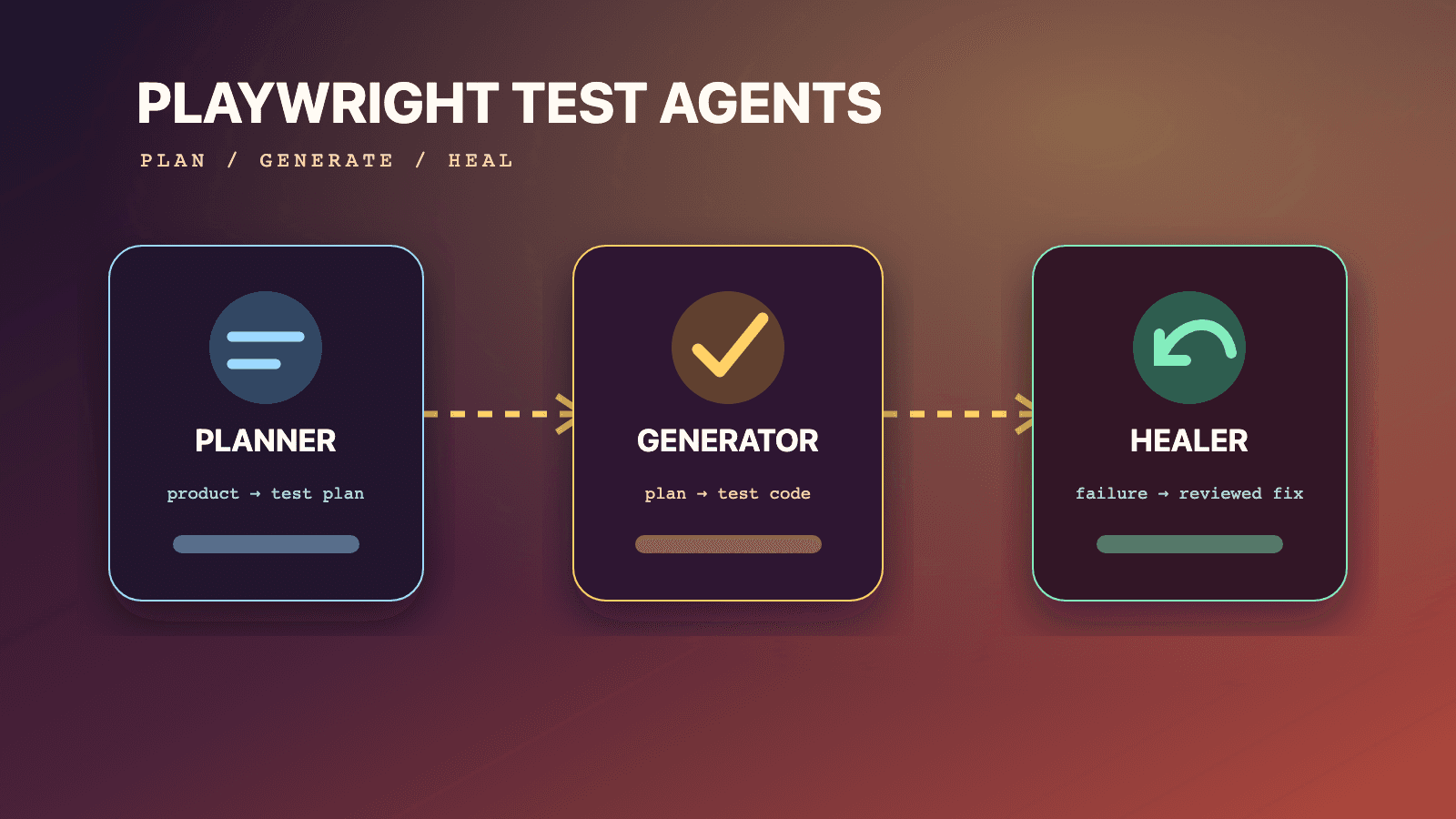
The Playwright init agents command installs Playwright's official Planner, Generator, and Healer definitions for a supported coding-agent loop. Run npx playwright init-agents --loop=<client> from the repository root, replacing <client> with vscode, claude, codex, or opencode. Review the generated diff, provide a runnable seed test, and regenerate the definitions whenever Playwright is upgraded. The initializer adds agent instructions and MCP tools; it does not generate application coverage, approve a plan, or make test repairs safe to merge without review.
Start with the complete Playwright test-agents pillar, then follow the role guides for Planner plans, Generator code, and Healer repairs. The Playwright E2E guide covers the runner that executes generated tests. Reusable instructions are available in the QA skills directory and the author-qualified Playwright CLI skill.
This setup guide follows the current official Playwright test-agent page, checked July 14, 2026, and the official 1.56 release notes that introduced the three definitions. It uses Playwright 1.61 as the current documentation baseline. Team controls in this article, such as branch review and environment restrictions, are recommendations. They are not extra init-agents flags.
What init-agents actually creates
Playwright describes its agent definitions as collections of instructions and MCP tools. The generated roles divide test creation into three jobs: Planner explores a running application and writes a Markdown plan, Generator turns a plan into Playwright Test files, and Healer investigates a named failing test. The command selects the file format and integration expected by the chosen host. The --loop value does not select just one of the three roles.
The distinction prevents several setup mistakes. init-agents is not the Playwright project initializer, not the test generator UI, and not the dedicated playwright-cli skills installer. It does not replace playwright.config.ts, install a missing application, create test accounts, or guarantee that a host grants browser and file permissions. It writes definitions that a compatible coding-agent environment can consume.
| Setup question | Documented answer | What you still own |
|---|---|---|
| Which roles are added? | Planner, Generator, and Healer | Decide who may invoke and review each role |
| Which loop values are current? | vscode, claude, codex, opencode | Choose only hosts the repository supports |
| What powers a definition? | Instructions plus MCP tools | Review tool scope and host permissions |
| When should files be refreshed? | Whenever Playwright is updated | Include regeneration in the dependency upgrade review |
| What begins planning? | A clear request and a seed test, with an optional PRD | Supply safe data and a reachable test environment |
| Does initialization run the suite? | The setup page only says it adds definitions | Run normal repository checks yourself |
Prerequisites before running the command
Run the initializer inside an existing Node.js Playwright Test project or a branch where creating that project is intentional. The test-agent documentation shows npx playwright, tests/, specs/, and playwright.config.ts; it does not document equivalent init-agents commands for Playwright's Python, Java, or .NET packages. This article therefore covers the Node.js command exactly as published.
Confirm four practical prerequisites:
- The repository resolves the intended Playwright Test version through its package manager.
- At least one supported host will open the same workspace where definitions are generated.
- The application can run in a controlled environment that the seed test can reach.
- You can review generated files before they enter a protected branch.
For VS Code, the official page adds one explicit host requirement: version 1.105 or newer is needed for the agentic experience. That is the editor version, not the Playwright package version. A current npx playwright --version cannot compensate for an older VS Code installation.
The docs do not say that every host has identical permission prompts, subagent semantics, or generated paths. Treat host behavior as a separate compatibility layer. The Playwright command can succeed while the selected host later blocks the browser, refuses file writes, or cannot reach the test URL.
Run one supported setup path
Use the loop that matches the agent host. These are the complete values shown on the current official page:
# Visual Studio Code agentic experience
npx playwright init-agents --loop=vscode

# Claude Code
npx playwright init-agents --loop=claude

# Codex
npx playwright init-agents --loop=codex

# OpenCode
npx playwright init-agents --loop=opencode
Run one command first, then inspect its result. Do not append a role name such as --agent=planner; no such option appears in the current test-agent setup. Do not guess --loop=cursor, --loop=github-copilot, or another vendor value. If Playwright adds a client later, it should first appear in the official page or your installed command help.
The command should run from the repository whose tests and configuration the agents will use. Executing it from a parent directory can place definitions in the wrong workspace or give a host the wrong project context. The official documentation illustrates a repository with generated definitions, a specs/ directory, tests, a seed, and configuration. The exact changed paths are an output to inspect, not a filename list to assume in advance.
Use a clean, reviewable initialization sequence
A generator should be handled like a dependency migration. Capture the before state, run it once, and understand every addition. The following includes normal shell and Git review commands around the one Playwright initializer:
npx playwright --version
npx playwright init-agents --loop=codex
git status --short
git diff -- .
npx playwright test --list
Only the second line creates the test-agent definitions. git status and git diff are review aids, while npx playwright test --list checks that ordinary test discovery still works. A listed suite is not proof that browser execution succeeds, but it catches syntax, configuration, and discovery failures without launching every scenario.
Review generated content for role names, referenced tools, expected directories, and instructions that interact with your repository. If the workspace already contains agent files, do not accept an overwrite blindly. Compare the old and new semantics. A small generated diff can still add a tool or change the role's allowed workflow.
Keep the host selection explicit in repository documentation. Future maintainers should know whether the committed files serve Codex, Claude Code, VS Code, OpenCode, or several deliberately supported clients. The mere presence of an agent definition does not prove that its host is part of CI or the team's supported toolchain.
Add a seed that proves the environment
Initialization installs definitions, but Planner needs a seed test before useful exploration. The official Planner section says the seed runs initialization, including global setup, project dependencies, fixtures, and hooks, and acts as an example for generated tests. A seed therefore deserves the same review as a shared fixture.
This example reaches a test environment, uses a repository fixture, and verifies readiness without performing the checkout flow that Planner will investigate:
// tests/seed.spec.ts
import { test, expect } from '../fixtures';

test('seed a disposable guest cart', async ({ page, resetGuestCart }) => {
  await resetGuestCart();
  await page.goto('/shop');

  await expect(page.getByRole('heading', { name: 'Shop' })).toBeVisible();
  await expect(page.getByText('Test environment')).toBeVisible();
});
Here resetGuestCart is an illustrative project fixture, not a built-in Playwright fixture. Replace it with the repository's real setup contract. The important properties are a known state, a bounded target, and a visible readiness assertion. Do not place production credentials, session tokens, or irreversible setup actions in a seed merely because an agent can run it.
A weak seed opens a URL and assumes success. A dangerous seed logs into an administrator account and leaves broad mutation rights available. A useful seed creates the minimum state for the requested journey, proves that the browser reached the intended tenant, and leaves scenario actions to Planner.
Verify each role without asking for autonomy
After setup, use a small, non-destructive request. A host prompt is natural language, not another terminal command. Name the role, seed, target artifact, boundary, and stopping condition:
Use the Planner agent with tests/seed.spec.ts. Explore only the guest-cart
quantity controls in the local test environment. Write a Markdown plan at
specs/cart-quantity.md with steps and expected outcomes. Do not check out,
do not access account administration, and mark any unverified assumption.
Stop after writing the plan so it can be reviewed.
Success means the host invokes the generated Planner definition, runs the seed in the intended project context, observes the allowed flow, and produces a reviewable Markdown file. It does not mean that Generator should immediately write code. Review the plan first. Then invoke Generator with the approved plan, and reserve Healer for a specifically named failing test.
This staged smoke test isolates setup failures. If Planner cannot run the seed, fix environment and fixture access before evaluating plan quality. If Planner succeeds but Generator cannot read specs/cart-quantity.md, investigate path or host context. If Generator creates a failing test, review its code and evidence before asking Healer to investigate.
Understand the artifact contract
The official page presents a simple, auditable shape: definitions, human-readable plans under specs/, generated tests under tests/, a seed.spec.ts, and playwright.config.ts. It also says generated tests should align one-to-one with specs wherever feasible. That convention creates traceability from intent to executable behavior.
repository/
  <generated host definitions>
  specs/
    cart-quantity.md
  tests/
    seed.spec.ts
    cart-quantity.spec.ts
  fixtures.ts
  playwright.config.ts
The placeholder is deliberate. Use the files produced by your selected loop rather than copying a path from a different host. The fixtures.ts entry is optional project code in this example. Playwright's published tree focuses on the seed, generated tests, plans, definitions, and configuration.
Protect the relationships during review. A generated test should identify the plan and seed that informed it, as the official Generator example does with source comments. If one plan becomes several test files, document the split. If several tiny scenarios share a fixture, keep scenario intent visible rather than collapsing everything into an opaque serial workflow.
Regenerate definitions on Playwright upgrades
The strongest lifecycle instruction on the setup page is unambiguous: regenerate definitions whenever Playwright is updated so they receive new tools and instructions. Treat package update and definition update as one change set. Do not keep an old generated definition indefinitely because it still parses.
An upgrade review can use this sequence:
# Install the version approved by your repository policy first.
npm install --save-dev @playwright/test@1.61.0
npx playwright install

# Recreate definitions for the host this repository supports.
npx playwright init-agents --loop=claude
git diff -- .
npx playwright test --list
The pinned package is an example matching this article's 1.61 baseline, not a claim that every repository must use npm or exactly that patch. Use the project's lockfile and package manager. The two Playwright commands shown are standard package-era setup and definition regeneration; the Git command remains an external review step.
The release notes are the version record. Test agents arrived in 1.56, while the current page now lists Codex in addition to the original clients. That evolution is why copied setup snippets age. An old article may omit a supported loop, and a future release may alter generated instructions. Verify against the installed release and current official documentation instead of assuming definitions are stable data.
Multi-host repositories need an ownership decision
Some teams use more than one coding agent. That does not require running all loop commands on every checkout. Decide whether generated files for multiple hosts will be committed, locally generated, or owned in separate branches. Then test each chosen path.
Use these questions during the decision:
- Do the hosts read different definition locations or formats?
- Will two initializers overwrite or duplicate shared instructions?
- Who reviews changes after a Playwright upgrade?
- Do all hosts receive the same browser, shell, and file permissions?
- Can a plan produced in one host be reviewed before another host generates code?
- Are test artifacts and credentials governed consistently across host sessions?
Playwright documents that the three roles can be used independently, sequentially, or as chained calls in an agentic loop. It does not state that every host chains them identically. Preserve explicit artifacts and human decisions even when the client offers a convenient chain. A host feature should not erase the boundary between observed plan, generated code, and accepted repair.
Failure paths and exact next checks
Setup problems are easier to solve when command generation, host discovery, browser execution, and application readiness are kept separate.
| Symptom | Likely boundary | Next check |
|---|---|---|
init-agents is unknown | Project resolved an older or wrong Playwright executable | Print the project version and inspect installed command help |
--loop value is rejected | Value is misspelled or unsupported by that version | Use one of the four values in current docs, then compare package version |
| Files appear outside the project | Command ran from the wrong working directory | Stop and inspect paths before rerunning in the repository root |
| VS Code definitions exist but the role does not start | Editor is older than 1.105 or agentic features are unavailable | Check the VS Code build and host configuration |
| Host sees definitions but cannot launch a test | Shell, browser, network, or workspace permission is blocked | Run the seed normally and inspect host approvals separately |
| Planner opens the wrong tenant | Seed, base URL, account, or environment is wrong | Correct and assert environment identity in the seed |
| Generator cannot find the plan | Prompt or workspace points to a different specs/ path | Name the reviewed file explicitly and verify host root |
| Regeneration changes unexpected tools | Definitions evolved with the package | Review the semantic diff; do not auto-accept generated output |
Do not solve an unknown command by inventing an npm package named after the role. The current setup is part of the npx playwright command family. Do not solve a blocked browser by granting unrestricted machine access. First identify whether the missing capability is read access, file writes, browser launch, network reachability, or a test account.
If normal npx playwright test tests/seed.spec.ts fails, agent setup is not the first problem. Fix configuration, fixtures, application readiness, or browser installation in the ordinary runner. Agents depend on that foundation; they do not bypass it.
Security and review boundaries
The docs explain role inputs and outputs, not your organization's authorization policy. Apply least privilege to the host account, test user, target environment, and repository token. Plans, screenshots, traces, generated tests, and prompts can retain sensitive application information. Use synthetic data and short-lived credentials where possible.
Keep three approval points:
- Approve the Markdown plan before code generation.
- Review generated tests before running broad or destructive scenarios.
- Review every Healer patch or skip before accepting the suite result.
These are governance recommendations, not Playwright requirements. They exist because the official outputs remain artifacts that can be wrong. Planner can misunderstand business intent, Generator can encode an incomplete assertion, and Healer can skip a test when it believes the functionality is broken. A green or skipped output is not authorization to merge.
Never describe init-agents as enabling autonomous QA. The command installs role definitions. The host, environment, prompt, seed, tool permissions, reviewer, and normal CI determine what happens next. A setup that makes those dependencies visible is more useful than one that hides them behind an unrestricted chain.
Version scope and limitations
This guide reflects the official Node.js documentation visible on July 14, 2026, with Playwright 1.61 current. Test agents were introduced in 1.56. The setup page names four loop values and requires VS Code 1.105 or newer for that host. It does not promise support for arbitrary editors, Python/Java/.NET initializer parity, identical file paths across clients, unattended pull requests, or automatic acceptance of repairs.
Definitions are versioned generated material. Regenerate after an update and use the installed command's help when a pinned repository differs from current online docs. Canary behavior can move ahead of stable documentation; do not base a production workflow on an undocumented option merely because it appeared in a preview or third-party screenshot.
The initializer is also not a migration engine for existing custom agents. If a repository already has Planner-like instructions, compare responsibilities and tool access rather than merging two systems by name. Prefer one clear source of role behavior per host.
Setup acceptance checklist
Before calling initialization complete, verify the following:
- The resolved Playwright version is the repository's intended version.
- Exactly the supported host definitions you need were generated.
- Every generated file was reviewed in a clean diff.
- VS Code is at least 1.105 when
--loop=vscodeis used. tests/seed.spec.tsreaches and identifies a safe test environment.- Planner can produce one bounded Markdown plan under
specs/. - The plan stops for human review before Generator runs.
- Generator output remains ordinary Playwright Test code under
tests/. - Healer is invoked with a named failure, not permission to rewrite the suite.
- Regeneration is part of the Playwright dependency update procedure.
This checklist tests the seams where most failures occur. It does not certify plan coverage or test correctness; those are the subjects of the role-specific guides.
Frequently Asked Questions
What is the exact Playwright init agents command?
Use npx playwright init-agents --loop=<client>, replacing <client> with vscode, claude, codex, or opencode. Run it from the target repository and inspect the generated diff.
Does init-agents install only Planner or all three roles?
The setup adds the official Planner, Generator, and Healer definitions for the selected loop. The loop value chooses the host integration, not one role.
Can I use a Cursor loop value?
Cursor is not among the four values on the current official test-agent page. Do not invent a value. Check current Playwright documentation and your installed command help if support changes later.
Is VS Code supported on every version?
No. The official page says VS Code 1.105, released October 9, 2025, or newer is needed for the agentic experience to function properly.
Must I regenerate definitions after upgrading Playwright?
Yes. Playwright explicitly instructs users to regenerate whenever Playwright is updated so definitions pick up new tools and instructions. Review the resulting changes before committing them.
Does initialization create a seed test automatically?
Do not rely on that assumption. The documented artifact model requires a seed test for Planner and explains what it does. Verify the generated files, then create or adapt a reviewed seed.spec.ts if the repository does not already have one.
Can the three agents run independently?
Yes. Playwright says they can be used independently, sequentially, or as chained calls. Independent availability does not remove input requirements: Planner needs a request and seed, Generator needs a Markdown plan, and Healer needs a failing test name.
Does init-agents make the suite self-healing?
No. It installs a Healer definition. The documented Healer can suggest a patch and rerun a failure, but its output can also be a skipped test. Review the diagnosis and change before treating the result as valid.
Why does the command work while the agent still fails?
Generation and execution are different boundaries. The host may lack workspace trust, terminal approval, browser launch rights, network access, or the correct environment. Run the seed with the normal test runner and diagnose host permissions separately.
Continue through the three-role workflow
Once definitions and seed are verified, design intent with the Planner agent guide, translate the approved artifact with the Generator guide, and repair only evidence-backed failures with the Healer guide. Return to the test-agents pillar for the complete lifecycle and ownership model.
The authoritative setup syntax and role contracts remain the official Playwright Test Agents documentation and Playwright release notes. For ordinary runner behavior, use the Playwright E2E testing guide; for reusable agent-side browser instructions, browse QA skills and the Playwright CLI skill.