Playwright Test Agents Complete Guide: Planner, Generator, and Healer
Use Playwright test agents safely from setup through planning, generation, trace-driven healing, review, and CI with current Playwright 1.61 guidance.
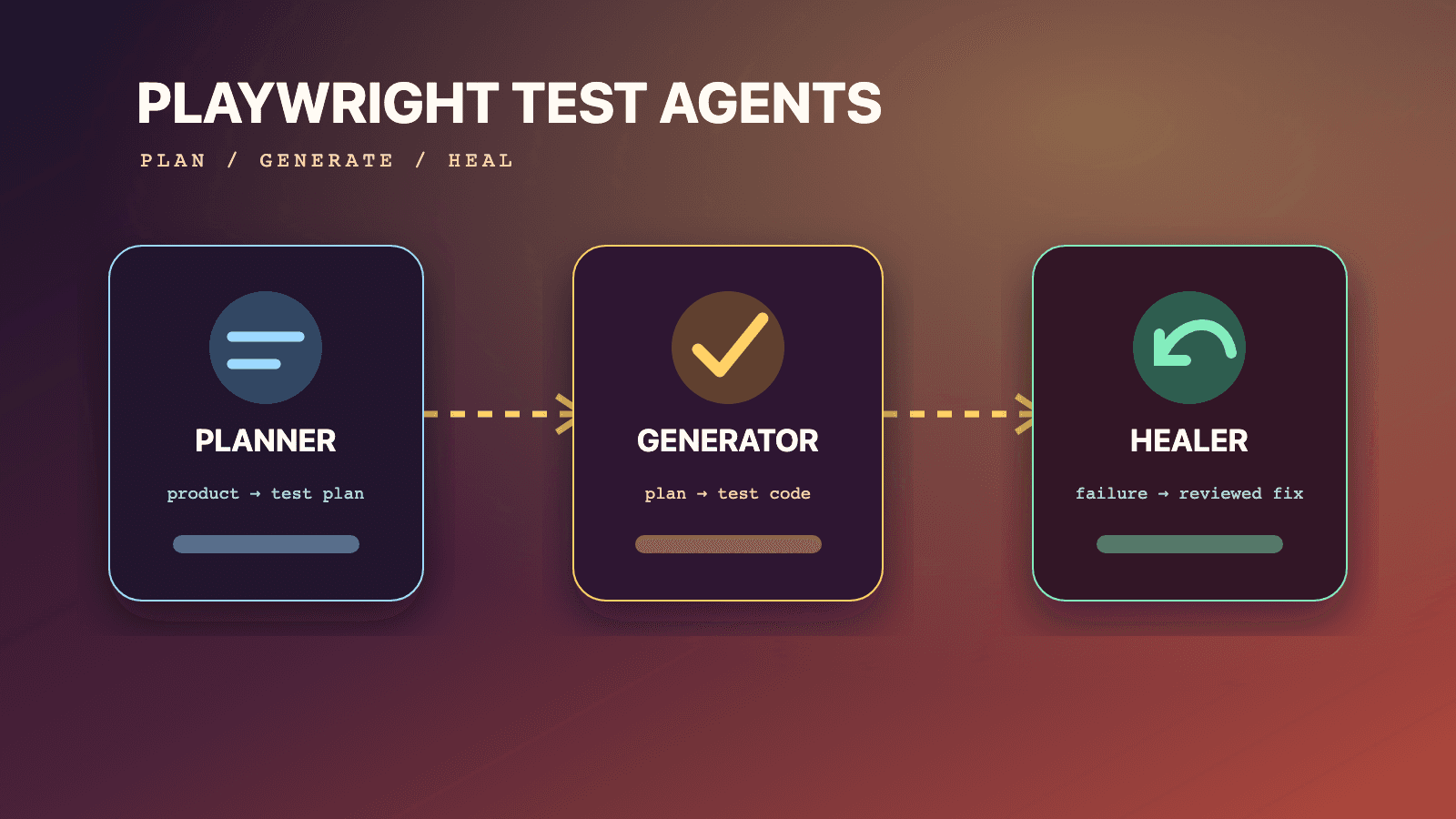
Playwright test agents are three official agent definitions for building and maintaining Playwright Test coverage: Planner explores a running application and writes a Markdown plan, Generator turns that reviewed plan into executable tests, and Healer diagnoses a named failing test, proposes a repair, and reruns it. Install the definitions with npx playwright init-agents --loop=<client>, provide a seed test, and keep a human approval gate after planning, generation, and healing. The agents accelerate evidence gathering and code creation; they do not make generated tests or automatic repairs safe to merge without review.
The current official Playwright Test Agents documentation supports VS Code, Claude Code, Codex, and OpenCode loops. This guide uses the Playwright 1.61 documentation and release notes available on July 14, 2026. It explains the documented behavior first, then adds a conservative team workflow for review, credentials, CI, and change control. Where this guide recommends a policy, it labels that policy as a recommendation rather than pretending it is a hidden Playwright command.
Use the focused companion guides when you need implementation depth:
- Set up
npx playwright init-agents - Write high-coverage plans with the Planner agent
- Generate maintainable test code with the Generator agent
- Diagnose failures with the Healer agent
For the underlying runner, read the Playwright E2E testing guide. For terminal-based browser observation and the trace debugger, use the Playwright CLI guide. The Playwright MCP guide explains the tool protocol beneath agent definitions. You can browse reusable testing instructions in the QA skills directory, including the author-qualified Playwright CLI skill.
Playwright test agents at a glance
The three roles form a staged production line, not three names for one general-purpose bot. Planner owns test intent. Generator owns executable representation. Healer owns failure investigation and a bounded repair attempt. Their artifacts make the handoffs visible: a seed test establishes a usable environment, a Markdown spec records what should happen, and a Playwright test records how the approved behavior is checked.
| Agent | Documented input | Documented work | Documented output | Required human decision |
|---|---|---|---|---|
| Planner | Clear request, seed test, optional PRD | Explores one or more flows in the running app | Human-readable Markdown plan in specs/ | Is the plan correct, complete, safe, and worth automating? |
| Generator | Markdown plan from specs/ | Performs scenarios live and verifies selectors and assertions | Playwright Test files under tests/ | Does the code express the approved intent without brittle or unsafe behavior? |
| Healer | Name of a failing test | Replays steps, inspects the current UI, suggests a patch, reruns within guardrails | Passing test, or skipped test when functionality appears broken | Is the patch a legitimate test repair rather than a masked product regression? |
That final column is not ceremonial. A Planner can faithfully document an unsafe production action. A Generator can encode a false assertion that passes. A Healer can find a different control that makes a flow complete while changing what the test proves. The official docs describe what the agents produce; your repository policy decides what may be accepted.
The shortest safe operating rule
Use this sequence:
- A human defines scope and supplies a safe seed.
- Planner explores and writes a plan.
- A human approves or edits the plan.
- Generator implements the approved plan.
- A human reviews the code and runs focused tests.
- Normal CI runs the committed suite.
- When a test fails, Healer investigates the named failure.
- A human reviews the diagnosis and patch.
- CI reruns the accepted change from a clean checkout.
The loop can be chained by an agent host, but chaining should not erase these checkpoints. "Agentic loop" describes orchestration. It is not evidence that every stage deserves unattended write access.
What Playwright test agents are, and what they are not
The test-agent documentation calls the generated definitions collections of instructions and MCP tools. That distinction matters. Planner, Generator, and Healer are not three new test-runner workers embedded in every npx playwright test process. They are role definitions consumed by a supported coding-agent loop. The definitions tell the host which tools and conventions to use while working in your repository.
The normal Playwright Test runner remains the authority for test discovery, fixtures, project dependencies, assertions, retries, reporters, and exit status. Generated code is ordinary Playwright test code. Once committed, it should run in the same deterministic command path as code written by a person. Your pull-request gate should not depend on a model being available merely to execute an already generated spec.
Playwright test agents are also distinct from three adjacent surfaces:
| Surface | Primary purpose | Durable output | Appropriate use |
|---|---|---|---|
| Playwright Test Agents | Coordinate planning, code generation, and repair through a coding-agent host | Plans, tests, and reviewed patches | Creating or maintaining test coverage |
| Playwright Test runner | Execute committed tests with fixtures, projects, reporters, and artifacts | Test results, reports, traces, videos | Local verification and CI gates |
| Playwright CLI | Let coding agents operate and inspect browsers from terminal commands | Snapshots, screenshots, traces, video | Investigation, debugging, and browser tasks |
| Playwright MCP | Expose browser and testing capabilities as model tools | Tool responses and browser artifacts | MCP-capable agent integrations |
Do not describe a generated test as "self-validating." Generator checks selectors and assertions live while producing code, but that only shows that an observed path worked in the generation environment. It does not prove the assertion represents the requirement, that alternative data is covered, or that the test is isolated enough for parallel CI.
Likewise, "self-healing" should not mean "a red build is automatically made green." The official Healer workflow includes a suggested patch and can output a skipped test if it believes the functionality is broken. Both outcomes require review. A skip changes the suite's signal and must never be treated as equivalent to a verified pass.
Version baseline and documented evolution
Playwright introduced Planner, Generator, and Healer in version 1.56. The 1.56 release notes list the three roles and the original VS Code, Claude Code, and OpenCode setup commands. The current test-agent page also documents Codex. Because the definitions can gain new instructions and tools, Playwright says to regenerate them whenever Playwright is updated.
Later releases strengthened the evidence available during agent work. The 1.59 release notes added npx playwright test --debug=cli for attaching a CLI agent to a paused test and npx playwright trace for command-line trace analysis. Version 1.60 added richer assertion error context, ARIA snapshots with optional bounding boxes, and test.abort() for an unrecoverable misuse detected by a fixture, hook, or route. Version 1.61 made WebSocket requests visible in HAR and trace recordings. Those are framework capabilities an investigation can use; they do not silently change the three role definitions into unrestricted repair automation.
| Version | Relevant documented change | Team consequence |
|---|---|---|
| 1.56 | Planner, Generator, and Healer introduced; init-agents loop setup documented | Establish the artifact and review workflow |
| 1.59 | CLI debugger, CLI trace analysis, and richer retained trace mode | Give Healer and reviewers stronger failure evidence |
| 1.60 | Error context can include an ARIA snapshot; test.abort() can enforce an immediate boundary | Diagnose receiver state and stop prohibited behavior deliberately |
| 1.61 | Trace and HAR can include WebSocket requests | Investigate real-time flows with more complete network evidence |
This article is not a promise that every host implements orchestration identically. It covers the documented Node.js npx playwright init-agents path. Verify the generated diff in your installed version instead of copying a file layout from an older screenshot. Do not assume that a similarly named command exists for the Python, Java, or .NET packages unless their current official documentation says so.
Install the correct loop definitions
Run the command that matches the coding-agent host your team actually uses. These are the four loop values in the current official page:
# Visual Studio Code agentic experience
npx playwright init-agents --loop=vscode

# Claude Code
npx playwright init-agents --loop=claude

# Codex
npx playwright init-agents --loop=codex

# OpenCode
npx playwright init-agents --loop=opencode
The --loop value selects a host format; it does not select Planner, Generator, or Healer individually. The generated set contains definitions for the three roles. Role names and Cursor are not among the current documented loop values. If a blog or old repository snippet presents one of them as a loop target, do not treat it as current official syntax.
For VS Code, the documentation requires VS Code 1.105 or newer for the agentic experience to function properly. The page identifies 1.105 as the October 9, 2025 release. That is a host prerequisite, not the Playwright package version. Checking only npx playwright --version will not detect an old editor.
A controlled initialization procedure
The command writes or changes repository files, so treat initialization like a generator upgrade:
- Start from a clean branch.
- Confirm the repository's installed Playwright version.
- Run exactly one supported
--loopcommand. - Inspect every created and changed file.
- Confirm the definitions point at the expected tools and workspace.
- Run a non-destructive smoke request against a test environment.
- Commit the definitions only after review.
- Repeat the process after each Playwright upgrade.
Do not run all four commands in a shared branch merely to "support everything." Each host can generate its own conventions and files. Generate the clients the team operates, review each client-specific diff, and define who maintains them. If multiple clients are intentionally supported, test each one because the presence of equivalent role names does not guarantee identical host permissions or approval UX.
Regenerate after upgrades, do not hand-freeze definitions
The official docs explicitly say definitions should be regenerated whenever Playwright is updated so they pick up new tools and instructions. A disciplined upgrade keeps package, browsers, definitions, and evidence together:
# Use your package manager and approved version policy.
npm install --save-dev @playwright/test@1.61.0
npx playwright install

# Regenerate for the host used by this repository.
npx playwright init-agents --loop=claude

# Review before accepting anything.
git diff -- .
npx playwright test --list
git diff -- . is a Git review step, not a Playwright agent command. The example pins 1.61.0 because that is this guide's baseline; use the exact release approved by your repository. If regeneration changes a definition, review the semantic change rather than assuming generated content is harmless. A new tool can alter the effective permission surface of an agent host.
The artifact contract
The official page describes a simple, auditable structure: agent definitions, plans in specs/, generated tests in tests/, a seed test, and playwright.config.ts. The exact client-specific definition paths come from the initializer and may change. The stable contract is the relationship among artifacts, not a memorized directory name.
repository/
  <generated agent definitions>   # host-specific; inspect the init-agents diff
  specs/
    checkout.md                   # reviewed intent and expected outcomes
  tests/
    seed.spec.ts                  # runnable environment bootstrap and example
    checkout.spec.ts              # generated, reviewed Playwright Test code
  fixtures.ts                     # optional repository-specific fixture contract
  playwright.config.ts
The plan and test should remain traceable. The official generated example places comments in the test that name its source spec and seed. Preserve that relationship even if your repository organizes tests by domain. A reviewer should be able to move from a failing assertion to the approved scenario and ask whether the product changed, the test drifted, or the original plan was wrong.
One-to-one alignment between specs and generated tests is preferred where feasible, according to the docs. "Where feasible" leaves room for deliberate structure: a large plan may become several spec files, and common setup may live in fixtures. Record that decision in code review. Do not let an agent silently collapse unrelated scenarios into a serial mega-test simply because it is easier to generate.
Artifact ownership
Assign an owner to each layer:
| Artifact | Primary owner | Review focus | Change trigger |
|---|---|---|---|
| Agent definitions | Test platform or repository maintainers | Tool scope, instructions, host compatibility | Playwright or host upgrade |
| Seed test and fixtures | Test infrastructure owners | Safe setup, auth, isolation, cleanup | Environment or fixture change |
| Markdown plan | Product, QA, and domain reviewers | Requirements, risk, data, expected outcomes | Feature or acceptance change |
| Generated test | Feature team and test reviewers | Behavior, locators, assertions, maintainability | Approved plan or implementation change |
| Healer patch | Failure owner plus domain reviewer | Root cause and preserved intent | Failing committed test |
This ownership model prevents a common failure: everybody can invoke an agent, but nobody is accountable for the plan or repair it produced.
Prerequisites before an agent opens the app
Planner cannot invent a functioning environment. Generator cannot compensate for a seed that lands on the wrong tenant. Healer cannot diagnose a UI it cannot reach. Before invoking any role, make the target application and test contract explicit.
At minimum, confirm:
- The application is running at a known test URL.
- The seed can reach the intended state without manual steps.
- Test accounts have the minimum permissions required for the scenario.
- Destructive operations target disposable data, never production records.
- Feature flags, locale, time zone, browser project, and tenant are known.
- External services are either safe test integrations or controlled substitutes.
- The repository's fixtures and imports are the source of truth.
- Secrets are injected at runtime and excluded from plans, prompts, traces, and commits.
- The requested scenario has a clear stopping point and expected results.
The safest target is a dedicated environment with synthetic data and reversible actions. Read-only exploration is not automatically risk-free: pages can expose personal data, tokens can appear in URLs or storage, and traces can retain request or response content. Restrict the agent's account and artifact access as if a human contractor were operating the same browser.
Planner: turn product intent into a reviewable plan
Planner explores the application and creates a Markdown plan for one or many scenarios and user flows. Its documented inputs are a clear request, a seed test, and optionally a Product Requirement Document. The output is a plan under specs/ with steps, expected outcomes, and data precise enough for Generator to implement.
The most important word is "plan." Planner should not be evaluated by how many cases it writes. It should be evaluated by whether the proposed cases map to product risk and can be executed independently in the permitted environment.
Planner input 1: a clear bounded request
"Test checkout" is not a sufficient boundary. It does not identify the user, payment mode, region, inventory state, destructive effects, or success criterion. A useful request names the journey, allowed data, exclusions, and the evidence expected.
The following is a natural-language request for the host, not a Playwright CLI command:
Use the Planner agent with tests/seed.spec.ts to explore guest checkout in the
local test environment. Plan scenarios for one in-stock physical item, address
validation, an accepted test coupon, and order confirmation. Use only the fake
payment method exposed by the seed. Do not submit an order until the final
scenario, do not visit account administration, and do not use production data.
Save the plan in specs/guest-checkout.md. Mark assumptions and any behavior that
could not be verified.
This prompt does not dictate selectors or code. It gives Planner room to inspect the real flow while defining operational limits. A plan that reports an unverified assumption is more useful than one that fabricates a confident expected result.
Planner input 2: the seed test
The seed test is more than a URL opener. The official docs say Planner runs it to execute initialization, including global setup, project dependencies, fixtures, and hooks. Planner also uses the seed as an example for generated tests. Therefore a sloppy seed spreads twice: it changes what Planner sees and teaches Generator the wrong repository pattern.
This example keeps setup visible and delegates repository policy to a custom fixture:
// tests/seed.spec.ts
import { test, expect } from '../fixtures';

test('seed guest checkout in a disposable cart', async ({ page, resetGuestCart }) => {
  await resetGuestCart();
  await page.goto('/shop');

  await expect(page.getByRole('heading', { name: 'Shop' })).toBeVisible();
  await expect(page.getByText('Test environment')).toBeVisible();
});
resetGuestCart is an illustrative repository fixture, not a built-in Playwright fixture. The example communicates three contracts: use the team's fixture export, reset mutable state, and prove the browser reached the intended environment. Replace the names with real repository APIs.
Keep a seed small. It should establish a valid starting state, not perform the scenario Planner is supposed to explore. If the seed buys the product before Planner starts, the plan will learn nothing about the checkout path. If it logs in through a reusable fixture, that may be correct for an authenticated flow, but the plan must state the role and starting state.
What a strong seed proves
A good seed answers these questions before exploration:
- Which Playwright project and fixtures are active?
- Which account or anonymous state is in use?
- Which tenant, locale, and feature flags are active?
- What backend data has been created or reset?
- What visible page state confirms readiness?
- Which cleanup responsibility belongs to fixtures or teardown?
- Which dangerous operations are blocked?
Avoid placing plaintext passwords, session cookies, API keys, or production URLs in a seed. A seed is source code and context for an agent. Use environment variables or a repository secret mechanism, and ensure traces or screenshots generated during planning cannot expose those values to unauthorized reviewers.
Planner input 3: optional product context
A PRD can explain business rules the UI does not reveal. For example, the page may show that a coupon is rejected without explaining whether the rule applies by customer, market, product, or date. Give Planner only the relevant, approved material. A hundred-page design archive creates noise and may contain unrelated confidential information.
Useful context includes:
- Acceptance criteria for the requested flow.
- User roles and permissions.
- Business invariants, such as "tax is calculated after discount."
- Known exclusions and unsupported combinations.
- Test-data contracts and safe external stubs.
- Accessibility or localization outcomes that are in scope.
Do not treat a PRD as proof that the implemented UI behaves as written. Planner's value is comparing stated intent with the running application. The final plan should distinguish requirements, observations, and assumptions.
How Planner explores
Planner uses its tools to interact with the running app, discover steps, and validate candidate selectors and outcomes. Exploration is valuable because source code alone may not reveal redirects, overlays, conditional validation, or server-generated state. Yet exploration is only as representative as its account and data.
Ask Planner to cover meaningful branches, not every permutation. Start with the critical success path, then add errors or boundaries whose outcome changes business risk. A discount field with twenty invalid strings rarely needs twenty E2E scenarios. One empty case, one rejected case, and one accepted rule may be enough when lower-level tests cover parsing.
Planner should not discover a destructive branch by trying it in a shared environment. If account deletion, billing, publishing, messaging, or irreversible workflows are in scope, provide an isolated resource and explicit approval. When the risk cannot be contained, plan the flow from approved requirements and mark the destructive end as unexecuted rather than clicking through.
The Markdown plan as a contract
The official example stores a plan such as specs/basic-operations.md. A useful plan gives each scenario a seed, preconditions, data, steps, and expected results. It also records assumptions and cleanup. For example:
# Guest checkout test plan

## Scope
Guest checkout for one in-stock physical item in the local test environment.

## Shared seed
- Seed: `tests/seed.spec.ts`
- User: anonymous guest
- Payment: fake approved method only
- Data: disposable cart and unique test email

## Scenario 1: Complete checkout with an accepted coupon

### Preconditions
- Product `Canvas Backpack` is in stock.
- Coupon `TEST10` is valid in the test environment.

### Steps
1. Open the product from the Shop page.
2. Add one item to the cart.
3. Apply coupon `TEST10`.
4. Enter the generated guest address and fake payment details.
5. Review and place the order once.

### Expected results
- The cart contains exactly one Canvas Backpack.
- The discount is shown before the final total.
- The order is submitted only after review.
- A confirmation heading and unique order reference are visible.

### Cleanup
- The order is retained only in the disposable test tenant.

## Assumptions and unresolved observations
- Shipping eligibility was verified only for the configured test postal code.
This is a team-authored example, not the exact schema emitted by Playwright. Markdown remains intentionally flexible. The value comes from precision and reviewability, not from adding a custom DSL Generator may not understand.
Review the plan before generation
Plan review is the cheapest place to correct coverage. Reviewers should ask:
- Does every scenario trace to a requirement or material risk?
- Are expected results observable by a user or a stable public contract?
- Is each scenario independent, or does it rely on prior order?
- Does the seed identify the correct role, tenant, and state?
- Are destructive actions explicit and contained?
- Are negative cases testing product behavior rather than arbitrary input combinations?
- Are accessibility, localization, browser, or responsive requirements represented when relevant?
- Are assumptions and unverified behavior visible?
- Is setup better performed through a fixture or API than repeated through the UI?
- Would a unit, component, API, or contract test be a better layer for any case?
Approve the plan as a version-controlled artifact. If product behavior changes, update the plan and generated code in the same pull request when practical. Otherwise the plan becomes historical prose instead of a useful test contract.
Generator: convert approved intent into maintainable tests
Generator consumes a Markdown plan from specs/ and produces Playwright Test files under tests/. The official docs say it performs the scenarios live, verifies selectors and assertions, uses generation hints, and has a catalog of assertions for structural and behavioral validation. Generated tests can still contain initial errors that Healer may address.
That last sentence is essential. "Generated" does not mean "ready to merge." Live verification reduces guessing, but it does not resolve ambiguous requirements, shared data, hidden side effects, or poor suite architecture.
Give Generator one approved source
Name the plan explicitly in the host prompt or include it in context. Do not ask Generator to reinterpret a ticket, chat transcript, and plan simultaneously. When sources disagree, a model may blend them without surfacing the conflict.
Use the Generator agent to implement specs/guest-checkout.md. Follow the imports,
fixtures, and setup pattern in tests/seed.spec.ts. Keep one independently runnable
test per approved scenario. Do not add scenarios that are absent from the plan.
Write files under tests/checkout/ and report any plan step that cannot be verified.
Again, this is a natural-language request, not a new npx playwright subcommand. The role is selected through the host's generated agent definition.
What maintainable generated code looks like
The official example preserves source comments, imports the repository's fixture, uses role-based locators, and turns expected results into web-first assertions. A team version might look like this:
// spec: specs/guest-checkout.md
// seed: tests/seed.spec.ts
import { test, expect } from '../../fixtures';

test.describe('Guest checkout', () => {
  test('completes checkout with an accepted test coupon', async ({
    page,
    resetGuestCart,
    guestAddress,
  }) => {
    await resetGuestCart();
    await page.goto('/shop');

    await page.getByRole('link', { name: 'Canvas Backpack' }).click();
    await page.getByRole('button', { name: 'Add to cart' }).click();
    await page.getByRole('link', { name: 'Cart' }).click();

    await expect(page.getByRole('row', { name: /Canvas Backpack/ })).toBeVisible();
    await page.getByLabel('Coupon code').fill('TEST10');
    await page.getByRole('button', { name: 'Apply coupon' }).click();
    await expect(page.getByText('Test coupon applied')).toBeVisible();

    await page.getByLabel('Email').fill(guestAddress.email);
    await page.getByLabel('Postal code').fill(guestAddress.postalCode);
    await page.getByRole('button', { name: 'Continue to payment' }).click();

    await expect(page.getByRole('heading', { name: 'Review order' })).toBeVisible();
    await page.getByRole('button', { name: 'Place test order' }).click();
    await expect(page.getByRole('heading', { name: 'Order confirmed' })).toBeVisible();
    await expect(page.getByText(/Order reference/)).toBeVisible();
  });
});
resetGuestCart, guestAddress, the routes, and the labels are illustrative application contracts. They are not built-in Playwright APIs. The Playwright APIs in the example are ordinary test, expect, navigation, locator, action, and assertion calls.
Review locators for meaning, not just uniqueness
A locator can resolve uniquely and still be wrong. page.getByText('Continue') may select navigation instead of checkout. A generated .first() may suppress a strictness failure by choosing whichever duplicate appears first. A long CSS chain may pass today while coupling the suite to layout.
Review each important locator against user intent:
- Prefer role plus accessible name for interactive controls.
- Prefer label for form fields.
- Use text for stable user-visible content when it identifies the intended element.
- Use an explicit test-id contract when semantics cannot identify a stable target.
- Scope to a meaningful region, row, dialog, or form when names repeat.
- Treat
.first(),.last(), and.nth()as decisions that require an explanation. - Reject XPath or implementation-specific CSS unless the application provides no better contract and the tradeoff is documented.
Do not change the product solely to make a generated locator pass without considering accessibility and design intent. If an input has no accessible label, that is both a testability problem and a likely product-quality issue. Fixing the markup may be better than adding an opaque selector.
Review assertions for business truth
Generator verifies assertions live, but a passing assertion can be weak. toBeVisible() on any success icon does not prove an order was created. Checking a URL alone does not prove the right user owns the resulting record. Conversely, asserting an entire dynamic page's text creates needless maintenance.
Every test should answer: what user-observable outcome would fail if the feature were broken? Good assertions often combine a primary outcome with one critical invariant. For checkout, that may be an order confirmation plus the expected product and total. For permissions, it may be the absence of an edit action plus a denied API response, depending on scope.
Avoid assertions that merely restate actions. Clicking "Add" and checking that the button remains visible proves little. Prefer the state transition caused by the action. Keep calculations and exhaustive validation matrices below the E2E layer.
Preserve repository architecture
Generator sees the seed as an example, which is why the seed should import the team's fixtures. Review generated code for consistency with:
- Fixture imports and typed test extensions.
- Data factories and cleanup.
- Base URL and project configuration.
- Authentication state policy.
- Page or component objects already used by the repository.
- Reporter annotations and test steps.
- File naming, tags, and ownership conventions.
- Parallel execution and worker isolation.
Do not force every generated action into a page object. Abstraction should remove meaningful duplication or express domain language, not hide five straightforward calls behind an object nobody understands. Conversely, do not allow Generator to clone login, data creation, or cleanup across every spec when the repository already has a fixture.
Run more than the generated happy path
Before merge, run the new test from a clean state, run its containing project, and run neighboring tests that share data or fixtures. If the test passes only after another local test has run, it is not isolated. If it passes with one worker and fails in parallel, inspect shared backend records, not just timing.
Generated code also needs static checks. Type checking catches fixture names and imports that live browser verification may not exercise in every project. Formatting and linting keep the diff reviewable. A test can be syntactically valid, locally green, and still violate repository policy.
Healer: diagnose before repairing
Healer starts from a failing test name. According to the official docs, it replays the failing steps, inspects the current UI for equivalent elements or flows, suggests a patch such as a locator update, wait adjustment, or data fix, and reruns until the test passes or guardrails stop the loop. Its documented output is a passing test or a skipped test when it believes functionality is broken.
That broad repair scope means teams must resist the simplistic story that Healer only changes stale selectors. A wait adjustment can hide a performance regression. A data fix can change the precondition the test was intended to validate. An equivalent flow can be functionally different. The correct first question is not "Did the repaired test pass?" It is "Why did the original test fail?"
Classify the failure before accepting a patch
Use four practical categories:
| Category | Typical evidence | Appropriate response | Should Healer rewrite the test? |
|---|---|---|---|
| Product regression | Intended control or outcome is absent; app error appears | Fix product or approved requirement | No |
| Intentional product change | Reviewed requirement and UI changed together | Update plan, then test | Only after intent is approved |
| Test defect or drift | Locator, setup, assertion, or data contract is stale while behavior remains correct | Repair test and preserve the same proof | Possibly, with review |
| Environment or infrastructure failure | App unavailable, dependency down, wrong flags, expired account, resource exhaustion | Repair environment and rerun unchanged test | Usually no |
A fifth category, flakiness, can overlap the others. A rerun passing once is not a diagnosis. Compare failing and passing attempts, inspect timing and state, and remove the race or shared dependency. Do not accept a larger timeout merely because it makes the symptom rarer.
A bounded Healer request
Name one failing test and state the non-negotiable intent:
Use the Healer agent to investigate the failing test
"Guest checkout > completes checkout with an accepted test coupon".
Preserve the requirement that TEST10 is visibly applied before order submission.
Inspect the failing trace and current UI. Do not change the expected discount,
remove assertions, add a skip, or increase timeouts without explaining the root
cause. Propose a minimal patch and rerun the focused test. Stop for approval if
the product behavior differs from specs/guest-checkout.md.
These are review constraints, not undocumented Healer flags. Agent hosts differ in how they expose edits and approvals. Enforce critical boundaries with host permissions, repository protections, test fixtures, and environment design rather than relying on prose alone.
Evaluate a locator repair
Suppose a test expected a button named "Apply coupon," while the approved product change renamed it "Apply code." A repair to getByRole('button', { name: 'Apply code' }) may be valid if the plan's behavior remains intact and the label change was reviewed. The same repair is invalid if "Apply code" belongs to a gift-card form elsewhere on the page.
Check:
- The locator identifies the same conceptual control.
- Scope prevents it from matching a neighboring flow.
- The resulting assertion proves the same outcome.
- No product accessibility regression is being bypassed.
- The plan or requirement supports the changed label or flow.
- The patch removes no valuable coverage.
Evaluate a wait adjustment
Playwright locators and web-first assertions already wait for actionability or the expected state. A new fixed sleep is usually a warning. Ask what event the test should observe: a response, heading, status, URL, enabled button, or completed animation. If the application now needs materially longer, determine whether that is expected performance or a regression.
An increased assertion timeout may be legitimate for a deliberately slow asynchronous process, but it should be local to that contract and supported by service expectations. A global timeout increase changes every test and can turn fast failures into long queues.
Evaluate a data repair
A data change is often more consequential than a locator update. If Healer changes a user from "viewer" to "admin," it has not repaired a permissions test. If it changes an expired coupon to an active coupon in a test intended to verify expiry, it has inverted the requirement.
Data fixes are valid when they restore an agreed precondition, such as generating a unique email instead of reusing one already registered. Review seed, plan, and assertion together. The patch must leave the scenario's purpose unchanged.
Treat a skip as a red signal
The official docs allow a skipped-test output when Healer believes functionality is broken. That is a diagnosis candidate, not a successful heal. A skip reduces executed coverage and can make a dashboard look greener while proving less.
Require an owner, issue, rationale, and expiry for any accepted skip. Prefer keeping the pull request or CI job visibly failing until the product owner decides whether the behavior is a regression, an intentionally removed feature, or an obsolete scenario. If a skip is necessary to unblock unrelated work, track it as debt and ensure reporting makes the lost coverage obvious.
Trace-driven repair
A trace is often stronger evidence than the final exception because it connects actions, assertions, DOM snapshots, network activity, console output, source locations, and timing. Playwright 1.59 introduced a command-line trace interface explicitly described for coding agents. Version 1.61 adds WebSocket requests to HAR and traces, which helps with chat, notifications, collaboration, and other real-time flows.
Retain useful traces
The 1.59 release notes document retain-on-failure-and-retries, which records each run and retains traces when an attempt fails. That can expose the difference between a failing attempt and a passing retry:
// playwright.config.ts
import { defineConfig } from '@playwright/test';

export default defineConfig({
  use: {
    trace: 'retain-on-failure-and-retries',
  },
});
Trace policy is a storage and confidentiality decision. Traces can include DOM snapshots and network details. Set artifact retention, access, and redaction policy appropriate to the application. Do not upload a trace from a sensitive environment to an unrestricted model or public issue.
Use the official trace CLI sequence
The release notes show an agent opening a trace, filtering actions, inspecting one action, viewing a before or after snapshot, and closing the trace:
npx playwright trace open test-results/guest-checkout-chromium/trace.zip
npx playwright trace actions --grep="expect"
npx playwright trace action 9
npx playwright trace snapshot 9 --name after
npx playwright trace close
Action number 9 is an example. Read the output of actions and select the relevant number from the current trace. Do not copy an action number from another run. Start with the first meaningful divergence, not necessarily the final failed expectation. A missing cart response several steps earlier can produce a misleading "confirmation not visible" error at the end.
A trace review order that avoids guesswork
Use this order:
- Confirm test title, project, retry index, and source location.
- Find the first failed action or assertion.
- Inspect the before and after snapshots.
- Check whether the intended locator matched zero, one, or multiple elements.
- Inspect relevant requests, responses, console messages, and page errors.
- Compare with a passing attempt when one exists.
- Map the observed behavior back to the Markdown plan.
- Only then propose the smallest code, data, environment, or product change.
The distinction between "first failed assertion" and "first divergence" matters. A test may click the wrong duplicate button successfully, then fail two screens later. Repairing the final assertion would mask the actual locator problem.
Attach to a live paused test when a trace is insufficient
Playwright 1.59 also documents a CLI debugger for agents. The test runner prints an attach instruction and session identifier:
npx playwright test tests/checkout/guest-checkout.spec.ts --debug=cli

# Example only: replace tw-87b59e with the session id printed by the command.
playwright-cli attach tw-87b59e
playwright-cli --session tw-87b59e step-over
The live debugger is useful when state changes after the failure or when the reviewer needs to inspect the current page. It is not a reason to edit while attached to production. The attached session has the same effective browser access as the test account and can expose application data.
Add an executable boundary with test.abort
Version 1.60 added test.abort() for unrecoverable misuse detected from a fixture, hook, or route handler. This can turn a safety rule into code. The following test aborts if an attempted publish request escapes the approved clone path:
import { test } from '@playwright/test';

test('previews a draft without publishing shared content', async ({ page }) => {
  await page.route('**/publish', (route) => {
    test.abort('This test must not publish shared content. Use a disposable clone.');
    return route.abort();
  });

  await page.goto('/drafts/test-clone');
  // Continue with read-only preview checks.
});
This is stronger than telling an agent "please do not publish," but it protects only the route pattern represented in the test. Environment permissions should still prevent the test account from mutating protected content.
VS Code, Claude Code, Codex, and OpenCode loops
The supported loop values select how Playwright generates definitions for a host. Planner, Generator, and Healer retain the same documented responsibilities, but invocation, file placement, approval prompts, and tool policy belong to the host.
| Host | Official initialization command | Documented special note | What the team must verify |
|---|---|---|---|
| VS Code | npx playwright init-agents --loop=vscode | VS Code 1.105 or newer is required | Workspace trust, generated definitions, tool approvals |
| Claude Code | npx playwright init-agents --loop=claude | No additional version note on the test-agent page | Generated subagent behavior and allowed tools |
| Codex | npx playwright init-agents --loop=codex | Listed in the current docs | Workspace permissions, edit boundaries, approvals |
| OpenCode | npx playwright init-agents --loop=opencode | Spelled opencode in the command | Generated definitions and host tool policy |
Do not infer exact generated paths from this table. Run the initializer and inspect its output for the installed release. The official page's artifact diagram uses .github/ generically, but host formats can evolve. The reliable upgrade record is the actual reviewed diff in your repository.
Client support also does not mean permission equivalence. One host may prompt before shell execution while another follows a pre-approved policy. One may expose a narrow workspace; another may inherit broader filesystem access. The Playwright definition cannot compensate for an overprivileged host account.
Human approval is part of correctness
Model output is probabilistic, but the deeper reason for approval is semantic: only accountable people can decide whether a plan reflects product intent and whether a repair preserves that intent. A passing browser sequence is evidence, not authority.
Use three mandatory gates:
| Gate | Reviewer sees | Approval question | Rejection examples |
|---|---|---|---|
| Plan gate | Seed, request, PRD excerpt, Markdown plan | Are these the right scenarios and outcomes? | Missing permission boundary, unsafe data, invented rule |
| Code gate | Plan-to-code diff, generated specs, focused results | Does this code prove the approved behavior maintainably? | Weak assertion, duplicated setup, serial dependency, brittle locator |
| Repair gate | Original failure, trace evidence, proposed diff, rerun result | Does the patch fix test drift without hiding a product problem? | Removed assertion, unexplained skip, larger timeout, changed role/data |
An organization can add an agent to help review, but that does not replace the accountable approver. Branch protection should require a person or approved review group for test changes generated by the loop.
Review the delta, not only the green result
The most dangerous Healer patch is one that passes by proving less. Common examples include changing an exact count to "greater than zero," replacing an expected label with a broad regular expression, selecting the first matching button, removing a network assertion, or skipping the test.
Review before-and-after semantics in plain language. Write one sentence: "Before this patch, the test proved X; after this patch, it proves Y." If X and Y differ, update the plan and obtain product approval or reject the patch.
Keep generation and approval identities separate
For high-impact repositories, the person who requested unattended generation should not be the sole approver of a large generated diff. A second reviewer catches scope drift and creates accountability. This is especially important when tests touch billing, authorization, privacy, publishing, or destructive administration.
Security boundaries for agent-operated testing
Playwright test agents can read application content, operate a browser, run tests, and propose repository edits through their host. That combination crosses several trust boundaries. Security should be designed into the environment rather than appended as a prompt warning.
1. Protect secrets
Use short-lived test credentials with minimum permissions. Keep them in the CI or development secret store, not in the seed, plan, generated test, trace filename, screenshot, or prompt. Assume browser artifacts may retain sensitive page or network data. Limit artifact readers and retention.
Authentication state files can contain cookies and tokens. Do not ask Planner to paste their contents into a plan. A fixture can load state without exposing the secret to prose context. Rotate credentials if an artifact is shared beyond its intended audience.
2. Isolate mutable data
Give each run a unique record, account, cart, project, or tenant where possible. Block production hosts at network, DNS, account, and application layers. A banner saying "staging" is useful evidence but not a control. Test accounts should be unable to publish, delete, refund, invite, or change billing outside disposable resources.
3. Treat page content as untrusted input
An agent reads text from the application. That text may be user-generated or controlled by an external system. It can contain instructions that are irrelevant or hostile to the testing task. The host should treat browser content as data, not as authority to run shell commands, reveal secrets, or broaden scope.
Keep tool permissions narrow and require approval for repository writes, external navigation, uploads, downloads, or destructive actions. A plan request cannot safely override organizational policy merely because a page says it should.
4. Review generated definitions
Definitions are executable operating instructions for a model host. Regenerating them after an upgrade is necessary, but automatic acceptance is not. Inspect new tools, changed instructions, command arguments, and workspace assumptions. Pin and approve Playwright versions through the same dependency process used for other development tooling.
5. Separate diagnosis from mutation
The Healer can inspect evidence without receiving permission to commit or push. In CI, prefer read-only diagnosis and artifact production on a trusted branch or manually approved job. Apply a proposed patch in a normal pull request where humans and deterministic checks can review it.
6. Bound cost and time
The official Healer loop stops when a test passes or guardrails stop it. Your host and job should also impose time, command, and budget limits. Repeated reruns against a broken environment consume compute and can mutate data. Stop after a small, declared investigation budget and escalate with evidence.
Test review and governance
Governance should make good use easy, not bury every generated test under paperwork. Standardize a compact evidence bundle for each stage.
For a new plan, retain:
- Request and scope.
- Seed path and target environment.
- Plan diff.
- Known assumptions or unverified branches.
- Human approval.
For generated code, retain:
- Approved plan link or path.
- Generated test diff.
- Focused test command and result.
- Relevant trace or report when behavior was ambiguous.
- Human code review.
For a repair, retain:
- Failing test title and commit.
- First failing attempt and trace.
- Root-cause category.
- Proposed diff.
- Focused rerun and clean CI result.
- Human approval or product defect link.
Define changes Healer may never approve by itself
Set a repository policy that requires explicit human review for:
- Added or broadened skips, fixmes, or expected failures.
- Removed or weakened assertions.
- Snapshot updates.
- Changed expected prices, permissions, totals, or security outcomes.
- Timeout or retry increases.
- New production-like credentials or hosts.
- Changed fixture roles or test data.
- New external network calls.
- Deletion, publishing, payments, refunds, invitations, or account changes.
- Large refactors unrelated to the named failure.
This list is intentionally semantic. A line-count threshold alone cannot identify a one-line assertion change that destroys the value of a test.
Measure the workflow without inventing a success benchmark
Do not adopt a vendor-neutral-sounding claim such as "Healer fixes 80% of failures" without data from your own suite and a defined denominator. Track local operational measures instead:
- Plans approved without major correction.
- Generated tests accepted, revised, or rejected.
- Failures classified as product, test, environment, or flaky.
- Healer proposals accepted without semantic change.
- Skips added and removed.
- Median review time by stage.
- Regressions later traced to a weakened generated assertion.
- Agent-definition changes after upgrades.
These measures reveal whether the workflow saves review effort while preserving signal. They are not performance benchmarks for Playwright or a model.
CI boundaries: deterministic execution, reviewed generation
The default CI job should install the pinned project, install matching browsers, and run committed tests. It should not need Planner or Generator to rediscover tests on every build. Generation is a source-change activity; test execution is a verification activity.
A conservative GitHub Actions-shaped example is:
name: Playwright tests

on:
  pull_request:
  push:
    branches: [main]

jobs:
  e2e:
    runs-on: ubuntu-latest
    permissions:
      contents: read
    steps:
      - uses: actions/checkout@v4
      - uses: actions/setup-node@v4
        with:
          node-version: 24
          cache: npm
      - run: npm ci
      - run: npx playwright install --with-deps
      - run: npx playwright test
      - uses: actions/upload-artifact@v4
        if: failure()
        with:
          name: playwright-results
          path: test-results/
          retention-days: 7
This is a team CI example, not an agent feature from init-agents. Adapt package manager, Node version, browser scope, report paths, and retention to the repository. The key boundary is contents: read: a test job should not quietly commit a Healer patch.
Where Healer belongs in CI
If you run Healer from automation, place it in a separate, trusted, manually approved diagnostic job after the deterministic test has failed. Give it the minimum failing artifacts and repository scope. Do not expose write tokens or deployment secrets. Have it produce a diagnosis and patch artifact, then open a normal human-reviewed change through your approved process.
Do not run a write-capable Healer on untrusted pull-request code. A contributor can alter tests, config, fixtures, or page content to influence tool behavior or expose secrets. Forked pull requests should receive only the credentials and permissions appropriate for untrusted code.
CI remains red until the accepted source passes
A test that passes only in a mutable diagnostic session has not restored the branch. Apply the reviewed patch to source, start from a clean checkout, and rerun the standard CI command. Keep the original failure visible in the record. This prevents a temporary browser state or uncommitted edit from being mistaken for a durable fix.
Common failure modes and how to respond
| Symptom | Likely cause | Evidence to inspect | Correct next move |
|---|---|---|---|
init-agents loop value is rejected | Unsupported or misspelled host value | Current test-agent docs and CLI output | Use vscode, claude, codex, or opencode as documented |
| VS Code definitions exist but the experience does not work | VS Code older than 1.105 or host not reloaded/configured | Editor version and generated diff | Upgrade host and reinitialize if needed |
| Planner opens the wrong page or role | Seed does not establish the intended state | Seed run, project, fixtures, visible environment marker | Fix and review the seed before replanning |
| Plan contains imagined behavior | Request or PRD was ambiguous; behavior was not observed | Assumptions, trace, application state | Mark unverified behavior and obtain domain clarification |
| Generator duplicates login and setup | Seed did not model repository fixtures clearly | Seed import and existing fixture architecture | Improve the example and refactor generated setup before merge |
| Generated locator passes but targets the wrong control | Duplicate labels or overly broad locator | Trace snapshots and scoped DOM context | Use semantic scoping or a deliberate test id |
| Generated test passes alone but fails in the suite | Shared data, ordering, or worker conflict | Parallel run, worker IDs, data records | Isolate backend state; do not add arbitrary waits |
| Healer proposes a longer timeout | Slow product, environment failure, or race | Failing/passing traces and service timing | Identify an observable condition or fix performance/environment |
| Healer changes expected data | Precondition drift or an attempted assertion workaround | Plan, fixture, response, requirement | Preserve scenario intent; reject semantic weakening |
| Healer outputs a skip | It believes functionality is broken | Trace, current UI, requirement | Treat as a defect or explicit coverage decision, not a pass |
| Trace lacks the relevant real-time request | Older release or trace did not capture the needed run | Playwright version and artifact | On 1.61, rerun with trace and inspect WebSocket evidence |
| Repair passes only in attached session | Uncommitted state or environment mutation | Git diff, fresh checkout, clean run | Apply reviewed source change and rerun deterministic CI |
Failure mode: stale agent definitions
If Playwright was upgraded but definitions were not regenerated, the host can carry old tools or instructions. Re-run the supported initializer in a clean branch and review the diff. Do not manually patch generated definitions first; regeneration tells you what the installed package considers current.
Failure mode: seed tests that perform too much
A seed that navigates the entire flow deprives Planner of exploration and encourages Generator to copy stateful behavior. Reduce it to environment initialization and a verified starting point. Move reusable backend setup into fixtures. Keep scenario actions in the plan and generated test.
Failure mode: plan inflation
Planner may produce a broad catalogue because the request lacks prioritization. More E2E cases increase maintenance and runtime without guaranteeing better risk coverage. Ask which scenarios cover distinct behavior, move combinatorial rules to lower layers, and approve only valuable browser journeys.
Failure mode: healing the symptom
When a final heading is missing, changing its locator may be tempting. The actual issue may be a failed request, wrong account, disabled flag, or earlier mis-click. Trace the first divergence. A minimal patch is good only when it repairs the root cause while preserving intent.
A practical end-to-end team workflow
The following workflow combines the documented three-agent sequence with explicit engineering controls. It is suitable for a feature branch and a dedicated test environment.
Phase 1: prepare
- Pin the Playwright version and install matching browsers.
- Regenerate the supported host definitions with
init-agentsafter an upgrade. - Review generated definitions and host permissions.
- Create or update a small seed test using repository fixtures.
- Run the seed in the intended project and environment.
- Confirm credentials are synthetic, scoped, and not present in source or artifacts.
- Define the feature boundary, destructive actions, exclusions, and stopping rules.
Exit criterion: a reviewer can run the seed and explain exactly what state it establishes.
Phase 2: plan
- Invoke Planner through the configured host with the clear request, seed, and relevant product context.
- Let it explore only the approved environment and data.
- Save the output under
specs/. - Review scenarios, data, steps, outcomes, assumptions, and cleanup.
- Remove low-value permutations and add missing material risks.
- Obtain approval from the domain owner and test owner.
Exit criterion: every scenario has an owner-understood purpose and observable expected result.
Phase 3: generate
- Invoke Generator with the approved plan and seed.
- Require it to use repository fixtures and preserve plan traceability.
- Review locators, assertions, data, isolation, imports, and file boundaries.
- Run formatting, linting, and type checks.
- Run each new spec from a clean state.
- Run neighboring tests and parallel projects affected by shared fixtures.
- Inspect a trace for at least one critical flow during initial adoption.
Exit criterion: committed code proves the approved intent and passes through the normal runner without model assistance.
Phase 4: merge and operate
- Open a normal pull request containing the plan, tests, and any fixture changes.
- Require human review at the plan and code layers.
- Let standard CI execute the committed suite with read-only repository permissions.
- Retain failure artifacts according to security policy.
- Merge only the reviewed source that passes a clean CI run.
Exit criterion: the branch is reproducible from source and lockfile, not from an agent's mutable session.
Phase 5: heal a later failure
- Reproduce the named failing test and preserve its trace.
- Classify product, intentional change, test drift, environment, or flakiness.
- Invoke Healer only after the environment is healthy enough to investigate.
- Supply the test name, original plan, trace, and non-negotiable assertion intent.
- Review the proposed patch or skip.
- Update the plan too if product intent changed.
- Apply the approved change in a branch.
- Rerun the focused test and the standard CI job from a clean checkout.
Exit criterion: the cause is recorded, the patch preserves or explicitly updates intent, and deterministic CI passes.
Example handoff record
A compact pull-request note can make the workflow auditable:
## Agent-assisted Playwright change

- Playwright: 1.61.0
- Loop: Claude Code (`--loop=claude`)
- Seed: `tests/seed.spec.ts`
- Plan: `specs/guest-checkout.md`
- Generated tests: `tests/checkout/guest-checkout.spec.ts`
- Environment: disposable local test tenant
- Focused run: `npx playwright test tests/checkout/guest-checkout.spec.ts`
- Human plan reviewer: @product-owner
- Human code reviewer: @test-owner
- Unverified assumptions: shipping outside configured test postal code
This is a governance template, not a file required by Playwright. Keep it brief enough that teams actually use it.
Designing tests that need less healing
The best repair workflow is still a suite that fails for meaningful reasons. Agent-generated tests benefit from the same fundamentals as hand-written Playwright tests.
Use isolated data. A unique user, cart, document, or project prevents parallel workers from colliding. Keep browser-state isolation and backend-state isolation distinct: a fresh browser context does not reset a shared database.
Use user-facing locators. Roles, labels, and stable test IDs express intent better than DOM paths. Scope duplicate names to a form, dialog, region, or row. Do not hide ambiguity with .first().
Use web-first assertions. Wait for observable state rather than sleeping. Assert outcomes, not implementation details. Keep each test focused enough that a trace has a clear story.
Use fixtures for setup and cleanup. A seed shows Generator the fixture contract. Avoid UI setup that repeats in every test when an API or fixture can create state more reliably, unless the setup interaction is itself under test.
Keep plans current. Healer cannot preserve intent if the only specification is a stale generated assertion. A reviewed Markdown plan gives repair reviewers a second source of truth.
For a broader framework treatment, see Playwright best practices for 2026, Playwright locator best practices, and the Playwright trace viewer guide.
Limitations you should state explicitly
Playwright test agents reduce authoring and investigation effort, but they do not remove these limits:
- Planner observes only reachable states under the supplied seed, account, data, browser, and environment.
- A plan can omit risk, misunderstand a requirement, or describe behavior the reviewer does not want.
- Generator can produce initial errors, as the official docs acknowledge.
- Live selector verification does not prove long-term maintainability or parallel isolation.
- Healer can suggest locator, wait, or data changes that alter what the test proves.
- A passing rerun does not establish root cause.
- A skipped output means coverage was not executed; it is not equivalent to success.
- Traces improve evidence but can contain sensitive application and network data.
- Agent definitions and client behavior can change after an upgrade, which is why regeneration and review are required.
- The documented
npxinitializer belongs to the Node.js Playwright Test surface; do not assume cross-language parity. - Browser emulation and automated E2E checks do not replace real-device, accessibility, security, performance, API, contract, component, or exploratory testing.
- Human approval can still be wrong; branch protection, least privilege, and deterministic CI provide additional defenses.
The right claim is modest: the agents create a structured path from intent to code to diagnosis, with artifacts that teams can review. Reliability still comes from good requirements, safe environments, maintainable tests, strong evidence, and accountable decisions.
Team adoption checklist
Before the first agent-authored test:
- Pin a supported Playwright version and install browsers.
- Run one documented
init-agents --loopvalue. - For VS Code, verify version 1.105 or newer.
- Review generated definitions and host permissions.
- Create a synthetic, least-privileged test account.
- Build a small runnable seed with an environment assertion.
- Define where plans and generated tests live.
- Require plan, code, and repair approvals.
- Configure useful trace retention and protected artifact storage.
- Keep normal CI read-only and deterministic.
- Define prohibited Healer changes, especially skips and weakened assertions.
- Document how to stop and escalate a broken or unsafe loop.
After every Playwright upgrade:
- Read the current official release notes.
- Regenerate definitions for each supported host.
- Review the generated diff and any new tool surface.
- Run the seed, one generation smoke case, and one failure diagnosis case.
- Verify trace and debugger commands still match the installed release.
- Reconfirm CI permissions and artifact policy.
Frequently asked questions
1. What are Playwright test agents?
Playwright test agents are the official Planner, Generator, and Healer definitions used through supported coding-agent loops. Planner explores a running app and creates a Markdown test plan. Generator turns the plan into Playwright Test files while checking selectors and assertions live. Healer investigates a named failing test, suggests a repair, and reruns within guardrails. They produce normal repository artifacts; they are not a replacement test runner.
2. How do I install Playwright Planner, Generator, and Healer?
Run npx playwright init-agents --loop=vscode, --loop=claude, --loop=codex, or --loop=opencode for the host you use. The loop value chooses the client format and generates definitions for the three roles. Review the files it creates. Re-run the same supported command after updating Playwright because the official docs say definitions should be regenerated to receive current tools and instructions.
3. Can I pass Healer as the --loop value?
No. The current Playwright Test Agents documentation lists host loop values: vscode, claude, codex, and opencode. Planner, Generator, and Healer are roles inside the generated set, not values for --loop. Select a role through the coding-agent host after initialization. Do not rely on examples that use undocumented role or client values.
4. Does VS Code require a particular version?
Yes. The current official test-agent page says VS Code 1.105, released October 9, 2025, is needed for the agentic experience to work properly. This requirement is separate from the Playwright package version. Check both the editor and npx playwright --version when troubleshooting initialization or role discovery.
5. What is a Playwright seed test?
A seed test establishes the environment Planner needs to interact with the app. Playwright says Planner runs it so global setup, project dependencies, fixtures, and hooks execute, and uses it as an example for generated tests. A good seed loads repository fixtures, creates or resets safe data, opens the intended start page, and asserts a visible environment marker. It should not perform the whole scenario or contain secrets.
6. Does Planner need a PRD?
No. The documented required inputs are a clear request and a seed test; a PRD is optional. Provide focused product context when business rules are not visible in the UI, but avoid unrelated confidential material. Review the plan for assumptions and distinguish observed behavior from requirements that Planner could not verify.
7. Where does Planner save its output?
The official convention is a human-readable Markdown plan under specs/, such as specs/basic-operations.md. It contains scenarios, steps, expected outcomes, and data. Keep the file in version control and review it before generation. A plan should remain traceable to the tests it produces so later repairs can preserve the original intent.
8. Are Generator tests ready to merge automatically?
No. The docs explicitly note that generated tests may include initial errors. Even a passing generated test can contain a weak assertion, broad locator, duplicated setup, shared-state dependency, or unsafe action. Review it like production test code, run type and format checks, execute it from a clean state, and let the normal CI suite verify the committed source.
9. What kinds of fixes can Healer suggest?
The official page gives locator updates, wait adjustments, and data fixes as examples. Healer replays steps, inspects the current UI for equivalent elements or flows, proposes a patch, and reruns until a pass or guardrail stop. Because wait and data changes can alter semantics, reviewers should classify the failure and compare the patch with the approved plan before accepting it.
10. Can Playwright Healer skip a broken test?
The documented output includes a skipped test when Healer believes functionality is broken. Treat that as a visible loss of coverage, not a successful repair. Confirm the product behavior, link an owner and defect or requirement decision, and require explicit review. Normal CI should not become green merely because a failing assertion was replaced by an unexplained skip.
11. How does trace-driven healing work?
On Playwright 1.59 or newer, an agent can use npx playwright trace open, list or filter actions, inspect an action, request its before or after snapshot, and close the trace. Review the first behavioral divergence, network or console evidence, and the approved plan before changing code. Playwright 1.61 traces can include WebSocket requests, improving diagnosis for real-time applications.
12. What is npx playwright test --debug=cli for?
It starts the documented CLI debugger flow for agents. The runner prints a session identifier and an instruction to attach with playwright-cli; the attached client can step through the paused test and inspect current page state. Use the identifier printed by your run. This is a diagnostic interface, not an instruction to let Healer edit or deploy code without approval.
13. Should Planner, Generator, or Healer run in every CI build?
Usually no. Standard CI should execute committed tests deterministically with npx playwright test. Planning and generation are reviewed source-authoring activities. If Healer runs in automation, place it in a separate trusted diagnostic job with limited artifacts and no repository write token, then route its proposed patch through an ordinary human-reviewed pull request.
14. Can Healer safely auto-commit repairs?
Not as a general policy. A green rerun can result from selecting a different control, weakening an assertion, changing data, increasing a timeout, or skipping coverage. Keep diagnosis separate from mutation, review the root cause and diff, and rerun accepted source in clean CI. Repository protections and least-privileged credentials should enforce this boundary rather than relying only on a prompt.
15. How often should agent definitions be regenerated?
Regenerate them whenever Playwright is updated, as the official documentation directs. Do it in a branch, inspect all generated changes, and smoke-test the seed and roles. If your team supports multiple hosts, regenerate and verify each supported host separately. Do not assume a definition generated by an older package has the current tool surface.
16. Do Playwright test agents replace codegen, MCP, or the CLI?
No. The agents coordinate a planning, generation, and healing workflow. MCP supplies tools through a protocol, the CLI supports terminal browser work and agent-oriented debugging, and the test runner executes committed specs. Traditional code generation can still help record interactions. Choose the surface that matches the job, and keep Playwright Test as the deterministic execution contract.
Final operating principle
Playwright test agents work best when autonomy is bounded by artifacts. Planner must leave a plan a person can challenge. Generator must leave ordinary code a reviewer can understand and CI can execute. Healer must leave evidence and a patch whose semantic effect can be compared with the original plan. The agents are most useful not when humans disappear from the loop, but when humans spend less time gathering browser evidence and more time making accountable decisions about risk and correctness.
For setup, continue with the init-agents guide. For role-specific implementation, use the Planner guide, Generator guide, and Healer guide. Keep the official test-agent documentation and official Playwright release notes as the source of truth for supported commands and version behavior.