How to Install the DeepEval Skill in Codex, Claude Code, and Cursor
Install and verify the official DeepEval skill in Codex, Claude Code, and Cursor, then govern permissions, eval loops, updates, CI, and rollback.
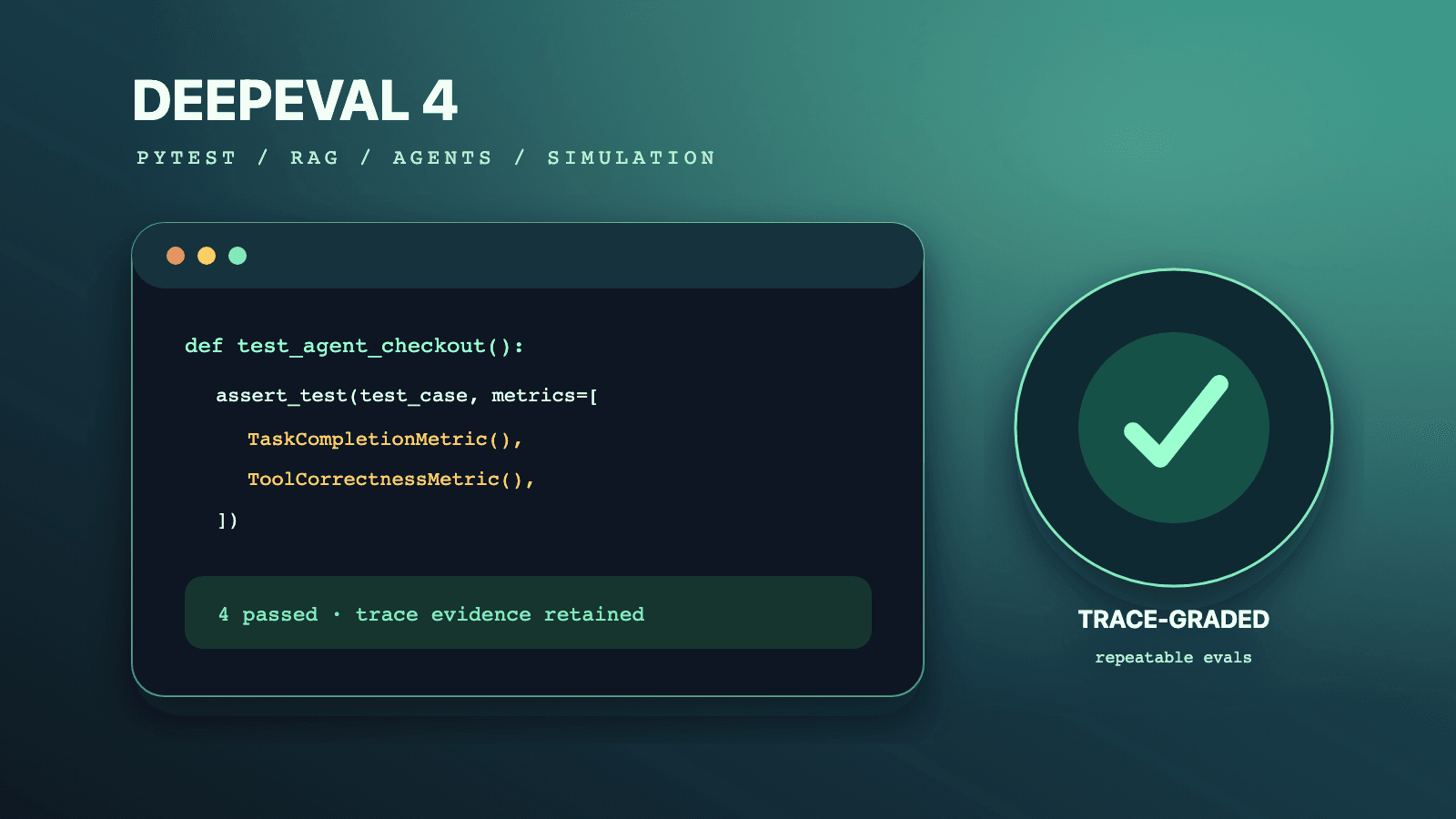
A DeepEval skill install gives Codex, Claude Code, or Cursor reusable instructions for building and running evaluation suites, but it does not install the Python framework, provision model credentials, or approve code changes for you. The official DeepEval quickstart uses a Skills-compatible installer so each coding agent can discover the same evaluation workflow. A production team should verify the source, choose project or user scope deliberately, constrain permissions, and test the resulting agent loop on a disposable branch.
The broader DeepEval 4 tutorial explains the framework architecture. Use the sibling guides when you need a controlled DeepEval 3-to-4 migration, synthetic conversation workflow, or TaskCompletionMetric trace diagnosis. The canonical LLM testing guide supplies a framework-neutral manual baseline. You can also browse QASkills and install the Playwright CLI skill when an eval needs browser evidence.
What the official skill actually does
DeepEval's current Vibe Coder quickstart says the deepeval Agent Skill helps a coding assistant choose a single-turn, multi-turn, or component-level shape; reuse or generate goldens; write a committed pytest suite; run deepeval test run; read failures; and iterate. The source is published in the first-party DeepEval repository.
That boundary matters. An agent skill is markdown instructions and supporting resources interpreted by the coding tool. It is not a sandbox, package manager, metric judge, or policy engine. The agent still operates with the permissions and tools granted by Codex, Claude Code, or Cursor. Your repository still owns dependencies, test data, secrets, review rules, and the final release decision.
| Layer | Responsibility | Verification evidence |
|---|---|---|
| Agent skill | Guide the coding agent through a DeepEval workflow | Installed SKILL.md, source revision, and agent behavior |
| Python package | Provide test cases, metrics, tracing, datasets, and CLI | Locked dependency and deepeval --version |
| Coding agent | Inspect files, propose edits, run approved commands, summarize failures | Tool transcript, diff, and test output |
| Repository policy | Limit files, secrets, network, generated data, and approvals | Agent configuration and branch protection |
| CI | Reproduce the eval suite with controlled dependencies | Independent build logs and artifacts |
Do not evaluate installation success by asking the agent whether the skill is active. Inspect the installed files, trigger a bounded task, and verify the expected repository diff and command output.
Prerequisites
Before installing, require:
- Node.js and
npx, because the documented installer is distributed through the Skills CLI. - Git, so the source repository and installed revision can be inspected.
- Python supported by your application and a dedicated virtual environment.
- A pinned DeepEval 4 dependency for the project, not an untracked global package.
- Provider credentials supplied at runtime through a secret manager or local environment file excluded from version control.
- One small, non-sensitive agent or LLM path suitable for an installation smoke test.
- A clean branch so generated tests and unrelated modifications are easy to review.
Verify the source before execution. The official docs link to confident-ai/deepeval; similarly named packages or repositories should not be treated as equivalent. In controlled environments, review the installer's package provenance and lock or approve the version according to your supply-chain policy.
Install once with the documented command
The official quickstart currently gives one command for Claude Code, Codex, Cursor, Windsurf, OpenCode, and other Skills-compatible assistants:
npx skills add confident-ai/deepeval --skill "deepeval"
Run it from the repository whose scope you intend to modify. Read the installer's prompts and output rather than piping automatic approval. A Skills CLI version may offer project-wide and user-wide destinations; select the scope explicitly when prompted. Project scope is usually easier to audit and reproduce because the skill files travel with or remain adjacent to one repository. User scope is appropriate only when the same trusted instructions should apply across many repositories.
The DeepEval docs also allow a manual copy or symlink of the repository's skills/deepeval directory into an agent's skills directory. Prefer the documented installer unless your environment has a managed distribution process. A manual copy needs its own source revision, update process, and integrity check.
Do not invent separate unofficial install commands for each editor. The supported command is intentionally common; the installer handles compatible destinations. Agent-specific work begins with verification and policy, not with changing the source skill.
Verify project files after installation
The exact destination can depend on the coding tool and installer version. Trust the installer's displayed destination, then inspect the result. This read-only discovery command checks common project directories without asserting that every tool uses every directory:
printf '%s
' 'Candidate project skill files:'
rg --files .agents .claude .cursor 2>/dev/null | rg '(^|/)deepeval(/|$)|SKILL[.]md$'

printf '%s
' 'DeepEval references in installed instructions:'
rg -n 'deepeval test run|EvaluationDataset|LLMTestCase|ConversationSimulator'   .agents .claude .cursor 2>/dev/null
Inspect the installed SKILL.md and any referenced resources. Confirm the content originates from the first-party repository, contains no unexpected executable hook, and does not direct the agent to expose credentials or bypass review. Record the source commit or installer resolution in an internal dependency note if your team requires reproducible tooling.
An installation that leaves files outside the repository may be valid, but it is less visible to reviewers. Document the resolved user-level path and repeat the same inspection there. Do not copy personal credentials or machine-specific paths into project documentation.
Configure Codex safely
For Codex, keep the first task narrow and name the allowed files and commands. A useful smoke prompt is:
Read the installed DeepEval skill and the current application boundary. Create one evaluation test under tests/evals for the refund-policy function. Do not modify production code. Use the existing virtual environment, do not install packages, run only the focused eval command, and report the diff, case count, metric configuration, and any provider error.
This prompt separates skill discovery from package installation and production edits. Review Codex tool requests. Network calls, dependency changes, and secret access should remain explicit. If the agent cannot find the skill, verify the installer destination and restart or reload the tool according to its own discovery behavior rather than reinstalling repeatedly.
After the first generated test, review whether it calls the same adapter production uses, records stable case IDs, sets an intentional threshold, and includes a negative case. Reject a test that mocks away retrieval or tool use while claiming end-to-end coverage.
Configure Claude Code safely
Claude Code should receive the same scope and acceptance criteria. Do not rely on a broad request such as "add DeepEval everywhere." Tell it which agent path to evaluate, where tests belong, which files are read-only, and which command proves completion.
A controlled request can say:
Use the DeepEval skill to evaluate the support-routing agent. Work only in tests/evals and requirements-evals.lock. First propose the test shape and goldens. Wait for approval before changing dependencies. Run the focused suite, classify metric failures separately from provider failures, and do not lower thresholds to make the test pass.
The final sentence prevents a common agent failure mode: optimizing the gate instead of the application. Require Claude Code to explain why a metric represents the requirement and to show any changed prompt, model, or threshold in the diff summary.
If the tool supports persistent project instructions, keep organizational policy there and leave framework-specific procedure in the installed skill. Duplicating the entire skill into multiple instruction files creates drift during updates.
Configure Cursor safely
The official quickstart currently notes that a first-class Cursor plugin is planned and instructs users to use the Skills CLI in the meantime. Treat that as the current first-party position, not a promise about a release date. Install through the common command, verify the destination, then reload skill discovery if necessary.
In Cursor, use a task that can be validated from the repository:
Follow the DeepEval skill to add one pytest-style eval for the documented chatbot callback. Keep production code unchanged. Use two reviewed goldens, one expected success and one authorization refusal. Run deepeval test run only for the new file and summarize scores, reasons, trace availability, and unresolved limitations.
Review whether the editor included unrelated context or changed files outside scope. An IDE agent may have broad workspace visibility; the skill does not reduce that visibility by itself.
Install the Python runtime separately
The agent skill can recommend commands, but your project must own DeepEval as a dependency. Create or activate the project's eval environment and install from a lockfile. For initial exploration, a constrained major-version requirement is reasonable; CI should resolve an exact version through your normal lock process.
python -m venv .venv
source .venv/bin/activate
python -m pip install --upgrade pip
python -m pip install "deepeval>=4,<5" pytest
python -m pip freeze > requirements-evals.lock

deepeval --version
deepeval diagnose
Do not commit provider keys. The current CLI documentation describes effective settings and dotenv behavior. Use a checked-in example file containing variable names only, and supply real values through an approved local or CI secret mechanism. In CI, consider DEEPEVAL_DISABLE_DOTENV=1 so an unexpected dotenv file cannot alter the job.
Create a minimal ground-truth loop
The first generated suite should be intentionally small and independently reviewable. The human quickstart documents the basic model: build a test case, choose a metric, and run it through deepeval test run. The skill should help the coding agent implement this pattern; it should not choose business acceptance criteria without an owner.
This is an illustrative local test, not a copy-paste production gate:
from deepeval import assert_test
from deepeval.metrics import GEval
from deepeval.test_case import LLMTestCase, SingleTurnParams

from app.support import answer_support_question


policy_metric = GEval(
    name="Refund policy compliance",
    criteria=(
        "The answer must not promise a refund unless the supplied policy context "
        "allows it, and it must state the next valid action."
    ),
    evaluation_params=[
        SingleTurnParams.INPUT,
        SingleTurnParams.ACTUAL_OUTPUT,
        SingleTurnParams.RETRIEVAL_CONTEXT,
    ],
    threshold=0.8,
    model="your-approved-judge-model",
)


def test_damaged_item_policy() -> None:
    query = "My mug arrived broken. Can I get a refund?"
    context = ["Damaged items are refundable within 30 days with an order ID."]
    output = answer_support_question(query=query, context=context)
    case = LLMTestCase(
        input=query,
        actual_output=output,
        retrieval_context=context,
    )
    assert_test(case, [policy_metric])
Add a deterministic unit test for input plumbing and a negative fixture that violates policy. An LLM judge alone should not validate authorization, schema, or exact tool arguments when ordinary code can assert them reliably.
Run only the focused file first:
deepeval test run tests/evals/test_refund_policy.py
Confirm case count, metric name, threshold, model, reason, and exit status. If the agent changes the application after a failure, require it to re-run deterministic tests and the focused eval, then show the final diff. A successful loop is patch, test, inspect, and summarize, not patching until a stochastic run happens to pass.
Give the coding agent a durable operating contract
A good repository contract states:
- Goldens are reviewed test assets; generated candidates do not enter blocking CI automatically.
- Production prompts, tools, and retrievers are changed only in designated files.
- Metric thresholds and judge models require explicit review.
- A provider or tracing error is not a product-quality failure.
- The agent may not print, commit, or copy secrets into test output.
- Full traces are treated according to their most sensitive input.
- Costly or destructive tools are stubbed only when the test is labeled component-level.
- Every generated suite has a deterministic negative control.
- CI, not the interactive agent session, is the final reproducibility check.
Place policy in the repository's established agent-instruction mechanism, not inside the third-party skill. This keeps the vendor procedure updateable while organizational controls remain locally owned.
CI and release use
The skill is primarily a development accelerator. CI should invoke checked-in tests directly and should not need a coding agent. That separation prevents an agent version or editor configuration from becoming an undeclared release dependency.
Use a locked environment, least-privilege API key, explicit test path, timeout, and result artifact. Fail on unexpected zero-case discovery. Classify outcomes into product failure, judge failure, trace/instrumentation failure, and infrastructure failure. A blind retry can hide all four.
For pull requests, run a small deterministic and high-signal suite. Run broader stochastic, synthetic, and adversarial suites on a schedule or before release. This is a recommendation based on cost and diagnostic speed, not a DeepEval requirement.
Update and rollback strategy
An agent skill can change independently of the Python package. Track them separately:
| Dependency | Version evidence | Update validation | Rollback |
|---|---|---|---|
| DeepEval skill | Source repository commit or installer resolution | Review instruction diff and repeat bounded task | Restore previous reviewed skill directory |
| DeepEval Python package | Lockfile and installed version | Run deterministic, focused eval, and trace smoke tests | Restore prior lockfile |
| Judge model | Explicit model/config in result | Re-score frozen outputs and review disagreements | Restore previous judge config |
| Coding agent | Tool release and project settings | Repeat permission and file-scope smoke tests | Use approved prior tool/channel if available |
Do not run an update command blindly across developer machines. Review upstream changes, test in one repository, and publish the approved revision through your normal internal tooling. If you use a symlink, remember that moving its target can update every linked workspace at once.
Failure diagnosis
The agent says the DeepEval skill is unavailable
Inspect the installer's destination and the actual SKILL.md. Confirm you launched the agent in the expected repository and reload its skill discovery. Do not repeatedly install into different scopes; duplicate copies make precedence difficult to understand.
The skill is found, but deepeval is not a command
The markdown skill and Python package are separate. Activate the project virtual environment, install from the approved lockfile, and run python -m pip show deepeval. Avoid a global package that masks a missing project dependency.
The agent generates tests that never fail
Check test discovery, case count, metric attachment, caching, and negative controls. Replace one candidate output with a known policy violation. If the job remains green, the suite is not protecting the stated requirement.
The agent edits production code before establishing a baseline
Revert only the agent's proposed patch through normal review, tighten file scope, and ask for a failing eval first. A coding agent needs a reproducible failure to know whether its production change improved behavior.
Local results differ from CI
Compare locked packages, Python version, model identifier, environment settings, timezone, network access, dataset revision, and concurrency. Run deepeval diagnose in both environments with secrets redacted.
Cursor, Claude Code, and Codex produce different suites
That is possible because the skill guides rather than deterministically generates code. Compare requirements, prompts, tool permissions, available repository context, and agent versions. Enforce one checked-in suite and shared review criteria rather than expecting identical generation traces.
Common mistakes and limitations
Treating installation as framework setup. The skill does not install Python packages or keys. Verify both layers independently.
Granting broad write and network access for convenience. Skills do not sandbox agents. Start with one test directory and approved commands.
Letting the agent invent quality thresholds. Engineers and domain owners should calibrate gates against reviewed labels and consequences.
Committing synthetic goldens without review. Generated data can be unrealistic, duplicated, sensitive, or biased. Version only approved cases.
Replacing deterministic assertions with model judges. Schema, exact labels, permissions, and tool arguments should usually be checked in ordinary code.
Assuming all three agents interpret instructions identically. The standard transports guidance; each tool has its own context, permissions, and execution model.
Making the interactive agent part of CI. CI should run the committed DeepEval suite directly. Agent-driven repair belongs in a reviewed development loop.
Installation checklist
- Verify the first-party docs and
confident-ai/deepevalsource. - Choose project or user scope deliberately and record the destination.
- Inspect the installed
SKILL.mdand source revision. - Install DeepEval 4 separately in a locked Python environment.
- Supply secrets outside version control and print only sanitized diagnostics.
- Give the coding agent a narrow test target and file boundary.
- Require a reviewed golden, negative control, and focused command.
- Review metrics, thresholds, judge model, trace evidence, and generated diff.
- Run the checked-in suite independently in CI.
- Document skill, package, model, and coding-agent updates separately.
Frequently asked questions
Is the DeepEval skill the same as the DeepEval Python package?
No. The skill is a set of instructions for a compatible coding agent. The Python package implements DeepEval APIs and CLI commands. Install and verify both, and keep their revisions separate in your inventory.
What is the official installation command?
The current first-party Vibe Coder quickstart documents npx skills add confident-ai/deepeval --skill "deepeval". Read the current docs and installer prompts when you run it because destinations and CLI behavior can evolve.
Do Codex, Claude Code, and Cursor need different DeepEval skills?
The official skill is shared across Skills-compatible assistants. Tool-specific project instructions should define permissions and workflow constraints, but copying and editing three framework skills creates avoidable drift.
Should the skill be installed globally or per project?
Prefer project scope when auditability and reproducibility matter. User scope can be appropriate for an individually managed environment, but document its path and revision because repository reviewers may not see it.
Can the coding agent choose metrics automatically?
It can propose metrics based on the skill and application context. A human owner should confirm that each metric observes the right evidence and that its threshold maps to a release consequence.
Does installing the skill send data to DeepEval or Confident AI?
Installation alone is not proof of runtime data transfer. The eval code, provider configuration, login state, and tracing/export settings determine what leaves the machine. Review those separately and classify trace contents before enabling uploads.
How do we prove the skill is active?
Inspect the installed files, then give the agent a bounded task that should trigger the DeepEval workflow. Verify that it proposes an evaluation shape, creates a focused committed test, runs the expected command, and reports metric failures without weakening the gate.
Can we use the skill to repair failing production behavior automatically?
Use it to accelerate a reviewed patch-test loop. Do not grant unattended production changes solely because an eval passes. Model-judged tests can be noisy, incomplete, or optimized around; deterministic tests, code review, and CI remain required.
Conclusion
Install the official DeepEval skill once through the documented Skills-compatible command, then verify source, destination, runtime dependency, and behavior. Codex, Claude Code, and Cursor can share the same evaluation procedure while retaining tool-specific permissions. The durable outcome is not an installed folder; it is a checked-in, reviewed DeepEval suite that fails for the right reason and runs independently in CI.