Playwright MCP Security Best Practices for Files, Origins, and Secrets
Harden Playwright MCP file access, browser origins, profiles, secrets, artifacts, transports, sessions, and authorization with official security guidance.
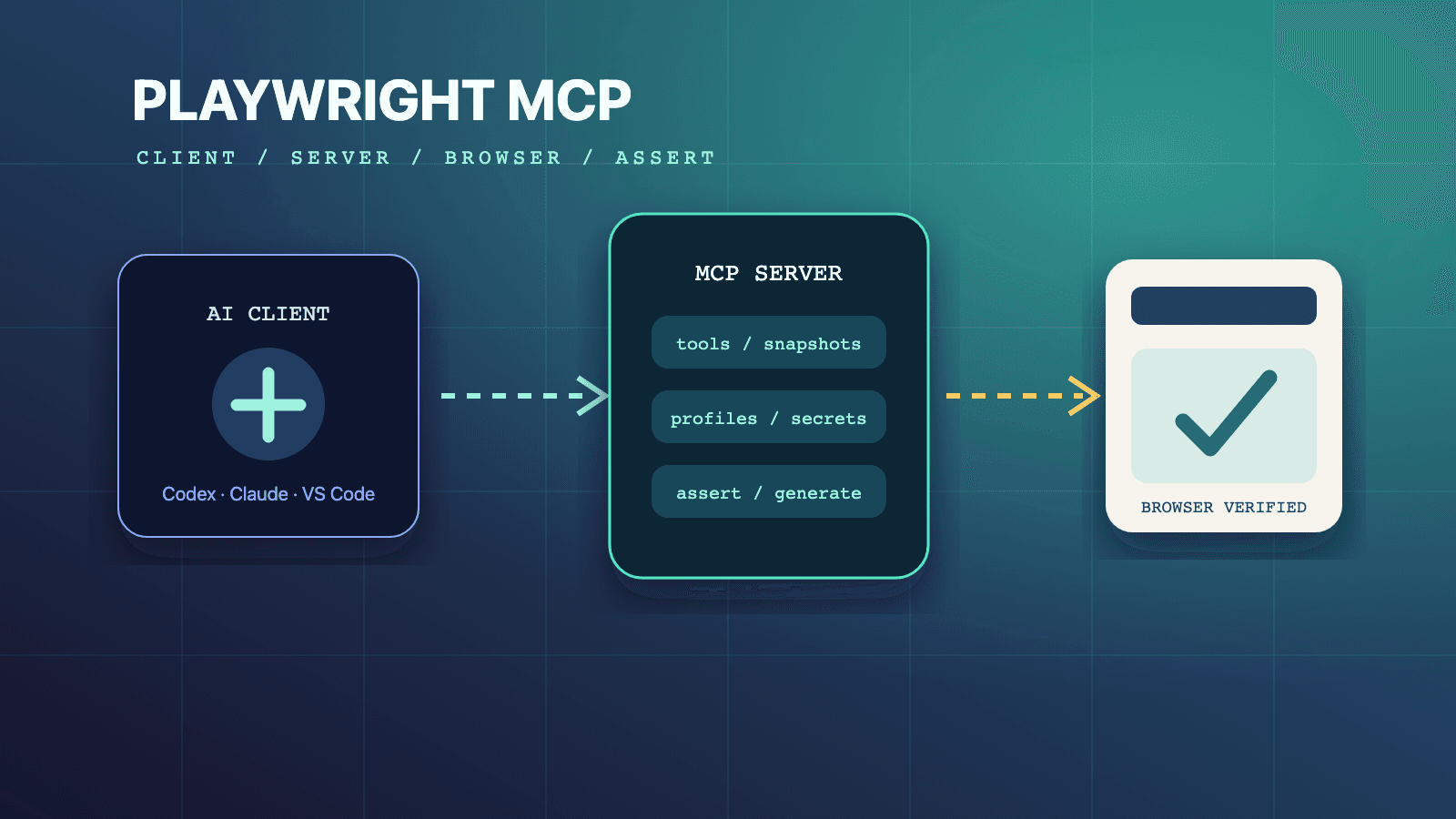
Playwright MCP security requires defense in depth because the official project explicitly says it is not a security boundary. Keep the server local through stdio when possible, run it with minimal OS and client permissions, prefer an isolated test profile, retain default workspace file restrictions, allow only required browser origins, protect state and output artifacts, and expose only necessary capabilities. For HTTP deployments, add real authentication and authorization, validate every request and token audience, minimize scopes, and never use an MCP session ID or Playwright origin filter as a substitute for access control.
Start with the Playwright MCP browser automation guide, then align controls with the configuration reference, testing capability guide, and profile-mode guide. The /skills directory and author-qualified Playwright CLI skill can supply reusable QA operating rules. For a maintained-suite perspective, read the existing Playwright test agents in Claude Code guide.
Begin with the Actual Trust Boundaries
Playwright MCP sits between an MCP client, a model-driven workflow, a browser, the local file system, target applications, output files, and sometimes a network endpoint. Each boundary has different controls. Browser origin filtering does not authenticate an MCP client. A secret-masking file does not stop the browser from sending a credential to an unintended page. An isolated profile does not prevent a form submission from changing remote data. A localhost listener is not automatically safe from every local process or DNS-rebinding scenario.
The official MCP Security Best Practices cover local server compromise, HTTP authorization, session hijacking, token passthrough, confused deputy risks, server-side request forgery during OAuth discovery, URL validation, and scope minimization. The Playwright-specific configuration adds useful file, origin, profile, output, permission, and browser-process controls. A defensible deployment combines both layers.
Inventory these assets before configuration:
- Workspace files the MCP client and server process can read or write.
- Browser-accessible origins, including identity providers, APIs, CDNs, and localhost ports.
- Accounts, cookies, localStorage, extension state, and storage-state files.
- Screenshots, console output, network logs, videos, traces, and saved sessions.
- Local process privileges, environment variables, and network reachability.
- HTTP credentials, authorization scopes, session IDs, and downstream API tokens.
- Remote side effects the browser can trigger in test or production systems.
Security review then becomes concrete. "The MCP is internal" is not a control. "The process runs as a non-privileged QA user, through direct stdio, with one workspace root, an isolated profile, two allowed origins, no unrestricted file access, and a disposable test account" is reviewable.
Apply Controls in Layers
| Layer | Playwright or MCP control | What it reduces | What it does not prove |
|---|---|---|---|
| MCP client and process | Explicit startup consent, sandboxing, minimal OS privileges | Arbitrary local file, process, and network impact | That browser actions are safe or authorized |
| Transport | Direct stdio, or authenticated and authorized HTTP | Unwanted clients calling tools | That a valid client should perform every requested action |
| Browser state | --isolated, dedicated account, reviewed storage state | Cross-session contamination and personal-session exposure | Rollback of server-side effects |
| File access | Default workspace-root restriction, client file permissions | Accidental reads and uploads outside intended roots | A secure sandbox against a determined bypass |
| Browser network | --allowed-origins, --blocked-origins, egress policy | Accidental requests to unapproved origins | Redirect protection, MCP authentication, or full SSRF prevention |
| Tool surface | Only required opt-in capabilities | Unnecessary tool choices and privileged workflows | Removal of always-enabled core behavior |
| Sensitive output | --secrets masking, controlled output directory, retention | Accidental plaintext exposure in responses and artifacts | Secret storage, access control, or guaranteed redaction |
| Authorization | Audience-bound tokens, per-request validation, narrow scopes | Token reuse, confused deputy behavior, privilege expansion | Host and browser isolation |
No single row closes the system. The table is useful during incident review too: if a storage-state file leaks through an artifact, origin filtering did not fail; artifact permissions and credential lifecycle did.
Prefer Direct stdio for a Local QA Tool
For a local MCP client, the normal configuration starts the official package as a child process and communicates through stdio:
{
  "mcpServers": {
    "playwright": {
      "command": "npx",
      "args": [
        "@playwright/mcp@latest",
        "--isolated",
        "--caps=testing",
        "--output-dir=./artifacts/playwright-mcp"
      ]
    }
  }
}
The MCP security guide recommends stdio for local servers because it limits access to the client that owns the process. It also requires clients that offer one-click local server installation to show the exact command without truncation, explain that code will run on the user's machine, require explicit approval, and allow cancellation. Review both the package name and every argument before approving startup.
Local does not mean harmless. The server runs with the privileges of the client process unless the operating environment restricts it. The MCP guidance recommends sandboxing local servers, limiting file system and network access, using minimal default privileges, and requiring explicit grants for additional access. Run the client and server as a non-administrative identity. Do not solve a browser launch problem by running the entire IDE or agent as root.
Pin a reviewed package version in controlled environments rather than accepting new executable code without review on every start. The official examples use @latest, but reproducible security posture requires knowing which release was approved. Update intentionally after reading official changes and rerunning the threat-focused checks in this article.
Treat HTTP as a Service Deployment
Playwright MCP can listen on a port, and the official configuration guide shows http://localhost:8931/mcp. The default host is localhost; --host 0.0.0.0 binds to all interfaces. The latter is not a routine local configuration. It creates a reachable service whose network placement, authentication, authorization, encryption, logging, rate control, and lifecycle must be designed.
The Playwright server's allowedHosts setting is documented as DNS-rebinding protection, not CORS or user authorization. Do not set it to * to make an unexplained connection problem disappear. Keep the binding at loopback for a same-machine client. If another machine must connect, place the endpoint behind a reviewed service boundary that implements the current MCP authorization requirements.
The MCP security guidance is explicit about stateful HTTP servers:
- Verify authorization on every inbound request.
- Never use an MCP session ID as authentication.
- Generate secure, non-deterministic session IDs.
- Bind session state to user-specific information when authorization is present.
- Rotate or expire sessions to reduce hijacking impact.
- Restrict HTTP transport with an authorization token or appropriately restricted IPC when applicable.
A URL in an MCP client config proves only where the client connects. It does not add authentication. Do not publish the raw Playwright MCP port on a shared network and assume origin allowlists protect it; those filters govern browser requests, not who may call MCP tools.
Keep File Access at the Workspace Boundary
The Playwright repository documents a default file policy: access is restricted to MCP workspace roots, or the current working directory when no roots are configured, and navigation to file:// URLs is blocked. The --allow-unrestricted-file-access flag expands access outside those roots and permits unrestricted file:// navigation.
Leave that flag off. Place upload fixtures, download destinations, initialization scripts, storage-state files, and output directories inside narrowly scoped workspace locations with OS permissions appropriate to the test. Start the MCP client in the intended project rather than a broad home directory. Review workspace roots supplied by the client because they determine the convenience boundary.
The official config schema warns that allowUnrestrictedFileAccess is a convenience defense against accidental wandering, not a secure boundary. A deliberate attempt can work around it, so true protection comes from client permissions and process isolation. If the server process cannot read SSH keys, cloud credentials, or unrelated repositories at the operating-system layer, a tool mistake has less to expose.
File uploads deserve a separate check. A browser may need one fixture, not the entire downloads folder. Use synthetic files without customer data. Validate the application's file-size, type, and content behavior with purpose-built fixtures. Do not grant broader host access merely because a test prompt says "upload the latest report."
Restrict Browser Origins without Overclaiming
--allowed-origins accepts a semicolon-separated list of trusted origins the browser may request. --blocked-origins uses the same separator, and the blocklist is evaluated first. In the JSON config, network.allowedOrigins and network.blockedOrigins are arrays. The documented matching forms include a full origin and a wildcard port such as http://localhost:*.
A restrictive local test configuration can look like this:
{
  "browser": {
    "browserName": "chromium",
    "isolated": true,
    "launchOptions": {
      "headless": true
    }
  },
  "capabilities": ["core", "testing"],
  "network": {
    "allowedOrigins": [
      "https://qa.example.com",
      "https://identity.example.com",
      "http://localhost:*"
    ],
    "blockedOrigins": [
      "http://169.254.169.254"
    ]
  },
  "allowUnrestrictedFileAccess": false,
  "outputDir": "./artifacts/playwright-mcp",
  "console": {
    "level": "warning"
  }
}
Map the target page's real dependencies before rollout. Authentication may redirect to an identity origin. Scripts, fonts, images, and API calls may use separate origins. Start in a disposable environment, observe required network destinations, approve each by purpose, and retest failure behavior. Do not add broad wildcards that the official matcher does not document.
The warning matters: Playwright says allowed and blocked origins are not a security boundary and do not affect redirects. A URL allowed at the first hop can redirect elsewhere. Use network egress controls, proxy policy, and environment isolation for a stronger destination boundary. The browser list is useful defense in depth, not complete SSRF protection and not authorization for the target system.
--block-service-workers can reduce service-worker interference and stop those workers from handling requests in the test context. It may also change the application behavior being tested. Enable it when the security or determinism model requires that tradeoff, and document that the resulting run does not cover service-worker behavior.
Separate Browser Origin Policy from MCP SSRF Controls
The MCP security guide describes SSRF risks during OAuth metadata discovery. A malicious server can direct an MCP client toward internal IP ranges, cloud metadata, localhost services, or redirect chains. Those protocol-level fetches are not the same as the Playwright-controlled page's origin requests.
For server-side MCP clients, the official guidance recommends production HTTPS, blocking private and reserved ranges where appropriate, validating every redirect target, considering an egress proxy, and accounting for DNS time-of-check/time-of-use behavior. It also warns against hand-writing IP validation because alternate encodings and IPv4-mapped IPv6 addresses are easy to mishandle.
Apply the right control to each path:
- Playwright allowed origins constrain browser requests as a convenience guardrail.
- Deployment egress policy constrains where the process and browser can connect.
- MCP client SSRF protections validate OAuth discovery and redirect destinations.
- Authorization determines which clients and users may invoke the service.
Conflating these paths creates gaps. Blocking a browser request to a metadata IP does not prove the MCP client's OAuth discovery code cannot reach it. Validating an access token does not prevent an authorized browser task from navigating to an unintended business system.
Use Dedicated Profiles and Test Identities
An isolated profile is the safest general starting point because it avoids carrying cookies and localStorage from earlier sessions. It still needs a dedicated test account and controlled target. If authentication is seeded with --storage-state, protect the JSON file as a credential because its cookies may authorize access.
A persistent profile accumulates authenticated state on disk. Give it a dedicated QA identity, separate it from personal browsing, and define reset and retirement procedures. Do not attach a persistent profile directory to a ticket or commit it as a test fixture.
Browser-extension mode has the broadest state exposure because it reuses selected tabs, logged-in sessions, cookies, and installed extensions from an existing Chrome or Edge profile. Prefer a separate browser profile containing only test accounts. Keep default per-connection approval when practical. If the documented extension token is used to bypass approval, protect it as an authorization secret and remove it when unattended attachment is no longer needed.
Profile isolation does not authorize destructive work. Use environments and accounts that cannot reach production, or enforce role and network restrictions that make unintended production access impossible. A prompt prohibition is weaker than a credential that lacks production privileges.
Minimize Capabilities and Permissions
Core browser automation is always enabled in the current capability model. Additional network, storage, testing, vision, pdf, devtools, and config groups are opt-in. Enable only what the task requires. A visibility-check job does not need storage mutation, network routing, video recording, coordinate input, and PDF generation together.
This follows the MCP security guide's scope-minimization principle: begin with low-risk access and elevate only for a specific operation. Tool capabilities and OAuth scopes are not the same mechanism, but both should express least privilege. For remote authorization, avoid wildcard or omnibus scopes, issue precise elevation challenges, log elevation events, and enforce authorization server-side rather than trusting a scope string without policy.
Browser permissions should be narrow too. The Playwright option --grant-permissions can grant geolocation or clipboard access. Grant only the permission the scenario tests, to the dedicated context, for the duration required. Do not combine --ignore-https-errors, unrestricted files, broad origins, extensive browser permissions, and --no-sandbox as a generic compatibility preset. Each removes or weakens a different signal or control.
The --no-sandbox flag disables browser sandboxing for process types that normally use it. Do not add it by default. If a constrained container requires it, compensate with a reviewed container boundary and minimal host privileges, and record the limitation in test evidence.
Handle Secrets as Credentials, Not Prompt Text
Playwright MCP accepts --secrets <path> for a dotenv-format file. Its official config-schema comment explains that matching plaintext is replaced in tool responses to reduce accidental model exposure. It also says this is a convenience, not a security feature. Redaction can reduce one output path; it is not a vault, an access-control system, or proof that every artifact is clean.
A secrets file should contain placeholders in documentation and real values only in a protected runtime file:
QA_USERNAME=replace-at-runtime
QA_PASSWORD=replace-at-runtime
Reference it without embedding values in the MCP client config:
{
  "mcpServers": {
    "playwright": {
      "command": "npx",
      "args": [
        "@playwright/mcp@latest",
        "--isolated",
        "--secrets=./.secrets/playwright-mcp.env"
      ]
    }
  }
}
Restrict file permissions, exclude the real file from source control, use dedicated low-privilege accounts, and rotate credentials after suspected exposure. Inspect screenshots, videos, traces, downloaded files, console messages, network logs, saved sessions, and storage state independently. A masking feature for text responses cannot guarantee secrets are absent from images or files.
Never place a password, bearer token, extension token, storage-state JSON, or cookie value directly in a prompt. Model and client logs may preserve prompts. Prefer an approved secret-injection path where the model does not need the plaintext value, and keep audit logs useful without recording credentials.
Control Output and Retention
--output-dir centralizes MCP artifacts. That makes access and cleanup easier if the directory is dedicated, permission-restricted, and outside public web roots. --save-session, output-to-file mode, video, screenshots, console export, network output, and traces can increase the amount of sensitive state retained.
Adopt an artifact policy before enabling them:
- Classify the target environment and likely page data.
- Save only evidence needed for the test decision.
- Redact or avoid customer and employee data at the source.
- Limit directory access to the QA job and reviewers.
- Set a retention period and delete expired evidence safely.
- Review artifacts before attaching them to an issue or external system.
- Record which artifacts were omitted because they could expose secrets.
The outputMaxSize configuration can evict old output by threshold, but capacity management is not a complete retention or secure-deletion policy. Use deployment storage controls appropriate to the data sensitivity.
Implement Remote Authorization Correctly
When Playwright MCP is placed behind a remote MCP service, follow the current authorization and security documents rather than passing arbitrary bearer tokens through. The MCP guidance forbids token passthrough: a server must not accept a token not issued for itself and forward that same token to a downstream API.
Validate that inbound tokens are intended for the MCP server, including audience binding. If the server calls another API, obtain a separate downstream token through the correct authorization relationship. This prevents one token from silently crossing trust boundaries and preserves service-specific logging and controls.
For proxy servers using a static client ID with a third-party authorization server, the security guide requires per-client consent. Consent must identify the requesting MCP client, requested third-party scopes, and registered redirect URI; protect against CSRF; validate redirect URIs exactly; and bind consent to the specific client. Use well-tested authorization libraries rather than implementing token validation by hand.
Keep scopes narrow and progressive. A browser-read or low-risk discovery workflow should not receive file-wide, database-wide, and administrative access because a future task might need them. Log scope elevation with correlation identifiers and accept reduced-scope tokens when policy allows.
Run a Security Acceptance Review
Before enabling Playwright MCP for a team, verify observable controls:
- The exact startup command and package version are approved.
- The process runs without administrator privileges in a restricted environment.
- Direct stdio is used unless HTTP has a documented requirement.
- Any HTTP endpoint authenticates and authorizes every request and is not exposed by accident.
- The workspace root contains only files needed for the task.
- Unrestricted file access and
file://navigation remain disabled. - The profile is isolated or dedicated; personal browser state is not attached.
- Storage-state and extension tokens are protected and revocable.
- Browser origins are enumerated, tested, and backed by egress controls.
- Only required capabilities and permissions are enabled.
- Output directories, artifact types, and retention are controlled.
- The target account cannot perform actions outside the approved QA scope.
- Remote token audiences, downstream tokens, sessions, and scopes follow MCP guidance.
Test denied paths too. Confirm an out-of-root upload cannot proceed through the normal workflow, an unapproved origin is blocked, an unauthorized HTTP request is rejected by the service boundary, a low-scope identity cannot invoke privileged operations, and artifact access is limited. A configuration review without negative tests proves intent, not enforcement.
Security Limits and Version Check
This article reflects official Playwright MCP and MCP security documentation available on July 14, 2026. Examples use current option names and the official @latest setup form. Security-sensitive teams should pin an approved release, monitor official changes, and rerun acceptance checks after updates because tool surfaces, defaults, extension behavior, and configuration fields can evolve.
Playwright MCP remains a browser automation server, not a sandbox or policy engine. Its file restriction, origin lists, and secret replacement are explicitly convenience defenses. Origin controls do not cover redirects. Isolated profiles do not roll back remote side effects. Secret masking does not sanitize every artifact. stdio narrows local access but does not make an over-privileged process safe. HTTP authorization does not make every authorized browser action appropriate.
The secure design places hard controls outside the model-driven loop: OS permissions, process isolation, network egress, dedicated identities, environment separation, authenticated transport, server-side authorization, narrow scopes, and artifact access. Prompts and team instructions then add operational intent on top of those boundaries.
FAQ: Security Operations
Is Playwright MCP a security boundary?
No. The official project states that it is not. Treat file restrictions, origin filters, and secret masking as defense-in-depth conveniences, and rely on client permissions, process isolation, network policy, dedicated identities, and authorization for enforceable boundaries.
Should I enable allow-unrestricted-file-access for uploads?
Normally no. Put approved synthetic fixtures inside a narrow workspace root and keep the default restriction. If a rare workflow needs another directory, grant access at the client or operating-system layer as narrowly and temporarily as possible rather than opening the whole file system.
Do allowed origins stop all navigation to other sites?
No. The official warning says origin allowlists and blocklists do not affect redirects and are not a security boundary. Combine them with egress controls, isolated environments, and explicit target authorization.
Does the secrets file securely store credentials?
No. Playwright MCP uses its values to replace matching plaintext in tool responses as a convenience. Protect the dotenv file separately, avoid exposing values to prompts, and inspect images, logs, state files, and other artifacts that text masking may not cover.
Is localhost HTTP as safe as direct stdio?
They have different exposure. Direct stdio limits communication to the owning client process. A localhost HTTP listener can be reached by other local processes and needs attention to DNS rebinding and authorization architecture. Prefer stdio unless a separate server is required.
Can an MCP session ID authenticate an HTTP client?
No. The MCP security guidance says servers must not use sessions for authentication and must verify authorization on every inbound request. Session IDs should be secure, non-deterministic, user-bound where appropriate, and rotated or expired.
Why should token audience validation matter for a browser server?
A remote MCP service must accept only tokens issued for itself. Without audience binding, a token intended for another resource may be reused, controls can be bypassed, and confused-deputy behavior becomes possible. Downstream APIs should receive separate tokens, not the client's MCP token.
Does an isolated profile prevent production changes?
No. It discards local browser profile changes when the browser closes. A submitted production form, created record, sent email, or external API action remains. Prevent production access with accounts, roles, network boundaries, and environment controls.
Should I use the browser extension with my normal work profile?
Avoid it for QA automation. Extension mode reuses existing tabs, sessions, cookies, and installed extensions. Use a dedicated browser profile and test identities, select only the intended tab, and keep connection approval unless unattended attachment is explicitly reviewed.