Playwright MCP Testing Capability: Assertions and Test Generation
Enable Playwright MCP testing tools, verify elements, text, lists, and values, generate locators, and convert browser exploration into reviewable tests.
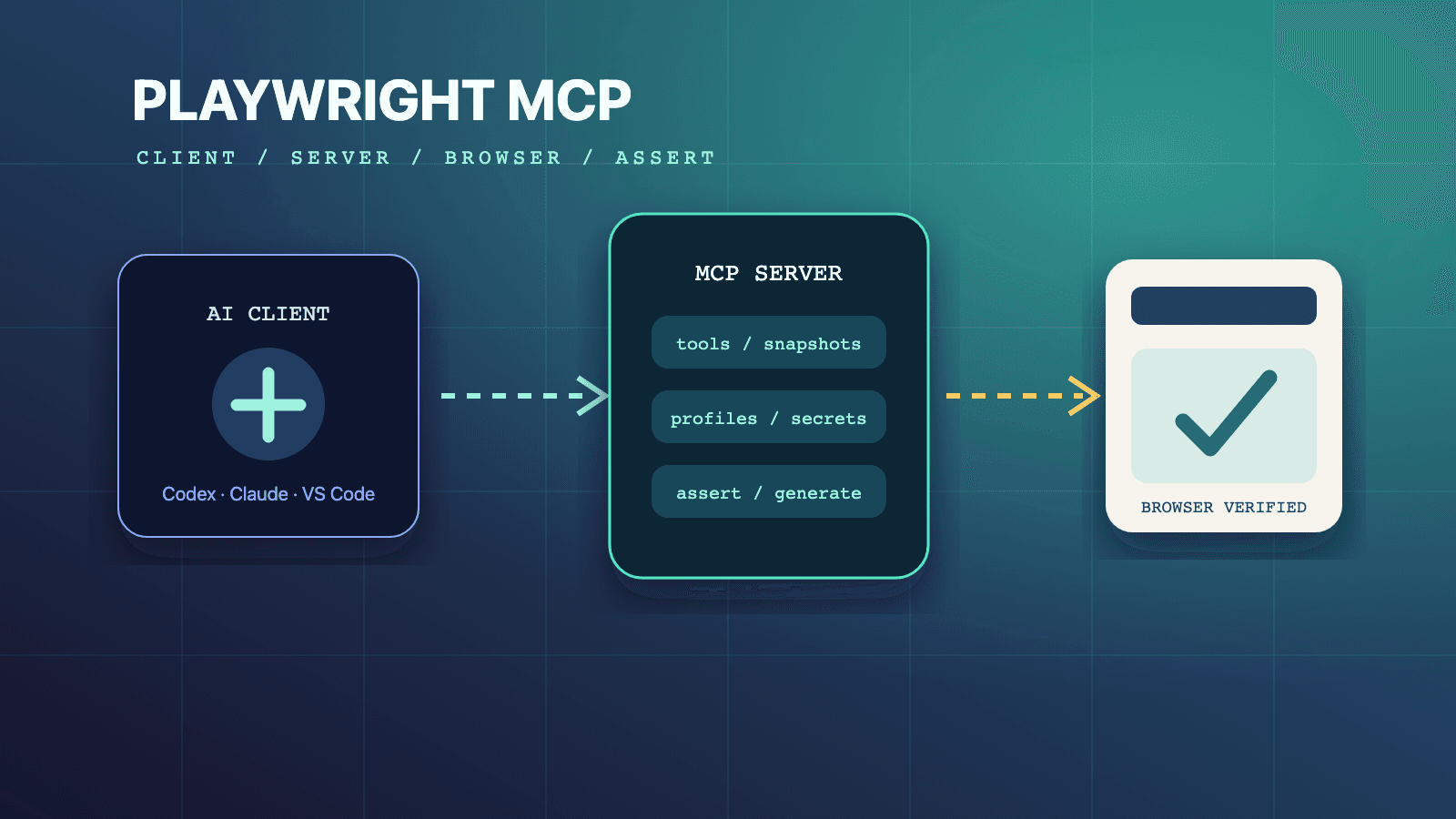
The Playwright MCP testing capability is an opt-in tool group enabled with --caps=testing. It adds four focused assertions, browser_verify_element_visible, browser_verify_text_visible, browser_verify_list_visible, and browser_verify_value, plus browser_generate_locator. A QA agent can explore a real page with core browser tools, make explicit checks, and collect generated Playwright code grounded in the observed UI. It does not replace test design, Playwright Test configuration, fixtures, or human review; it turns browser evidence into a stronger starting point for durable automated tests.
Use the complete Playwright MCP guide for the protocol and browser loop, then pair this tutorial with the server configuration reference, profile-mode decision guide, and MCP security practices. For reusable QA instructions, browse the /skills directory and the author-qualified Playwright CLI skill. If the output will become a maintained suite, the existing Playwright tutorial for beginners supplies broader test-runner context.
What the Testing Capability Actually Adds
Core Playwright MCP already lets an agent navigate, read accessibility snapshots, click, type, fill forms, wait, inspect console and network activity, take screenshots, and run supported page interactions. The testing capability adds a compact vocabulary for stating expected outcomes and requesting reusable locators. The official capability reference lists exactly five testing tools, so a team can reason about the surface without treating every browser action as an assertion.
That distinction is practical. Clicking Submit proves only that a click was attempted. A fresh snapshot may show the page changed, but the test job still needs a named claim: a Dashboard heading is visible, a validation message appears, a list contains expected items, or an input holds the expected value. The verification tools express those claims directly and return a success or failure that the agent can use to continue, diagnose, or stop.
The locator generator solves a different problem. It accepts the current snapshot reference for an element and returns a Playwright locator such as page.getByRole('button', { name: 'Submit' }) or page.getByLabel('Email'). It does not assert anything by itself. Its value is converting the exact element the agent just observed into code that can be reviewed and placed in a test.
| Tool | Input | Best search job | Generated-code role |
|---|---|---|---|
browser_verify_element_visible | ARIA role and accessibleName | Confirm a specific semantic control or heading is visible | Produces a visibility expectation grounded in role and name |
browser_verify_text_visible | Visible text | Confirm a message, status, label, or content fragment appears | Produces a text visibility expectation |
browser_verify_list_visible | List label and expected items | Confirm a named list contains a defined set of visible items | Produces a list-oriented check |
browser_verify_value | Element type, description, current target, and expected value | Confirm an input's current value | Produces a value expectation tied to the observed field |
browser_generate_locator | Current element target and optional description | Turn an observed element into maintainable locator code | Returns a locator, not an assertion |
These are focused helpers, not an exhaustive assertion library. There is no documented testing-capability tool for every matcher available in Playwright Test. When a scenario requires an unsupported condition, keep the distinction clear: use browser observation to gather evidence, then write and review the appropriate Playwright Test assertion rather than inventing an MCP tool name.
Enable Testing without Enabling Everything
Add testing to the server's capability list. The shortest official configuration is:
{
  "mcpServers": {
    "playwright": {
      "command": "npx",
      "args": ["@playwright/mcp@latest", "--caps=testing"]
    }
  }
}
Core remains enabled automatically. The resulting surface includes the normal browser tools plus the five testing tools. You do not need vision to verify accessible elements, text, lists, or values. You do not need devtools unless the same job also records traces or video. You do not need storage unless the workflow manages cookies, localStorage, sessionStorage, or storage-state files.
An authenticated test-generation session may legitimately combine capabilities:
{
  "mcpServers": {
    "playwright": {
      "command": "npx",
      "args": [
        "@playwright/mcp@latest",
        "--isolated",
        "--storage-state=./auth-state.json",
        "--caps=testing,storage",
        "--output-dir=./artifacts/playwright-mcp"
      ]
    }
  }
}
Here, --isolated starts an in-memory profile, --storage-state seeds cookies and localStorage from a file, and storage exposes state-management tools. Those choices are independent from testing. If the scenario is public and unauthenticated, omit the state configuration. If the agent only needs the startup state and never calls storage tools, evaluate whether exposing the storage capability is necessary.
After changing capabilities, restart the MCP server through the client. If navigation works but browser_verify_text_visible is unavailable, the server is running core tools without the testing group. Diagnose the resolved startup configuration instead of asking the model to approximate the missing tool.
Use an Observe, Act, Verify Loop
Reliable test generation starts with current page evidence. Playwright MCP's snapshot documentation says interactive elements receive references such as e5, and those refs are valid only until the page changes. Navigation and DOM updates can produce new refs. The agent therefore needs a loop, not a script assembled from stale identifiers:
- Navigate or request
browser_snapshot. - Identify the current semantic element and ref.
- Perform one meaningful action.
- Read the returned fresh snapshot.
- State the expected outcome through the narrowest verification tool.
- Generate a locator only from a ref in current output.
- Repeat until the user flow and its important branches are covered.
This sequence prevents a common generation error: copying e10 from an earlier snapshot and assuming it still targets the same checkbox after a list item was inserted. Snapshot refs are excellent interaction handles because they point to what the model just saw, but they are not test selectors to save in source code. The generated role, label, text, or test-id locator is the durable candidate.
The loop also forces the agent to distinguish evidence from expectation. A snapshot showing "Order submitted" is evidence. Calling browser_verify_text_visible with that text records the expected outcome. Generating a locator for the Submit button helps reproduce the action later. Each artifact answers a different review question.
Verify Semantic Elements by Role and Name
browser_verify_element_visible takes an ARIA role and accessible name. Use it for controls and landmarks whose identity is semantic: buttons, links, headings, textboxes, checkboxes, or similar accessible elements. The official testing and assertions page shows checks such as a heading named Dashboard and a button named Submit.
A compact tool transcript looks like this:
browser_navigate { url: "https://app.example.com/login" }
browser_verify_element_visible { role: "heading", accessibleName: "Sign in" }
browser_verify_element_visible { role: "textbox", accessibleName: "Email" }
This is stronger than asking whether "the login page looks right." The role/name pair identifies the expected accessible contract. If a heading is visually present but has no heading semantics, the verification can expose an accessibility and testability gap instead of silently accepting pixels.
Choose a name a user or assistive technology can actually perceive. Do not create a role/name pair from internal implementation details. If the page has two visible buttons named Continue, the query may be ambiguous and the product may need a more specific accessible name or a narrower workflow state before verification.
Use this tool for presence, not for every property. It verifies visibility of the named semantic element. It does not claim the control is enabled, has a particular CSS color, or sent the correct network request. Add those checks in the maintained suite when they are part of the risk.
Verify Text, Lists, and Field Values Deliberately
browser_verify_text_visible is appropriate for user-facing messages: validation feedback, toast content, empty states, totals, and status text. Prefer meaningful text over incidental copy. "Payment declined" is usually a behavior contract; a marketing subtitle may not be. If content is localized or intentionally dynamic, the final test design may need a different assertion even if visible-text verification is useful during exploration.
browser_verify_list_visible takes the accessible label of a list and an array of expected item strings. It is useful when the list itself has a stable identity and its visible contents are the outcome: a Todo list, search results shortlist, navigation menu, or selected products. Decide whether order matters to the product and verify the maintained test accordingly; do not infer matcher semantics beyond what the current MCP result demonstrates.
browser_verify_value takes the element type, a human-readable description, the current snapshot target, and a string value. It is designed for a form field the agent has just observed. Because its target can be a short-lived snapshot reference, request or read a fresh snapshot before calling it. This is particularly useful after autofill, formatting, a form reset, or an edit flow where visible text elsewhere on the page is not enough to prove the input's actual value.
The four checks can express a form-validation matrix without vague narration:
browser_click { target: "e9" }
browser_verify_text_visible { text: "Email is required" }

browser_type { target: "e3", text: "not-an-email" }
browser_click { target: "e9" }
browser_verify_text_visible { text: "Please enter a valid email" }

browser_type { target: "e3", text: "alice@example.com" }
browser_verify_value { type: "textbox", element: "Email field", target: "e3", value: "alice@example.com" }
The refs shown are illustrative and must come from the active session. A publication-ready test plan should also cover success, server errors, disabled or duplicate submission, and field-state transitions when those risks apply. The testing capability helps make each observed claim explicit; it does not decide the complete scenario inventory.
Generate Locators from the Element You Observed
After the agent identifies an element in a current snapshot, call browser_generate_locator with its current target:
browser_snapshot
  - textbox "Email" [ref=e3]
  - button "Submit" [ref=e15]

browser_generate_locator { element: "Email field", target: "e3" }
  page.getByLabel('Email')

browser_generate_locator { element: "Submit button", target: "e15" }
  page.getByRole('button', { name: 'Submit' })
The result is a candidate locator grounded in the rendered page, not a selector guessed from source code. Review it for uniqueness, user-facing semantics, and stability. A role/name locator may be ideal for a clear control. A label locator may be ideal for a form field. If the generated locator depends on text that product owners change frequently, the reviewer can choose a different documented locator strategy in the test file.
Do not put e3 or e15 in the Playwright Test source. Those are MCP snapshot references with short lifetimes. The generated locator is intended to bridge exploration and code. If the DOM changes before generation, obtain a fresh snapshot and target the new ref rather than forcing the old one.
Convert a Todo Flow into a Test Candidate
The official assertions guide demonstrates TodoMVC because one short flow includes input, submission, list content, a checkbox, and a count. A disciplined agent transcript can look like this:
browser_navigate { url: "https://demo.playwright.dev/todomvc" }
browser_type { target: "e5", text: "Buy groceries", submit: true }
browser_verify_text_visible { text: "Buy groceries" }
browser_click { target: "e10" }
browser_verify_text_visible { text: "0 items left" }
The exact refs must come from the snapshots returned in that session. With TypeScript code generation enabled, the documented workflow yields action and expectation snippets that can be assembled into a test. A reviewed candidate is:
import { test, expect } from '@playwright/test';

test('adds and completes a todo', async ({ page }) => {
  await page.goto('https://demo.playwright.dev/todomvc');

  const newTodo = page.getByPlaceholder('What needs to be done?');
  await newTodo.fill('Buy groceries');
  await newTodo.press('Enter');

  await expect(page.getByText('Buy groceries')).toBeVisible();
  await page.getByRole('checkbox', { name: 'Toggle Todo' }).click();
  await expect(page.getByText('0 items left')).toBeVisible();
});
This code is a test candidate, not proof that the repository is ready to merge it. The team still chooses the file location, base URL strategy, project configuration, fixtures, test data, tags, retries, reporting, and cleanup. Run the spec in the project's Playwright Test environment. A successful MCP exploration does not prove the generated test passes under every configured browser or in CI.
Design Assertions around User Outcomes
Generated tests become brittle when they record every intermediate detail. Select assertions that prove the behavior promised by the story. For a login flow, a stable authenticated landmark and the intended destination may be stronger than checking three incidental labels. For a filter, the result list and count may matter more than the button's temporary class. For validation, check the message and whether correction allows progress.
Use a small assertion portfolio:
- One entry assertion confirms the scenario began in the expected state.
- One assertion after a meaningful transition confirms the intended outcome.
- One state assertion covers data that can be silently wrong, such as a field value or list content.
- One negative assertion or branch covers the most likely failure mode, written in Playwright Test if no focused MCP helper expresses it.
The testing tools emphasize visible user state. That is useful but not sufficient for every layer. A successful UI message does not prove an analytics event, database record, email, or downstream side effect occurred. Keep API, contract, persistence, accessibility, visual, and observability checks at the layer where their evidence is authoritative.
Review Generated Code before It Becomes Coverage
A reviewer should be able to trace each generated line back to an observed action or required outcome. Check these points before accepting a spec:
- The title describes behavior, not the implementation sequence.
- Navigation uses the project's approved URL or base-URL pattern.
- Locators express stable user-facing semantics and are unique in the tested state.
- Snapshot refs do not appear in source code.
- Assertions prove requirements rather than decorative content.
- Test data is controlled and does not depend on a developer's persistent profile.
- Authentication state is created or loaded through an approved fixture or state file.
- The test leaves shared data in a known state or uses isolated data.
- No credentials, tokens, cookies, or sensitive response content are embedded in code or artifacts.
- The spec is run through the repository's formatter, type checker, and Playwright Test command.
This review is where an exploratory transcript becomes engineering. MCP makes the browser observable to an agent and can remove locator guesswork. It cannot know which application contracts are stable, which accounts are safe, or which side effects require cleanup unless the team supplies that context.
Use Failures as Evidence, Not Regeneration Prompts
When a verification fails, preserve the failure boundary. A missing heading may indicate wrong navigation, delayed loading, an inaccessible heading, incorrect expected copy, authentication failure, or a product defect. Read the fresh snapshot, console messages, and relevant network evidence before changing the expectation.
Do not ask the agent to regenerate locators repeatedly until a test turns green. That can convert a meaningful failure into a weak assertion. If the expected Submit button is gone, generating a locator for the nearest visible button does not establish equivalent behavior. Return to the requirement and current page state.
Likewise, do not increase timeouts as the first response to every intermittent result. The server's action, navigation, and expectation timeouts are separate configuration choices. Determine whether the application has a real asynchronous condition the test can observe. A fixed long delay makes generation slower without proving readiness.
Capability Version and Limitations
This guide reflects the official Playwright MCP pages available on July 14, 2026. The testing group currently documents four verification tools and one locator generator. It requires explicit capability enablement even though core browser actions work without it. Teams that pin @playwright/mcp should confirm the installed release exposes the same tool names and parameters before using prompts or templates built for @latest.
The capability is intentionally narrower than Playwright Test's full assertion and runner surface. It does not replace projects, fixtures, hooks, reporters, retries, sharding, trace policy, or repository test configuration. Its generated snippets must be assembled into a test and executed in the target project. Visible state checks cannot prove backend persistence or external side effects by themselves.
Snapshot refs are session evidence, not stable locators. Generated code is only as strong as the observed state and the review criteria. An extension-backed personal browser can contaminate generated scenarios with existing data; a persistent profile can hide login prerequisites; an isolated profile can reveal missing setup. Choose profile mode before treating a generated flow as reproducible.
FAQ: Testing Capability
How do I enable the Playwright MCP testing capability?
Add --caps=testing to the server arguments, set PLAYWRIGHT_MCP_CAPS=testing, or include testing in the JSON config's capabilities array. Restart the MCP server so the client receives the updated tool list.
Which assertion tools does the testing capability provide?
It provides browser_verify_element_visible, browser_verify_text_visible, browser_verify_list_visible, and browser_verify_value. It also provides browser_generate_locator, which generates locator code but is not itself an assertion.
Does Playwright MCP write a complete test file automatically?
The official workflow shows generated action and expectation snippets being assembled into a Playwright test. Treat the result as code to place, format, run, and review in the repository; do not assume a tool transcript alone created maintained coverage.
Can I use a snapshot ref as a locator in my test?
No. A ref such as e15 is scoped to current snapshot state and can change after navigation or DOM updates. Use it for the live MCP call, then generate or write a durable Playwright locator for the test source.
When should I use browser_verify_element_visible instead of text verification?
Use element visibility when role and accessible name are part of the contract, such as a button, link, heading, or textbox. Use text visibility when the outcome is a message or content string without a more useful semantic element identity.
Can the testing capability verify an input value?
Yes. Call browser_verify_value with the element type, a human-readable description, the current target, and the expected string value. Obtain the target from fresh page output because snapshot references can become invalid after the page changes.
Is vision capability required for assertions and test generation?
No. The testing tools operate with structured page state and refs. Enable vision only when the workflow specifically requires coordinate-based mouse interactions with a vision-capable model.
Why did a generated locator stop matching later?
The page's accessible name, role, label, test data, or structure may have changed, or the original locator may not have been unique outside the exploration state. Reproduce the target state, inspect a current snapshot, and review the locator against the intended user contract before changing it.
Should generated tests use a persistent profile?
Not by default. Persistent state can make exploration convenient but can hide setup and data dependencies. Use controlled fixtures or reviewed storage state for reproducible tests, and use an isolated profile when a clean starting point is part of the scenario.